

Choosing the best 27 inch gaming monitor now comes down to three things: the panel type, the refresh rate and the graphics card that has to feed it. This guide compares five 27-inch 2560 x 1440 monitors on those specs, adds independent response-time results where they exist, and shows which graphics cards can fill the refresh rate.
Short answer
The best 27 inch gaming monitor for most players is the Alienware 27 Gaming Monitor AW2725DM, a 180 Hz Fast IPS panel at 2560 x 1440. Choose the Samsung Odyssey OLED G6 (G60SD) instead if you want 360 Hz and OLED contrast.
Our picks at a glance
-
Best overall
Alienware 27 Gaming Monitor AW2725DM
A 180 Hz Fast IPS panel with a 1 ms Extreme mode.
-
Best for HDR contrast
AOC Q27G3XMN
A Mini LED VA panel rated for DisplayHDR 1000 and 4000:1 contrast.
-
Best for picture quality
Samsung Odyssey OLED G6 (G60SD)
A 360 Hz OLED rated at 0.03 ms GTG.
Why 27-inch 1440p became the default
A 27 inch 1440p gaming monitor became the default because it keeps text sharp at normal desk distance while asking far less of a graphics card than 4K does. The numbers explain it: 2560 x 1440 is 3.7 million pixels, against 2.1 million at 1080p and 8.3 million at 4K.
At 27 inches that is about 109 pixels per inch, against about 82 at 1080p and 163 at 4K. The cost shows in frame rates: the GeForce RTX 5070 Ti averages 116.8 fps at 1440p but 68.6 fps at 4K in Tom's Hardware's 2026 data, roughly 40% fewer frames. For the size question itself, read our best monitor size for gaming: 24 vs 27 vs 32 guide.
This is for you if
- You want sharper text than 1080p without 4K graphics demands.
- Your card averages about 100 fps or more at 1440p, such as an RTX 5070 Ti or RX 9070 XT.
- You play shooters and single-player games on one monitor.
Look elsewhere if
- You want a wider screen: see our best budget curved gaming monitor guide.
- Your card averages under 60 fps at 1440p, like the Intel Arc B580 at 50.7 fps.
What GPU you need for 1440p
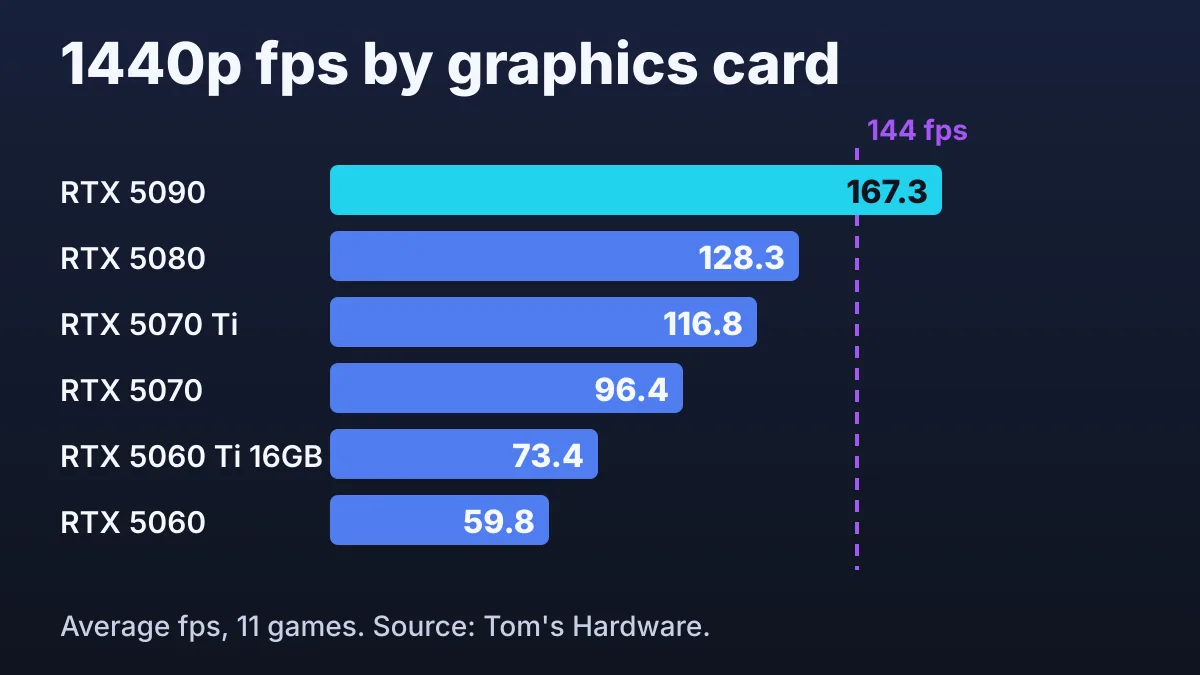
To fill a 144 Hz screen in demanding games, a card must average close to 144 fps at 2560 x 1440, and in Tom's Hardware's 2026 ranking only the GeForce RTX 5090 does, at 167.3 fps. Lower settings and esports titles run faster than this 11-game average.
| Graphics card | 1080p average fps | 1440p average fps | 4K average fps | Refresh rate it roughly fills |
|---|---|---|---|---|
| GeForce RTX 5090 | 203.8 | 167.3 | 110.8 | 144 Hz and above |
| GeForce RTX 5080 | 166.9 | 128.3 | 77.4 | About 120 Hz |
| GeForce RTX 5070 Ti | 155.4 | 116.8 | 68.6 | About 120 Hz |
| Radeon RX 9070 XT | 156.6 | 116.5 | 65.8 | About 120 Hz |
| Radeon RX 9070 | 140.9 | 104.0 | 57.7 | About 100 Hz |
| GeForce RTX 5070 | 132.6 | 96.4 | 54.3 | About 100 Hz |
| GeForce RTX 5060 Ti 16GB | 105.2 | 73.4 | 40.2 | 60 to 75 Hz |
| Radeon RX 9060 XT 16GB | 98.3 | 67.3 | 35.2 | 60 to 75 Hz |
| GeForce RTX 5060 | 88.5 | 59.8 | 21.8 | About 60 Hz |
| Intel Arc B580 | 71.5 | 50.7 | 27.6 | 60 Hz or below |
Figures are geometric means of 11 games at high and ultra settings, last updated 24 June 2026; the last column is our reading of them. A card in the 100 Hz band suits a 1440p 27 inch gaming monitor rated for 144 or 180 Hz.
Three things to check
- Your card's 1440p average. Find it in the table. Near 100 fps, a 180 Hz monitor is a sensible ceiling; near 60 fps, 360 Hz will rarely get matching frames.
- The port you will use. Dell lists the Alienware at 180 Hz over DisplayPort 1.4 but 144 Hz over HDMI, and AOC lists 144 Hz over HDMI for the Q27G3XMN. Use DisplayPort.
- Your desk and stand. Listed height adjustment runs from 110 mm (Dell, ASUS) to 130 mm (AOC), and the LG lists no swivel.
Building more than one piece? Plan the rest of your setup in the Setup Builder before you order.
How GameVexo chose
These five 27-inch, 2560 x 1440 models differ most in panel type, refresh rate and response behavior.
How we researched this
- We compared Dell, AOC, Samsung, ASUS and LG specification pages in November 2026, plus named independent reviews.
- Panel type and refresh rate carried the most weight, because they decide which graphics card a monitor needs.
- We left out prices, star ratings, availability and any unattributed response result.
- Specifications and rated figures come from manufacturer documentation. GameVexo does not physically test products — see how we research.
The best 27 inch gaming monitors, compared
The table lists panel type, top refresh rate, maker-rated response time and the independent result we found.
| Product | Panel and max refresh | Rated response (maker) | Independent response result | Link |
|---|---|---|---|---|
| Alienware 27 Gaming Monitor AW2725DMBest overall | Fast IPS, 180 Hz | 1 ms in Extreme mode | RTINGS, Feb 2026: strong response, consistent motion | Amazon Paid link |
| AOC Q27G3XMNBest for HDR contrast | Fast VA, Mini LED, 180 Hz | 1 ms GtG | TFTCentral, Sep 2024 update: 5.2 ms average G2G at 180 Hz, Medium mode | Amazon Paid link |
| Samsung Odyssey OLED G6 (G60SD)Best for picture quality | OLED, 360 Hz | 0.03 ms GTG | RTINGS: near-instantaneous; no figure retrieved | Amazon Paid link |
| ASUS ROG Strix Pulsar XG27AQNGVBest for competitive FPS | Ultrafast IPS, 360 Hz | 1 ms GTG | TFTCentral, Mar 2026: 2.4 ms average G2G at 360 Hz, Normal mode | Amazon Paid link |
| LG UltraGear 27GR83Q-B | IPS, 240 Hz | 1 ms GtG at Faster | No numeric test found; DisplayNinja advises Fast mode | Amazon Paid link |
What the table does not show
Independent figures come from different reviewers, refresh rates and overdrive modes, so do not rank monitors across rows. Rated times are the makers' own numbers under their own conditions.
Pick 1 · Best overall
Alienware 27 Gaming Monitor AW2725DM
Best for 144 to 180 Hz IPS gamingAlienware's 27-inch Fast IPS monitor offers 180 Hz and three response modes: Super Fast (2 ms), Fast (4 ms) and Extreme (1 ms). Per Dell's specifications, the full 180 Hz needs DisplayPort 1.4, because HDMI stops at 144 Hz at this resolution.
- Panel
- Fast IPS
- Refresh rate
- 180 Hz (DisplayPort 1.4)
- Response time (rated)
- 1 ms Extreme; 2 ms Super Fast
- Size and resolution
- 27 in, 2560 x 1440
- Inputs
- DisplayPort 1.4; HDMI (144 Hz max)
- Adaptive sync
- G-SYNC Compatible, FreeSync
Strengths
- RTINGS (Feb 2026) praises its response time and motion consistency
- Height, tilt, swivel and pivot, with 4.33 in of height range
Trade-offs
- DisplayHDR 400 keeps highlights modest
- RTINGS found more blur with variable refresh rate on
Editorial opinion
Choose it for the most balanced monitor here. Skip it if you want strong HDR or OLED blacks.
Price and availability change often — check the current listing.
Pick 2 · Best for HDR contrast
AOC Q27G3XMN
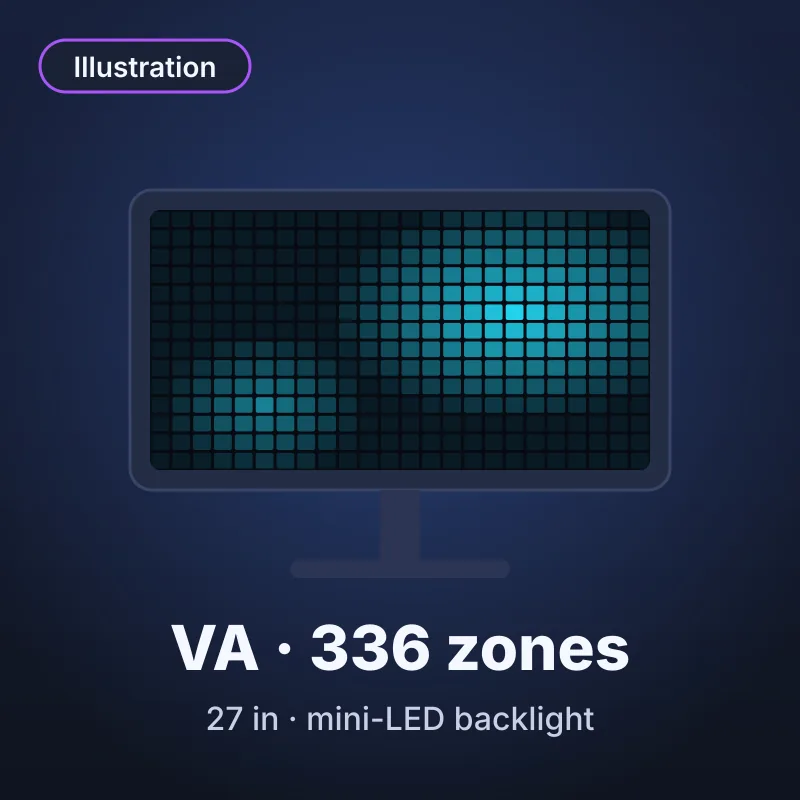
Best for dim-room HDR playAOC's Q27G3XMN is a 27-inch Fast VA monitor with a 336-zone Mini LED backlight, rated for DisplayHDR 1000 and 1000 cd/m². It lists 4000:1 static contrast, four times the 1000:1 the ASUS IPS lists, and 180 Hz, but its two HDMI ports are version 2.0.
- Panel
- Fast VA, 336-zone Mini LED
- Refresh rate
- 180 Hz (DisplayPort); 144 Hz (HDMI)
- Response time (rated)
- 1 ms GtG
- Size and resolution
- 27 in, 2560 x 1440
- Inputs
- DisplayPort 1.4; HDMI 2.0 x2
- Adaptive sync
- FreeSync Premium Pro
Strengths
- 4000:1 static contrast and 336 dimming zones
- 130 mm of height adjustment
Trade-offs
- TFTCentral noted moderate dark smearing, though one of the better VA panels for it
- Its Strong response mode overshoots under variable refresh rate; TFTCentral recommends Medium
Editorial opinion
Choose it for dim-room play and HDR highlights. Skip it for fast shooters where dark smearing would bother you.
Price and availability change often — check the current listing.
Pick 3 · Best for picture quality
Samsung Odyssey OLED G6 (G60SD)
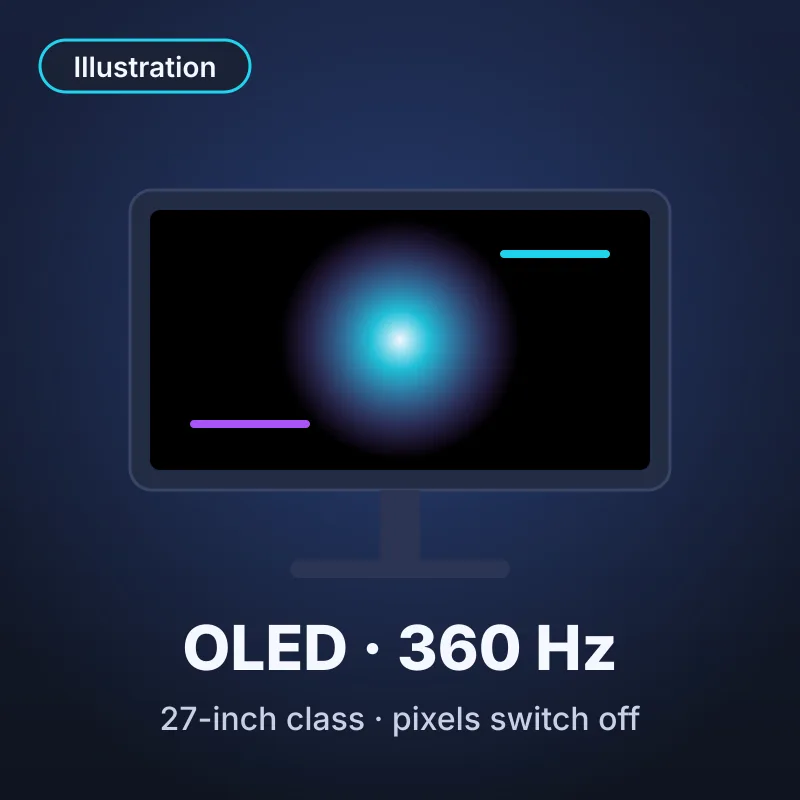
Best for OLED contrast at 360 HzSamsung's Odyssey OLED G6 (G60SD) is a 27-inch class OLED at 360 Hz, rated for 0.03 ms GTG. Its datasheet lists 250 cd/m² typical brightness and a 590.42 x 333.72 mm active area, about 26.7 inches diagonal.
- Panel
- OLED
- Refresh rate
- 360 Hz
- Response time (rated)
- 0.03 ms GTG
- Size and resolution
- 27-inch class, 2560 x 1440
- Inputs
- HDMI 2.1 x2; DisplayPort 1.4
- Adaptive sync
- FreeSync Premium Pro
Strengths
- OLED pixels that switch off for deep blacks
- RTINGS: near-instantaneous response, outstanding refresh-rate compliance
Trade-offs
- 250 cd/m² typical; RTINGS says not bright enough for intense glare
- DisplayNinja reports variable refresh rate flicker in dark scenes
Editorial opinion
Choose it for dim-room play with OLED blacks at 360 Hz. Skip it in a sunlit room. We could not verify how Samsung's warranty treats burn-in for this model, so read Samsung's warranty terms first.
Price and availability change often — check the current listing.
Pick 4 · Best for competitive FPS
ASUS ROG Strix Pulsar XG27AQNGV
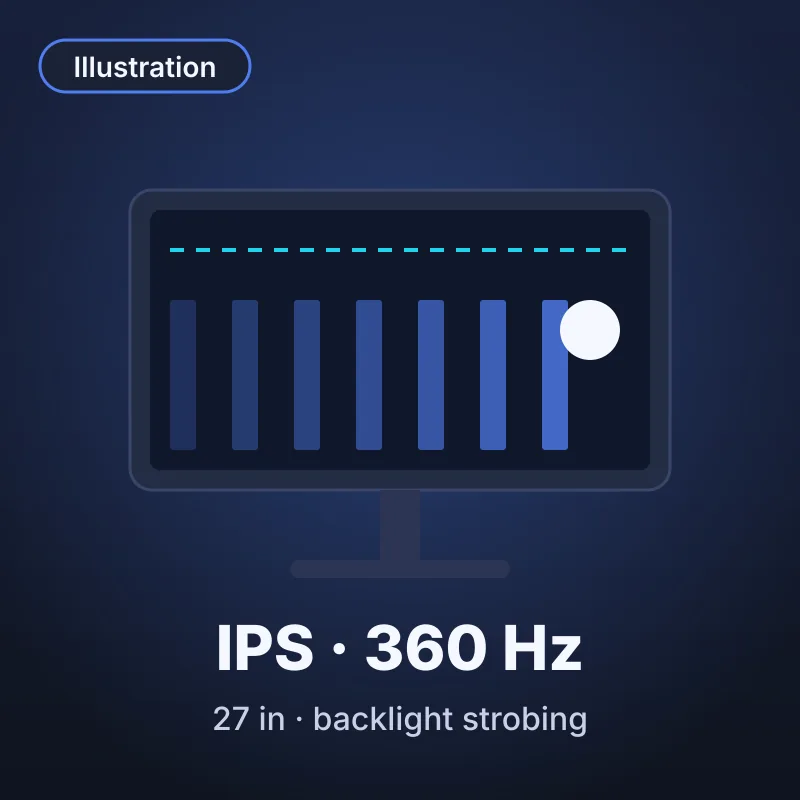
Best for competitive shooters on NVIDIAASUS's ROG Strix Pulsar XG27AQNGV is a 27-inch Ultrafast IPS monitor at 360 Hz, rated for 1 ms GTG. Its G-SYNC Pulsar mode strobes the backlight to cut blur, and TFTCentral reports it works only with compatible NVIDIA cards, from roughly 75 fps upward.
- Panel
- Ultrafast IPS
- Refresh rate
- 360 Hz
- Response time (rated)
- 1 ms GTG
- Size and resolution
- 27 in, 2560 x 1440
- Inputs
- HDMI 2.1 x2; DisplayPort 1.4 DSC
- Adaptive sync
- NVIDIA G-SYNC Pulsar
Strengths
- TFTCentral (Mar 2026): 2.4 ms average G2G at 360 Hz, Normal mode, minor crosstalk
- 400 cd/m² typical brightness
Trade-offs
- Pulsar needs a compatible NVIDIA card
- TFTCentral lists IPS contrast and almost no HDR capability as drawbacks
Editorial opinion
Choose it for competitive shooters on an NVIDIA card that holds well above 75 fps. Skip it with an AMD or Intel card.
Price and availability change often — check the current listing.
Pick 5 · Also worth a look
LG UltraGear 27GR83Q-B
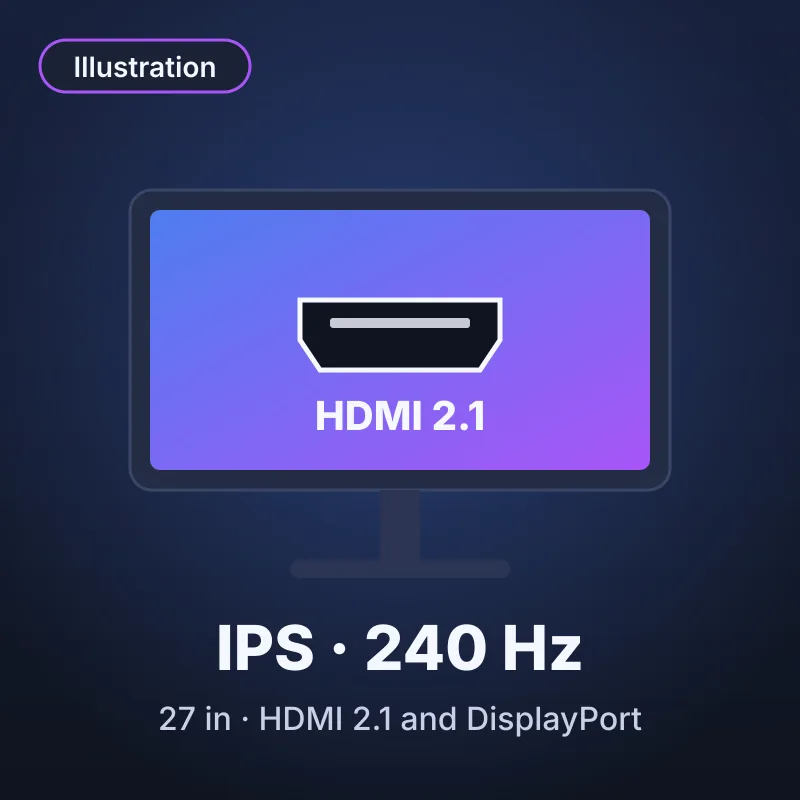
Best for 240 Hz IPS with HDMI 2.1LG's UltraGear 27GR83Q-B is a 27-inch IPS monitor at 240 Hz, rated for 1 ms GtG at its Faster setting, with DisplayHDR 400. DisplayNinja (Feb 2026) recommends Fast mode at 240 Hz because Faster adds overshoot.
- Panel
- IPS
- Refresh rate
- 240 Hz
- Response time (rated)
- 1 ms GtG (Faster)
- Size and resolution
- 27 in, 2560 x 1440
- Inputs
- HDMI 2.1 x2; DisplayPort; USB 3.0
- Adaptive sync
- FreeSync Premium, G-SYNC Compatible
Strengths
- 95% DCI-P3 (typical) coverage
- FreeSync Premium and G-SYNC Compatible
Trade-offs
- Stand lists tilt, height and pivot, no swivel
- No numeric independent response test found
Editorial opinion
Choose it for a 240 Hz IPS panel with both adaptive sync standards. Skip it if you want the independent response data the other picks have.
Price and availability change often — check the current listing.
Refresh rate or resolution: 1440p or 4K?
Most players should choose 1440p at a higher refresh rate, because 4K cut the RTX 5070 Ti's average from 116.8 to 68.6 fps. The choice flips with an RTX 5090-class card, which averaged 110.8 fps at 4K.
1440p at 180 to 360 Hz
- Choose it for shooters and racing games.
- The RTX 5060 Ti 16GB averages 73.4 fps at 1440p, 40.2 at 4K.
- It costs sharpness: about 109 pixels per inch, against 163 at 4K.
or
4K at 60 to 144 Hz
- Choose it for slower games on an RTX 5080-class card (77.4 fps at 4K).
- It gives more detail: 8.3 million pixels against 3.7 million.
- It costs power: only the RTX 5090 averaged above 100 fps at 4K.
Panel types: IPS, VA and OLED
IPS is the safest panel for mixed use, VA trades response speed for contrast, and OLED gives the deepest blacks at the cost of brightness and burn-in questions.
IPS: balanced, with gray blacks
Three picks use IPS: the Alienware, the ASUS and the LG. The ASUS lists 1000:1 static contrast, so IPS blacks look gray in a dark room.
VA: high contrast, slower dark transitions
The AOC lists 4000:1 static contrast. TFTCentral measured 5.2 ms average G2G at 180 Hz in Medium mode, and one frame at 180 Hz lasts 5.6 ms.
OLED: near-instant pixels, lower brightness
Samsung rates the G60SD at 0.03 ms GTG and 250 cd/m² typical. RTINGS says it is not bright enough for intense glare, and we could not verify burn-in coverage.
The "1 ms" spec that barely matters
A rated 1 ms comes from the maker's own conditions, often at the fastest overdrive setting. Compare frame time instead: 5.6 ms at 180 Hz, 4.2 ms at 240 Hz and 2.8 ms at 360 Hz.
Key terms, explained
These three terms trip buyers up most often.
- GtG response time
- Gray-to-gray response time is how long a pixel takes to move between two shades. Makers quote the best case, 0.03 to 1 ms here; independent averages run higher.
- Overdrive
- Overdrive pushes pixels to change faster, in modes such as Normal, Fast and Faster. The fastest can overshoot and leave bright trails.
- Variable refresh rate
- Variable refresh rate, sold as FreeSync or G-SYNC Compatible, matches the monitor to your frame rate to avoid tearing.
Mistakes that cost gamers money
The costliest mistake is pairing a 360 Hz monitor with a card that averages about 60 fps at 1440p.
- Paying for a refresh rate your card cannot reachMatch the refresh rate to your card's 1440p average in the table.
- Plugging into the wrong portHDMI limits the Alienware and the AOC to 144 Hz at 1440p; use DisplayPort for 180 Hz.
- Trusting the 1 ms badgeLook for an independent average G2G at your refresh rate.
- Buying G-SYNC Pulsar without an NVIDIA cardTFTCentral says Pulsar needs a compatible NVIDIA card, so AMD and Intel owners cannot use it.
Frequently asked questions
Is a 27-inch 1440p monitor enough for gaming?
Yes for most players. A 27-inch 2560 x 1440 panel is about 109 pixels per inch and asks far less of a graphics card than 4K: the RTX 5070 Ti managed 116.8 fps at 1440p but 68.6 fps at 4K in Tom's Hardware's average.
What GPU do I need for a 1440p gaming monitor?
For about 100 fps in demanding games, look at the RTX 5070 or RX 9070, which average 96.4 and 104.0 fps at 1440p in Tom's Hardware's test. For about 120 fps, choose the RTX 5070 Ti or RX 9070 XT. Only the RTX 5090 averaged above 144 fps.
Does 360 Hz matter at 1440p?
Only if your card can supply frames near that rate. At 360 Hz each frame lasts 2.8 ms, and TFTCentral measured the ASUS at 2.4 ms average G2G in Normal mode. No card in the table above averages 200 fps at 1440p, so 360 Hz mainly helps esports titles on a top-tier card.
So which one should you buy?
Buy the Alienware AW2725DM for one balanced 180 Hz IPS monitor, and move to the Samsung or ASUS only if your graphics card can use 360 Hz.
| If you need | Best pick | Why | Link |
|---|---|---|---|
| The best all-rounder | Alienware 27 Gaming Monitor AW2725DM | 180 Hz Fast IPS with DisplayPort 1.4 | Amazon Paid link |
| HDR contrast in dim rooms | AOC Q27G3XMN | 4000:1 static contrast and 336 dimming zones | Amazon Paid link |
| OLED picture quality | Samsung Odyssey OLED G6 (G60SD) | 360 Hz and a rated 0.03 ms GTG | Amazon Paid link |
| Competitive shooters on an NVIDIA card | ASUS ROG Strix Pulsar XG27AQNGV | 360 Hz with G-SYNC Pulsar strobing | Amazon Paid link |
Still deciding? Answer a few questions in Help me choose and GameVexo will narrow it down by your games, platform and budget.
Where to go next
- Best monitor size for gaming: 24 vs 27 vs 32Settles whether 27 inches suits your desk and games.
- Best budget curved gaming monitorCovers curved screens if you want a wider view.
Sources
- Dell: Alienware AW2725DM specifications, checked
- RTINGS: Dell Alienware AW2725DM review, checked
- AOC: Q27G3XMN product page, checked
- TFTCentral: AOC Q27G3XMN review, checked
- Samsung: LS27DG602SNXZA specification sheet, checked
- RTINGS: Samsung Odyssey OLED G6 G60SD review, checked
- DisplayNinja: Samsung Odyssey OLED G6 review, checked
- ASUS ROG: Strix Pulsar XG27AQNGV specifications, checked
- TFTCentral: ASUS ROG Strix Pulsar XG27AQNGV review, checked
- RTINGS: ASUS ROG Strix Pulsar XG27AQNGV review, checked
- LG: UltraGear 27GR83Q-B specifications, checked
- DisplayNinja: LG 27GR83Q review, checked
- Tom's Hardware: GPU hierarchy 2026, checked
Explore
Article engagement
Comments (0)
No comments yet. Be the first to share what you think.
Sign in to join the conversation.