
GTA 6 Not Working? Launch Fixes for PS5 and Xbox
GTA 6 not working on PS5 or Xbox? Fix a locked tile, a stuck 212 GB download, PSN sign-in errors, a blank box code and launch-day crashes, step by step.

Grand Theft Auto VI launched on 19 November 2026, but for plenty of players the night started with an error screen instead of Leonida. If gta 6 not working is the search you just typed, you are not alone: launch day brought a PSN sign-in outage, locked game tiles, downloads stuck on a 212 GB file, blank codes in boxed copies and crash reports. Most of these faults have a fix you can do in minutes, and this guide works through them in the order that clears the most players first.
Updated — First published 19 November 2026, launch day
The short version
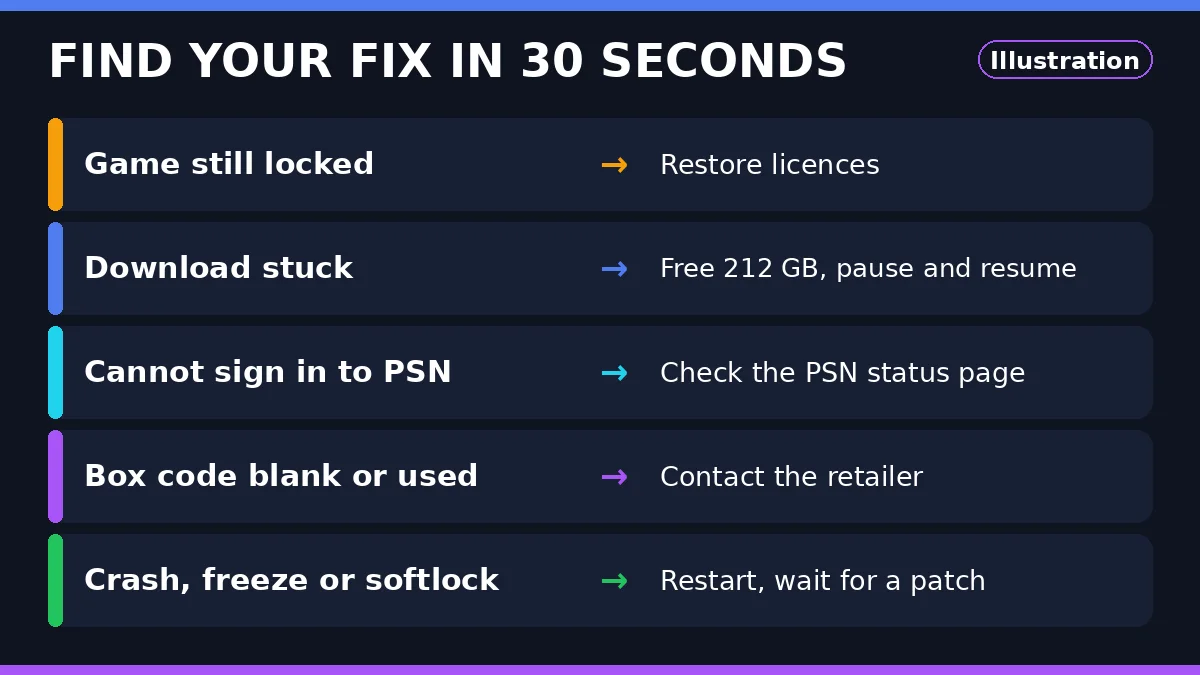
If gta 6 not working is your problem on launch day, match the fix to your fault: restore licences for a locked tile, free 212 GB and pause-resume a stuck download, check the PSN status page for sign-in errors, and contact the retailer for a blank or used box code. Crashes have no official fix yet.
Confirmed
- Grand Theft Auto VI launched on 19 November 2026 on PS5 and Xbox Series X|S, single-player only. Unlocks are at midnight local time: midnight ET, 9pm PT on 18 November in the US.
- PSN sign-in problems began on 18 November from about 13:00 ET. Downdetector reports passed 4,000 by mid-afternoon and 8,000 later that day, most about sign-in and server connection. Sony’s status page showed services running again by about 15:15 ET.
- PS5 system software 26.07-14.23.00, released 17 November 2026 at 1.267 GB, is required to play GTA 6. Sony’s official notes say only that it includes some security fixes.
- GTA 6 patch 01.002.001 rolled out from 16 November 2026 (602.5 MB on PS5, 1.59 GB on Xbox); an earlier patch, 01.002.000, arrived 13 November at 1,073 MB. No patch notes for either.
- The full download needs up to 212 GB, according to Rockstar; the Xbox store lists about 225 GB and PlayStation store readings put the PS5 package at about 223 GB.
- Boxed copies hold a download code, not a disc; blank and already-used codes have been reported since 12 November.
Not confirmed yet
- What caused the PSN outage on 18 November. Sony has named no cause, and no outlet has confirmed a link to GTA 6 demand.
- What patch 01.002.001 changes: no patch notes, so any fix list online is guesswork.
- The exact download size on each console. Rockstar’s figure is a ceiling of up to 212 GB, and store readings run above it.
GTA 6 not working: quick fixes first
Match the fault you can see to the first fix. Most launch-day problems clear at the first step.
| Problem | Do this first | If it still fails |
|---|---|---|
| Game tile still locked | Restore licences on PS5 or Xbox | Check your region’s unlock time |
| Download stuck or slow | Free 212 GB, then pause and resume | Restart the console, then the router |
| Cannot sign in to PSN | Check the PSN status page | Wait and retry; do not keep power cycling |
| Box code blank or used | Photograph the code and receipt | Contact the retailer that sold it |
| Game crashes or freezes | Close the game and restart the console | Wait for a Rockstar patch |
| Missing textures or no audio | Restart the game, then the console | Report it and wait for a patch |
Game still locked after midnight
A locked tile after your unlock time is almost always a licence problem: the game is on your console, but the console has not confirmed you own it. On PS5, restore licences: Settings, then Users and Accounts, then Other, then Restore Licences, and restart the console. On Xbox, sign in with the account that bought the game and check the console is set as your Home Xbox.
Check the clock first. A pre-ordered game shows a countdown timer in the Game Library until it unlocks. In the US the game unlocked at midnight ET, 9pm PT on 18 November. If the timer has finished and the tile is still locked, restore licences.
Check the game version too: a copy still on patch 01.002.000 has not picked up the 01.002.001 update from 16 November. On PS5, highlight the game, press Options, then Check for Update.
Download stuck or crawling
A stalled GTA 6 download is usually a storage problem wearing a network disguise. Rockstar says the full download needs up to 212 GB, but store listings run larger: about 225 GB on Xbox, about 223 GB on PlayStation. If your console has less free space than the package, the download can stop without a clear error, so check free space before you blame your connection.
Free the space first, then pause the download and resume it: that restarts the queue cleanly and is the fastest fix for a percentage that has not moved in an hour. A console restart clears a stalled queue better than cancelling and starting again. The pre-launch steps are in our guide, gta 6 required ps5 update: what version 1.002.001 does.
Xbox Series S owners face the tightest squeeze: the 512 GB drive has about 362 GB usable, so a 212 GB install takes about 59% of it. If the download will not start on Series S, delete or move another game first. What to expect is covered in will GTA 6 run on Xbox Series S.
PSN sign-in errors at launch
PlayStation Network had a bad afternoon on 18 November, hours before the US unlock. Sign-in problems began at about 13:00 ET; Downdetector reports climbed from about 876 to over 4,000 by 14:32 ET, then passed 8,000 later that day, most about sign-in and server connection. Sony’s status page showed services running again by about 15:15 ET, and Sony has named no cause.
The problems flared again at the US midnight ET unlock, with Downdetector reports passing 8,000 again, and were reported fixed after that. If sign-in fails now, check the PlayStation status page first: if Sony shows a problem, nothing at home fixes it. If the page is green, restart the console and router, sign out and back in, and stay signed in.
One setting is worth turning on while PSN works: PS5 Console Sharing and Offline Play, under Settings, then Users and Accounts, then Other, lets the console play purchased, downloaded games. Sony has not said whether the unlock needs a live PSN session, so treat this as a safeguard. Do not keep power cycling a congested login queue.
Boxed copy code blank or already used
Boxed copies of GTA 6 hold a download code, not a disc, and reached shops on 12 November. Some buyers have reported blank codes, or codes the store says are already used. If that is your copy, photograph the code and receipt first, and do not keep entering the code: repeated failed attempts can lock redemption.
The remedy is the retailer: the code came from the shop that sold the box, so that shop is the one that can replace it. Take the box, code and receipt back to the store, or contact the retailer’s support with the photographs. Redeem the replacement in the PlayStation Store or Microsoft Store, under Redeem Codes, not inside the game.
Crashes, freezes and softlocks
Crash reports have come in from the opening hours: prologue crashes, an early Lucia mission that softlocks, missing textures and audio problems. Rockstar has announced no official fix yet, so these faults have no confirmed cure today.
Close the game fully and start it again, then restart the console if the fault repeats. Check the game is on patch 01.002.001, the update from 16 November: an older build can carry faults the update addresses, though Rockstar has published no patch notes. If a mission softlocks, reload from your last save; if it softlocks in the same place twice, stop and wait.
Do not delete and reinstall the game as a first step: at up to 212 GB, a reinstall costs hours, and the download queue is at its busiest on launch week. Keep automatic updates on and check for a new patch before each session. For what the 30 fps target means on PS5 and PS5 Pro, see GTA 6 PS5 frame rate.
What Rockstar has not fixed yet
Three things are still open. Rockstar has announced no fix for the reported crashes and no patch notes for 01.002.001 or 01.002.000. Sony has named no cause for the 18 November PSN outage, and has not said whether the unlock needs a live PSN session. Nobody has said whether another patch lands during launch week.
Treat any fix list without a Rockstar or Sony source as guesswork. Keep automatic updates on and check manually before each session. This guide will be updated when Rockstar or Sony says something new.
Frequently asked questions
Why is GTA 6 still locked after midnight?
A locked tile after your unlock time is almost always a licence problem. On PS5, restore licences under Settings, Users and Accounts, then Other, and restart the console. On Xbox, sign in with the buying account and check the console is set as your Home Xbox.
Why is my GTA 6 download stuck at the same percentage?
The download is probably short of space, not short of speed. Rockstar says the full download needs up to 212 GB, but the Xbox store lists about 225 GB and PlayStation store readings put the PS5 package at about 223 GB. Free space above the package size, then pause and resume the download.
Is PSN down because of GTA 6?
No confirmed link exists. PSN sign-in problems began on 18 November from about 13:00 ET, hours before the US unlock, and Sony has named no cause. Downdetector reports passed 8,000 that afternoon, mostly about sign-in and server connection, and Sony’s status page showed services running again by about 15:15 ET.
Will Rockstar fix the GTA 6 crashes?
Nothing has been announced yet. Rockstar has published no patch notes for 01.002.001 or 01.002.000 and has announced no fix for the reported prologue crashes, the early Lucia mission softlock, missing textures or audio problems. Restart the game and the console, check you are on patch 01.002.001, and keep automatic updates on.
Where to go next
- GTA 6 required PS5 update: what version 1.002.001 doesThe pre-launch checklist: system software, patch and pre-load.
- GTA 6 PS5 frame rateWhat the 30 fps target means on PS5 and PS5 Pro.
- Will GTA 6 run on Xbox Series S?What to expect on the smaller Xbox console.
Explore
Article engagement
Comments (0)
No comments yet. Be the first to share what you think.
Sign in to join the conversation.