
Best Gaming Mouse for World of Warcraft
Five 12-button thumb-grid mice for WoW, ranked by button count, weight and rated battery, plus a keybind map for all 12 slots of Action Bar 1.

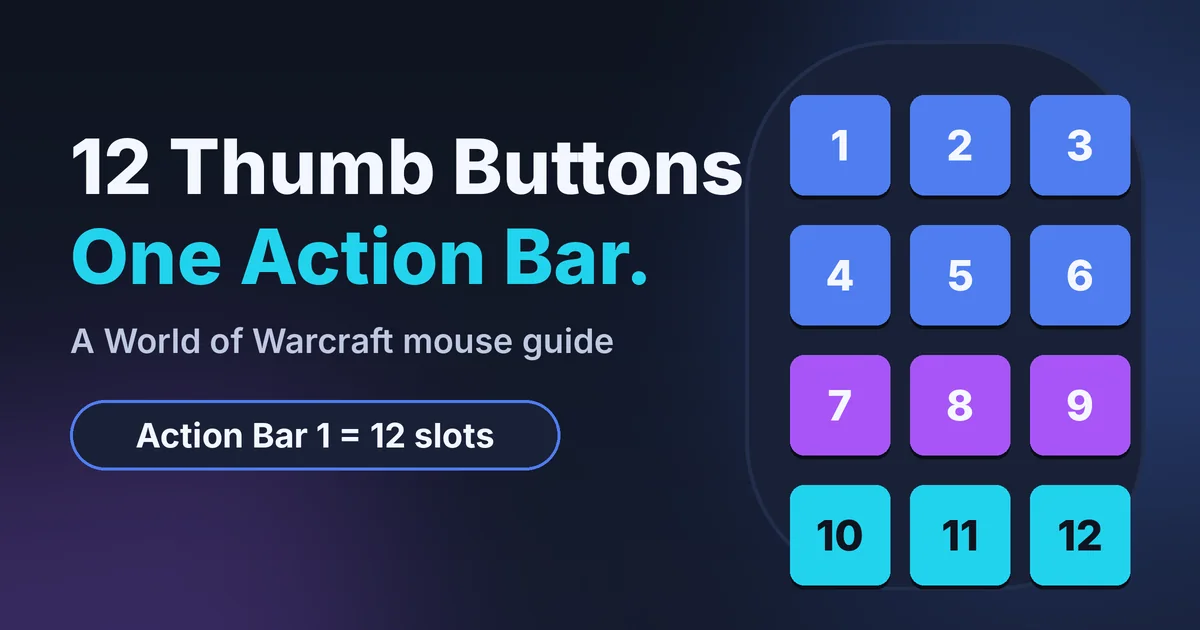
Your thumb should not hunt for a key while your left hand holds the movement keys. A World of Warcraft gaming mouse with a 12-button thumb grid puts all 12 slots of Action Bar 1 under one digit. Below are five of them, ranked by thumb-button count, published weight and rated battery, plus a keybind map you can save.
Short answer
A World of Warcraft gaming mouse with a 12-button thumb grid maps one-to-one onto the 12 slots of Action Bar 1, and the Razer Naga V3 Pro is our top pick. Slot coverage decides it: the Logitech G604 LIGHTSPEED has six thumb buttons and covers half the bar.
Our picks at a glance
-
Best overall
Razer Naga V3 Pro
Razer lists 12-, 6- and 2-button side plates, so one mouse fits a full bar or a lighter layout.
-
Best adjustable grid
Corsair Scimitar Elite Wireless SE
Its 12-button Key Slider moves to meet your thumb, at a listed 114 g.
-
Lightest 12-button
SteelSeries Aerox 9 Wireless
SteelSeries lists 89 g, the lowest weight of the five, with a 12-button side panel.
Who this guide is for
This guide is for World of Warcraft players who want their main action bar on a mouse thumb instead of the number row.
This is for you if
- You press 7 to 12 different abilities in a fight and your left hand is busy moving.
- You raid or run dungeons and want the same 12 slots every time.
- You are fine installing mouse software to bind keys.
Look elsewhere if
- You play several MMOs: see best mmo gaming mouse: 5 picks with real button counts.
- You want a symmetrical mouse: see best ambidextrous gaming mouse: 5 symmetrical picks.
- You want a dedicated aiming mouse: read our endgame gear op1 8k v2 review.
How many buttons does a WoW player actually use?
Twelve, because Warcraft Wiki lists the default action bars as 12 buttons each. A 12-button thumb grid covers one bar one-to-one.
Three things to check
- How many abilities you press in combat. Count the ones you press more than once a minute. Six or fewer suits the Logitech G604 LIGHTSPEED; seven or more needs a 12-button grid.
- Your hand length and grip. Measure from your wrist crease to your middle fingertip and compare it with each maker’s listed length. Razer lists 119.5 mm for both Nagas.
- Battery rating on the radio you will use. SteelSeries rates the Aerox 9 Wireless at up to 80 h in default 2.4 GHz mode; Corsair rates the Scimitar Elite Wireless SE at up to 150 h on 2.4 GHz, RGB off.
Building more than one piece? Plan the rest of your setup in the Setup Builder before you order.
How GameVexo chose these five
GameVexo ranked the five by published thumb-button count first, then weight, then rated battery.
How we researched this
- We compared Razer, Corsair, SteelSeries and Logitech product pages and press material on 17 and 18 November 2026; unpublished values are left out or marked.
- Thumb-button count weighed most, because a WoW action bar has 12 slots.
- We left out the Razer Naga V2 Pro, whose Razer page now shows the Naga V3 Pro, and mice without a side grid.
- Specifications and rated figures come from manufacturer documentation. GameVexo does not physically test products — see how we research.
World of Warcraft gaming mouse: quick comparison
The thumb-button column decides most of this table, and weight breaks the ties.
| Product | Thumb buttons | Connection | Best for | Link |
|---|---|---|---|---|
| Razer Naga V3 ProBest overall | 12, 6 or 2 by plate | 2.4 GHz, Bluetooth, wired | Full bar, spare layouts | Amazon Paid link |
| Corsair Scimitar Elite Wireless SEBest adjustable grid | 12 on an adjustable slider | 2.4 GHz, Bluetooth, wired | Palm grip, high or low thumb | Amazon Paid link |
| SteelSeries Aerox 9 WirelessLightest 12-button | 12 | 2.4 GHz, Bluetooth | Weight-conscious raiders | Amazon Paid link |
| Razer Naga V2 HyperSpeed | 12 | 2.4 GHz, Bluetooth | Fixed grid, long battery | Amazon Paid link |
| Logitech G604 LIGHTSPEED | 6 | 2.4 GHz, Bluetooth | Fewer abilities | Amazon Paid link |
What the table does not show
A spec sheet cannot say how far button 10 sits from your thumb or whether a shape suits your grip.

Pick 1 · Best overall
Razer Naga V3 Pro
Best for raiders who want a full grid and a spare layoutThe Razer Naga V3 Pro (SKU RZ01-05660100-R3U1) is the only pick with swappable side plates. Razer’s spec page lists 12-, 6- and 2-button plates.
- Buttons by plate
- 23, 17 or 13 programmable
- Weight
- 117 g, excluding cable and dongle
- Size (L x W x H)
- 119.5 x 75.5 x 43.5 mm
- Connection
- 2.4 GHz HyperSpeed, Bluetooth, wired
- Battery (rated)
- 155 h HyperSpeed, 280 h Bluetooth
- Brand
- Razer
Strengths
- Three side plates: 12, 6 or 2 buttons
- Optical switches rated 100M clicks
- Five onboard profiles
Trade-offs
- Right-handed only
- Razer does not say whether 117 g includes a plate
Editorial opinion
Buy it for the 12-slot grid with a smaller-plate fallback. Skip it if you want the lightest 12-button mouse.
Price and availability change often — check the current listing.

Pick 2 · Best adjustable grid
Corsair Scimitar Elite Wireless SE
Best for palm-grip players with a high or low thumbThe Corsair Scimitar Elite Wireless SE (CH-9314011-WW, white) has 16 buttons, 12 of them on a Key Slider you move to meet your thumb. Corsair lists it as a palm-grip mouse.
- Buttons
- 16, 12 on the adjustable slider
- Weight
- 114 g
- Grip type
- Palm, per Corsair
- Connection
- 2.4 GHz Slipstream, Bluetooth, cable
- Battery (rated)
- 150 h 2.4 GHz, 500 h Bluetooth, RGB off
- Brand
- Corsair
Strengths
- The 12-button grid slides to fit your thumb
- Rated up to 500 h on Bluetooth, RGB off
- Three onboard profiles
Trade-offs
- 114 g, heavier than the Aerox 9
- No slider travel or dimensions on Corsair’s page
Editorial opinion
Choose it if a fixed grid would miss your thumb. Skip it if you want the lowest weight or a published size.
Price and availability change often — check the current listing.

Pick 3 · Lightest 12-button
SteelSeries Aerox 9 Wireless
Best for players who want the lowest weightThe SteelSeries Aerox 9 Wireless (model 62618) lists 18 programmable buttons, 12 on a side panel, in an 89 g shell. This guide covers the standard model, not the World of Warcraft Edition.
- Weight
- 89 g
- Buttons
- 18 programmable, 12 on the side panel
- Battery (rated)
- 80 h default 2.4 GHz, 180 h Bluetooth
- Connection
- 2.4 GHz dongle, Bluetooth
- Protection
- IP54 AquaBarrier rating
- Brand
- SteelSeries
Strengths
- Lowest listed weight of the five: 89 g
- IP54 rating against dust and splashes
- 18 programmable buttons
Trade-offs
- Shortest rated 2.4 GHz battery: 80 h
- Dimensions not confirmed on the maker page
Editorial opinion
Choose it for a full grid at the lowest weight. Skip it if rated battery matters most.
Price and availability change often — check the current listing.
Pick 4 · Fixed-grid option
Razer Naga V2 HyperSpeed
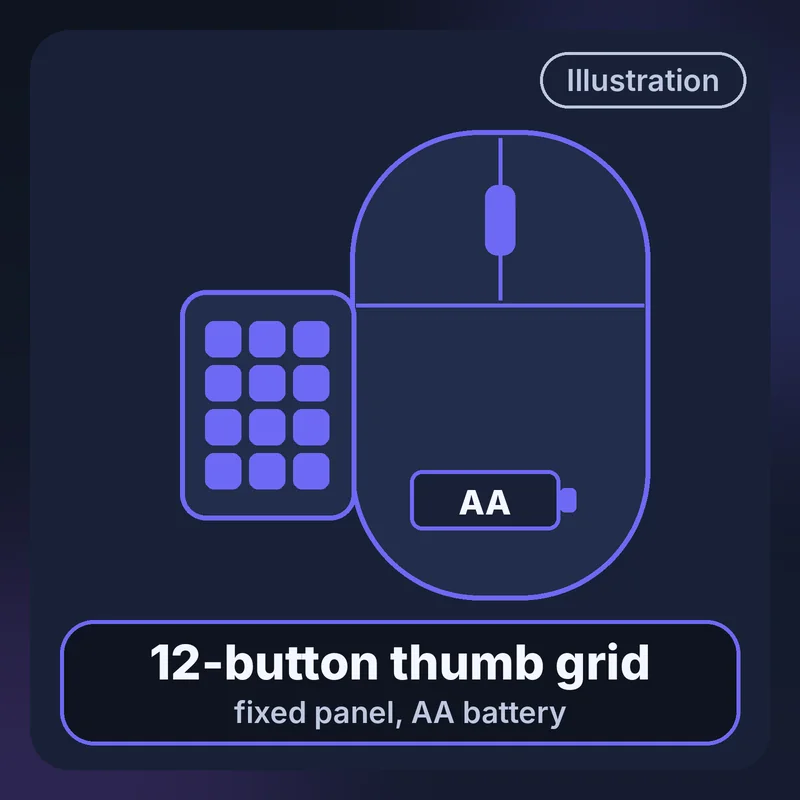
Best for a fixed grid and long rated batteryThe Razer Naga V2 HyperSpeed (SKU RZ01-03600100-R3U1) has 19 programmable buttons and a 12-button thumb grid with no plates to swap. It runs on an AA battery.
- Buttons
- 19 programmable, 12-button thumb grid
- Weight
- 95 g, excluding cable and dongle
- Size (L x W x H)
- 119.5 x 75.0 x 43.5 mm
- Connection
- 2.4 GHz HyperSpeed, Bluetooth
- Battery (rated)
- 250 h HyperSpeed, 400 h Bluetooth
- Brand
- Razer
Strengths
- Longest rated 2.4 GHz battery of the five: 250 h
- Fixed grid with no plate to choose
- Switches rated 60M clicks
Trade-offs
- Needs an AA battery; 95 g may exclude it
- No polling rate listed
Editorial opinion
Buy it for a set-and-forget grid. Skip it if you dislike AA batteries or want the lowest weight.
Price and availability change often — check the current listing.
Pick 5 · Fewer thumb buttons
Logitech G604 LIGHTSPEED
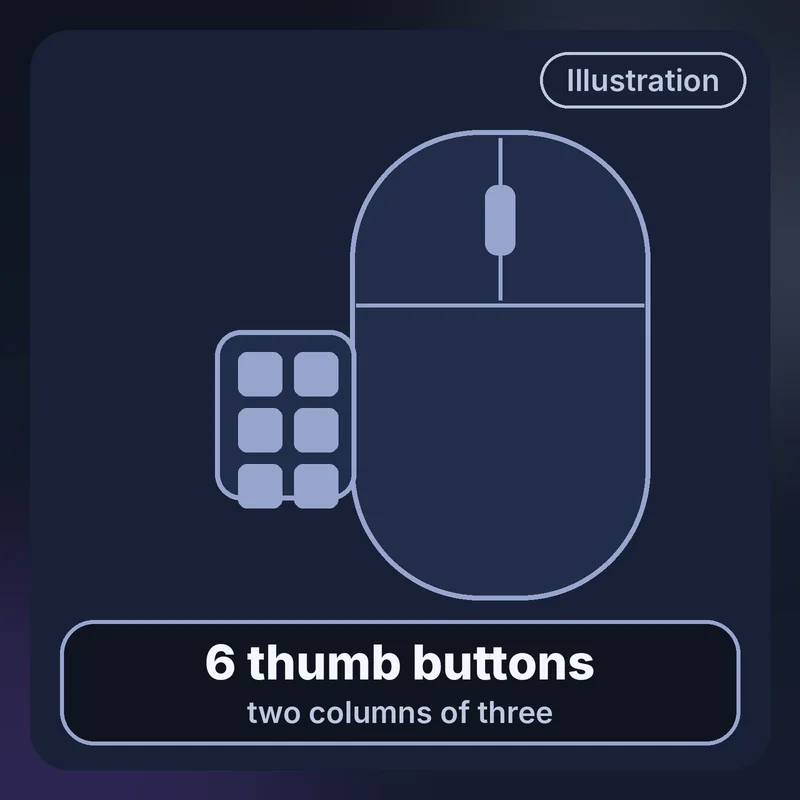
Best for players who press fewer than seven abilitiesThe Logitech G604 LIGHTSPEED (910-005622) has 15 programmable controls, six of them thumb buttons, and one AA battery. Six buttons cover half of Action Bar 1, so the rest goes on modifiers or the keyboard.
- Thumb buttons
- 6, of 15 programmable controls
- Weight
- 135 g with AA, per reseller copy of Logitech
- Battery (rated)
- 240 h LIGHTSPEED, 5.5 months Bluetooth
- Connection
- LIGHTSPEED receiver, Bluetooth
- Power
- One AA battery
- Brand
- Logitech G
Strengths
- Fewer positions to learn
- Rated up to 240 h on LIGHTSPEED
- Bluetooth rated up to 5.5 months
Trade-offs
- Covers 6 of 12 slots
- Heaviest of the five at 135 g
Editorial opinion
Choose it if six abilities do most of your work. Skip it if you want all 12 slots on the mouse.
Price and availability change often — check the current listing.
Thumb grid or side buttons?
Take the 12-button thumb grid if you use more than six abilities in combat, and take fewer buttons if you want to find each one by feel.
12-button thumb grid
- Choose it when you want all of Action Bar 1 on the mouse.
- One thumb covers every slot.
- It costs you 12 positions to learn.
or
Six thumb buttons
- Choose it when you press fewer than seven abilities.
- Fewer positions to learn, as on the G604.
- It costs you half the bar.
Setting up your first 12 binds
Bind each thumb button to one key from 1 through =, fill Action Bar 1 to match, and keep your mouse software to one action per button.
Map one button to one key
In the mouse software, set thumb button 1 to send key 1, button 2 to key 2, and so on, with minus for button 11 and equals for button 12.
Fill the bar by how often you press
Put your most-pressed abilities in slots 1 to 6, interrupt, movement and utility in 7 to 9, and cooldowns in 10 to 12. Wowhead’s keybind guide, last updated in 2020, also puts the most-used abilities where the thumb rests.
Keep it to one action per press
Posts on Blizzard’s forums repeat one rule: one keypress, one action. Bind single keys, and let WoW’s own macros do any multi-step work.
The spec that barely matters: max DPI
Razer lists 50,000 DPI for the Naga V3 Pro and Corsair lists 33,000 for the Scimitar Elite Wireless SE. Your thumb grid does the work in WoW, so set a DPI you can aim with and ignore the box.
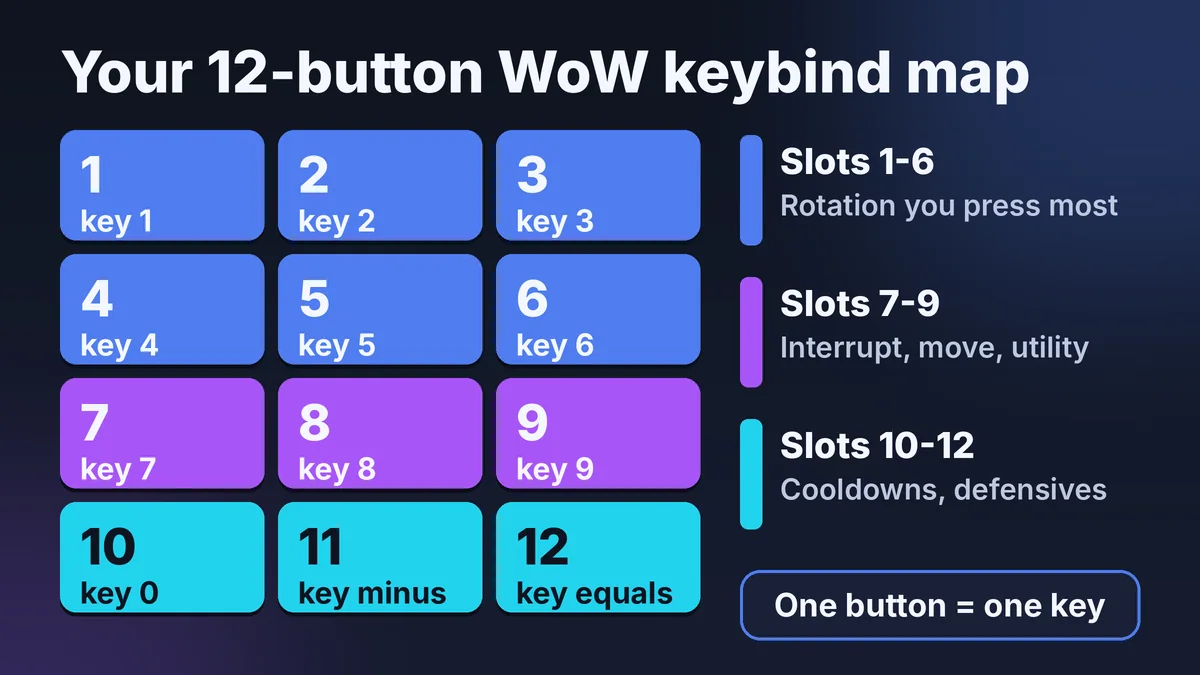
The map is a generic 3 x 4 grid, so match buttons by number. To save it, right-click the image, or press and hold it on a phone, and choose Save image.
Key terms, explained
These three terms decide how a thumb grid behaves on your desk.
- Thumb grid
- A block of 12 buttons arranged in a 3 x 4 pattern on the mouse’s left side, under your thumb. Razer describes the Naga V2 HyperSpeed as having a 12-button thumb grid.
- Onboard profile
- A button layout stored in the mouse itself, so it works on another PC without the software. Razer lists five for the Naga V3 Pro and Corsair lists three for the Scimitar Elite Wireless SE.
- Polling rate
- How many times per second the mouse reports its position, measured in Hz. Razer lists 1,000 Hz for the Naga V3 Pro, and Corsair lists 1,000 Hz for the Scimitar Elite Wireless SE.
Addons and macro limits
Blizzard narrowed what addons can do in Midnight, and mouse software has to stay at one action per press.
- Expecting addons to play for youBlizzard says addons “should no longer offer a competitive advantage in WoW combat”. Combat data is now hidden from addons, while cosmetic interface changes remain allowed.
- Sending several keys from one buttonA mouse macro that fires several keys or adds delays is automation by the forum rule. We found no official Blizzard support page on this, so the forums are the source; the map binds one key per button.
- Writing a long in-game macroThe community-run Warcraft Wiki lists a 255-character limit per macro. A spell that triggers the global cooldown can also block the /cast lines after it.
- Treating mouse software like an addonBlizzard’s Midnight post covers addons, not keybinds or mouse software. Mouse software sits outside the game.
Frequently asked questions
How many buttons does a WoW mouse need?
Twelve if you want Action Bar 1 on your thumb, because the bar holds 12 buttons. Six, as on the Logitech G604 LIGHTSPEED, covers half of it, and modifiers or the keyboard handle the rest. Past 12, you need a second bar that you reach with a modifier key.
Is a mouse with side buttons allowed in WoW?
Yes. Blizzard published a developer post about its own SteelSeries wireless WoW mouse, and its Midnight addon rules do not mention mouse hardware. The rule players cite from Blizzard’s forums is one keypress, one action, so bind single keys and skip multi-key mouse macros.
Do I need a special WoW gaming mouse?
No. Any mouse works in WoW, and keyboard binds work fine. A WoW gaming mouse with a 12-button thumb grid moves the 12 slots of Action Bar 1 from your keyboard hand to your thumb. Pick one for comfort and reach, not because the game requires it.
Which of these has the best rated battery life?
It depends on the radio. On 2.4 GHz, Razer rates the Naga V2 HyperSpeed at up to 250 h and Logitech rates the G604 LIGHTSPEED at up to 240 h. On Bluetooth, Logitech rates the G604 at up to 5.5 months, and Corsair rates the Scimitar Elite Wireless SE at up to 500 h with RGB off.
So which one should you buy?
Get the Razer Naga V3 Pro for a full 12-slot grid with a smaller-plate fallback, or the SteelSeries Aerox 9 Wireless if weight decides.
| If you need | Best pick | Why | Link |
|---|---|---|---|
| The best all-rounder | Razer Naga V3 Pro | 12-, 6- and 2-button plates | Amazon Paid link |
| A grid that adjusts | Corsair Scimitar Elite Wireless SE | Key Slider moves 12 buttons | Amazon Paid link |
| The lowest weight | SteelSeries Aerox 9 Wireless | 89 g with 12 side buttons | Amazon Paid link |
| A fixed grid, long battery | Razer Naga V2 HyperSpeed | Up to 250 h rated on HyperSpeed | Amazon Paid link |
Still deciding? Answer a few questions in Help me choose and GameVexo will narrow it down by your games, platform and budget.
Where to go next
- best mmo gaming mouse: 5 picks with real button countsFive MMO mice beyond WoW.
- best ambidextrous gaming mouse: 5 symmetrical picksSymmetrical mice, no thumb grid.
- endgame gear op1 8k v2 reviewGameVexo’s page on an aiming mouse.
Sources
- Razer, Naga V3 Pro: specification page, checked
- Razer, Naga V2 HyperSpeed: specification page, checked
- Corsair, Scimitar Elite Wireless SE: product page, checked
- SteelSeries, Aerox 9 Wireless: product page, checked
- Logitech, G604 LIGHTSPEED: 2019 press release, checked
- Blizzard, Combat Philosophy and Addon Disarmament in Midnight, checked
- Blizzard, Developing the SteelSeries Wireless Mouse, checked
- Warcraft Wiki, ActionSlot (community wiki), checked
- Warcraft Wiki, Making a macro (community wiki), checked
- Wowhead, How to keybind in WoW (user guide, 2020), checked
- Blizzard forums, thread on mouse and keyboard software, checked
Explore


Article engagement
Comments (0)
No comments yet. Be the first to share what you think.
Sign in to join the conversation.