
Best Budget 4K 144Hz Gaming Monitor: 5 Picks That Deliver
Five budget 4K 144Hz gaming monitors compared on the specs that matter: true 4K panels, HDMI 2.1, HDR brightness and the GPU you need to feed them.

You want a 4K screen that runs at 144 Hz without paying the premium price, and that is exactly what a gaming monitor 4k 144hz budget search promises. The catch is that the cheapest panels cut corners you cannot see on the box: dimmer HDR, fewer ports, and stands that barely adjust. This guide compares five of them on the specs that decide the purchase.
Short answer
A gaming monitor 4k 144hz budget pick worth buying is a 28-inch IPS panel with true 3840 x 2160 resolution, a 144 Hz refresh rate, two HDMI 2.1 ports and DisplayHDR 400. The Acer Nitro XV282K V3 gives you that set at the lowest tier here, but it has no USB-C and its HDR is edge-lit only.
Find your pick at a glance
-
Best overall
Acer Nitro XV282K V3
Cheapest way into true 4K 144 Hz; no USB-C.
-
Best all-rounder
Gigabyte M28U
USB-C, KVM, speakers; dimmest screen here.
-
Best 27-inch
MSI MAG 274UPF
Sharpest colour here; 65 W USB-C.
Who this guide is for
This guide is for PC gamers who want 4K at 144 Hz for less than a premium panel costs, and for PS5 and Xbox Series X players who want 4K 120 Hz over HDMI 2.1. It covers flat IPS panels only.
This is for you if
- You play on PC and your GPU reaches 60 fps at 4K.
- You play on PS5 or Xbox Series X and want 4K 120 Hz.
- Your desk fits a 27-inch or 28-inch screen.
Look elsewhere if
- You want a curved or ultrawide screen.
- You need a monitor for colour-critical work.
Check this before you buy
The check that decides this purchase is your graphics card: a 4K 144 Hz monitor is only as fast as the GPU feeding it. If your card cannot reach 60 fps at 4K, the panel still works, just not at 144 fps.
Three things to check
- Your GPU and its ports Your card needs DisplayPort 1.4 or HDMI 2.1; HDMI 2.0 caps at 4K 60 Hz.
- Your desk depth A 32-inch panel needs about 28 inches of depth; a 27-inch panel fits a shallower desk.
- Your console plan PS5 and Xbox Series X cap at 4K 120 Hz, so the 144 Hz and 160 Hz figures are for PC only.
Building more than one piece? Plan the rest in the Setup Builder before you order.
What budget means at 4K 144Hz
Budget at 4K 144 Hz means the panel itself is fast and sharp, while everything around it is cut back. All five picks are true 4K at 144 Hz or more, with 1 ms rated response times on four of them. What changes is HDR brightness, local dimming, USB-C, speakers and the stand.
That is why this guide ranks on the whole spec sheet, not the headline numbers. Two monitors can both say 4K 144 Hz on the box and still differ: one has 300 nits and no USB-C, the other has 700 nits, Mini-LED and 90 W USB-C.
How these picks were chosen
These five were chosen from manufacturer spec sheets published in November 2026, ranked by what a budget buyer gets: a true 4K panel at 144 Hz or more, HDMI 2.1, and the strongest HDR and ports.
How we researched this
- Spec sheets from each maker, or a retailer page reproducing the maker’s data, were compared in November 2026.
- Refresh rate and HDR were weighted most heavily: the two specs a budget panel can deliver, and the two where cheap panels cut corners.
- Premium-priced and discontinued models were left out, even when their specs looked better.
- Specifications and rated figures come from manufacturer documentation. GameVexo does not physically test products — see how we research.
Quick comparison
All five are 4K at 144 Hz or more. The columns that matter most are refresh rate with HDR, and the inputs.
| Product | Refresh rate and HDR | Inputs | Best for | Link |
|---|---|---|---|---|
| Acer Nitro XV282K V3Best overall | 144 Hz (150 Hz OC) · DisplayHDR 400 | 2x HDMI 2.1, DP 1.4, no USB-C | Best overall | Amazon Paid link |
| Gigabyte M28UBest all-rounder | 144 Hz · DisplayHDR 400 | 2x HDMI 2.1, DP 1.4, USB-C | Best all-rounder | Amazon Paid link |
| MSI MAG 274UPFBest 27-inch | 144 Hz · DisplayHDR 400 | 2x HDMI 2.1, DP 1.4a, USB-C 65 W | Best 27-inch | Amazon Paid link |
| INNOCN 27M2VBest HDR | 160 Hz · DisplayHDR 1000 | 2x HDMI 2.1, DP 1.4, USB-C 90 W | Best HDR | Amazon Paid link |
| Dell G3223QBest 32-inch | 144 Hz · DisplayHDR 600 | 2x HDMI 2.1, DP 1.4, no USB-C | Best 32-inch | Amazon Paid link |
What the table does not show
How bright HDR looks depends on local dimming, which no spec sheet number shows. The INNOCN is the only pick here with Mini-LED dimming.
Where a gaming monitor 4k 144hz budget panel cuts corners
A budget 4K 144 Hz panel gives up the same things, in the same order: HDR first, then ports.
| Feature | Budget 4K 144Hz picks | Premium tier |
|---|---|---|
| HDR and local dimming | DisplayHDR 400 on three of five; edge-lit | Mini-LED or OLED; DisplayHDR 1000 or better |
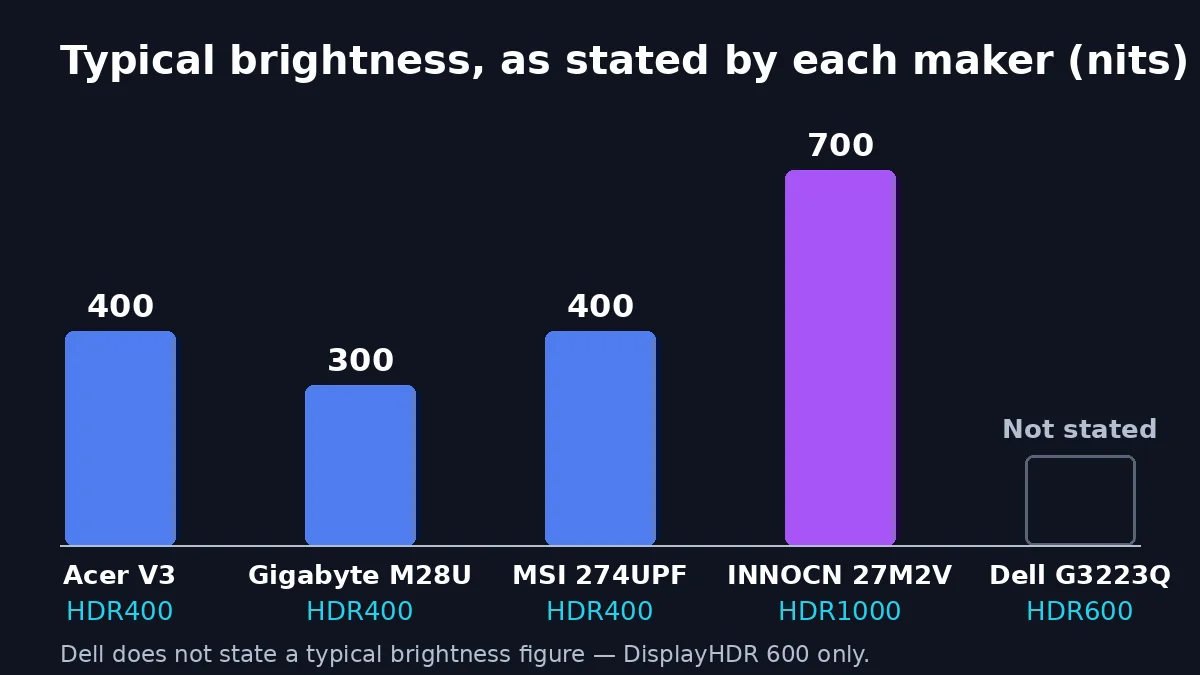
| Typical brightness | 300 to 400 nits; INNOCN 700, Dell not stated | 600 nits and up, 1,000-nit peak for HDR 1000 |
| USB-C | Two of five have none | USB-C hub with laptop charging is common |
| Speakers | Two of five have none | Rare at every tier |
| Response time | 1 ms GTG on four of five; INNOCN 5 ms | 1 ms GTG or faster, better overdrive tuning |
| Ports | HDMI 2.1 on all five | Full-bandwidth HDMI 2.1 and DisplayPort 2.1 |
| Size and shape | 27 to 32 inches, all flat IPS | 32 inches and up, curved and OLED options |
The five picks
Pick 1 · Best overall value
Acer Nitro XV282K V3
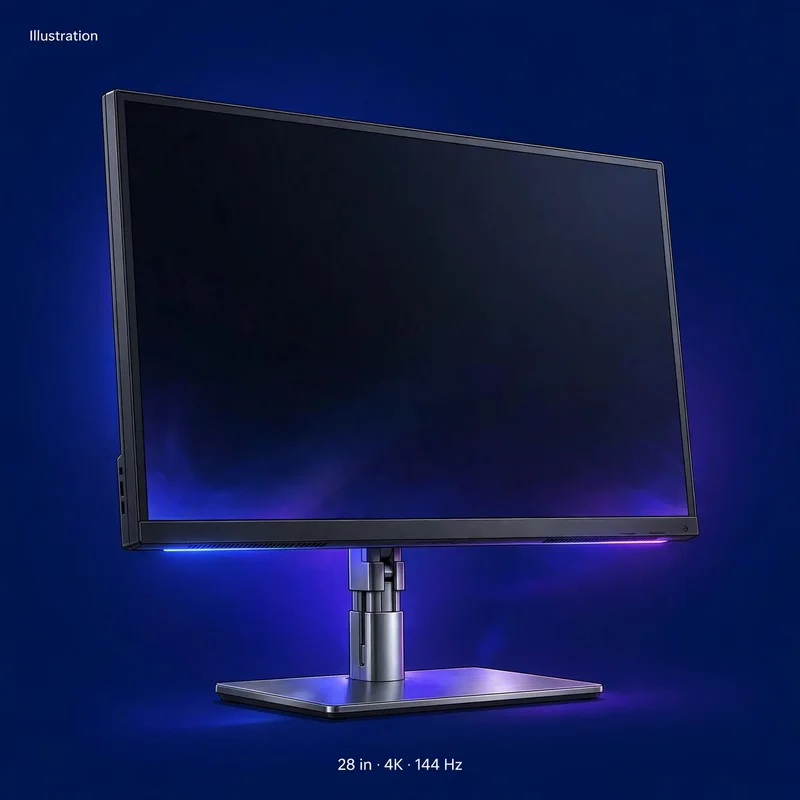
Best for: cheapest way into true 4K 144 HzThe value pick: a 28-inch IPS panel with true 4K, 144 Hz overclocked to 150 Hz, and 400 nits. Two HDMI 2.1 ports cover a PC and a console, but no USB-C.
- Size and resolution
- 28 in · 3840 x 2160
- Refresh rate
- 144 Hz, 150 Hz OC
- Panel and response
- IPS, 1 ms GTG
- Brightness and HDR
- 400 nits, DisplayHDR 400
- Colour
- 90% DCI-P3
- Ports
- 2x HDMI 2.1, DP 1.4
Strengths
- 400 nits: brightest HDR 400
- Two HDMI 2.1 ports
- Speakers, height-adjustable stand
Trade-offs
- No USB-C or USB hub
- HDR 400, edge-lit only
Editorial opinion
Buy it for the cheapest way into 4K 144 Hz. For real HDR, buy the INNOCN.
Price and availability change often — check the current listing.
Pick 2 · Best all-rounder
Gigabyte M28U
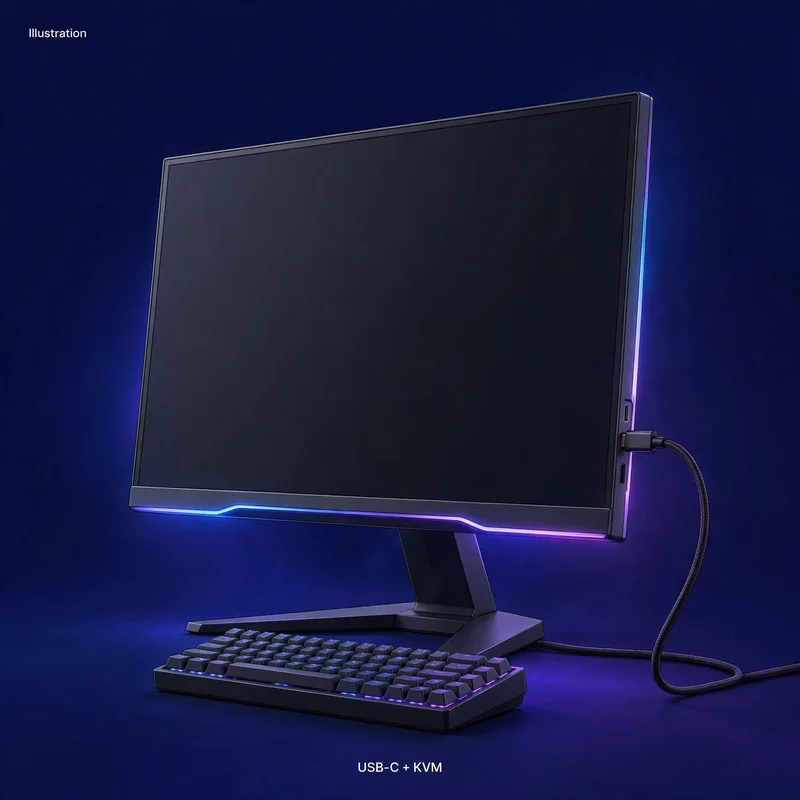
Best for: one screen for PC, console and laptopThe all-rounder: USB-C, KVM and speakers on a 28-inch 4K 144 Hz panel. One screen serves a PC, a console and a laptop, but it is the dimmest here at 300 nits.
- Size and resolution
- 28 in · 3840 x 2160
- Refresh rate
- 144 Hz (120 Hz consoles)
- Panel and response
- SS IPS, 1 ms GTG
- Brightness and HDR
- 300 nits, DisplayHDR 400
- Colour
- 94% DCI-P3
- Ports
- 2x HDMI 2.1, DP 1.4, USB-C, KVM
Strengths
- USB-C and KVM
- 2x 3 W speakers
- FreeSync Premium Pro
Trade-offs
- 300 nits: dimmest here
- 144 Hz over HDMI needs DSC
Editorial opinion
Buy it for one screen serving a PC, a console and a laptop. For brighter HDR, buy the INNOCN.
Price and availability change often — check the current listing.
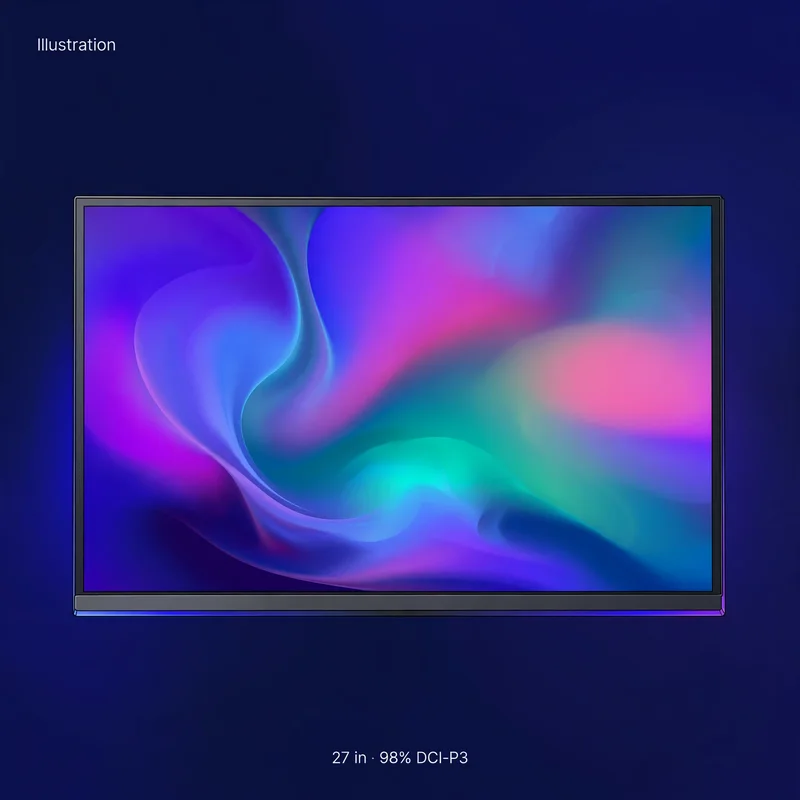
Pick 3 · Best 27-inch
MSI MAG 274UPF
Best for: sharpest colours in a 27-inch panelThe 27-inch pick, and the original 144 Hz model, not the newer 160 Hz E2. Widest colour here at 98% DCI-P3, but no speakers and a 75 x 75 mm VESA mount.
- Size and resolution
- 27 in · 3840 x 2160
- Refresh rate
- 144 Hz
- Panel and response
- Rapid IPS, 1 ms GTG
- Brightness and HDR
- 400 nits, DisplayHDR 400
- Colour
- 98% DCI-P3
- Ports
- 2x HDMI 2.1, DP 1.4a, USB-C
Strengths
- 98% DCI-P3: widest here
- 65 W USB-C charging
- Height-adjustable stand
Trade-offs
- No speakers
- VESA 75 x 75 mm
Editorial opinion
Buy it for the sharpest colours in a 27-inch panel. For sound, buy the Gigabyte.
Price and availability change often — check the current listing.
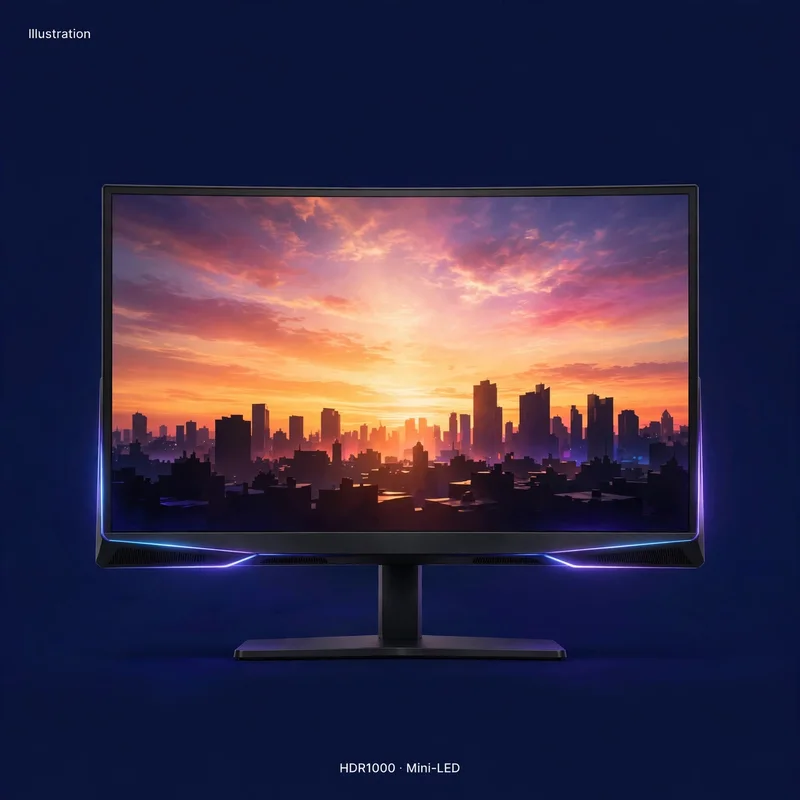
Pick 4 · Best HDR
INNOCN 27M2V
Best for: real HDR on a budgetThe only pick with real HDR: Mini-LED with 1,152 dimming zones, 700 nits and DisplayHDR 1000. Also the fastest at 160 Hz, but 5 ms GTG, or 1 ms with overdrive.
- Size and resolution
- 27 in · 3840 x 2160
- Refresh rate
- 160 Hz
- Panel and response
- IPS Mini-LED, 5 ms GTG / 1 ms OD
- Brightness and HDR
- 700 nits, 1,000 peak, HDR 1000
- Colour
- 99% DCI-P3
- Ports
- 2x HDMI 2.1, DP 1.4, USB-C 90 W
Strengths
- Mini-LED, 1,152 zones
- 700 nits: brightest here
- 160 Hz: fastest here
Trade-offs
- 5 ms GTG: slowest here
- Refurbished variant out of stock
Editorial opinion
Buy it if HDR is why you are upgrading. For competitive play, buy a 1 ms pick.
Price and availability change often — check the current listing.
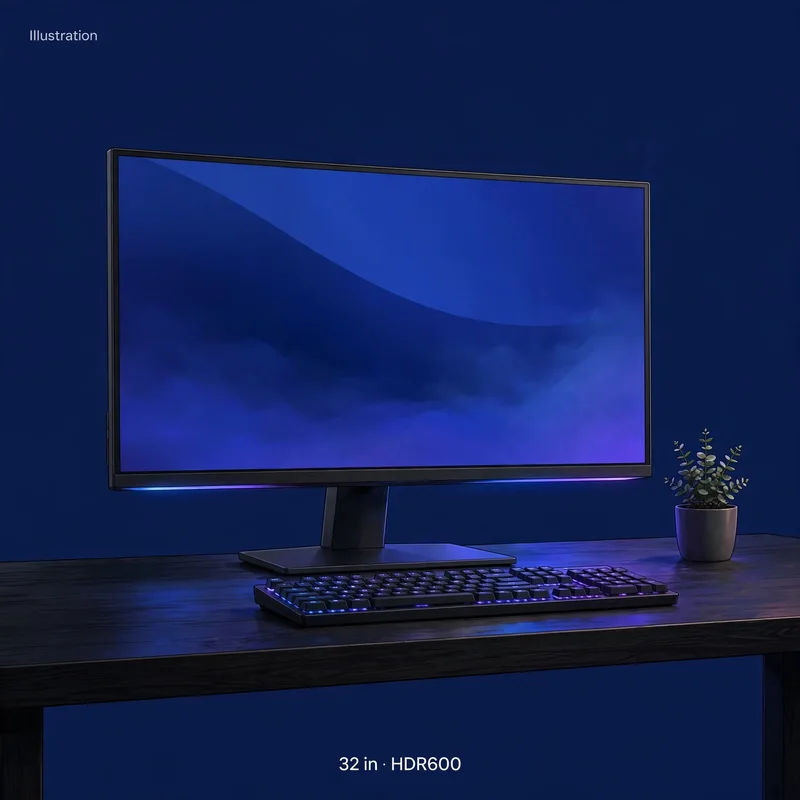
Pick 5 · Best 32-inch
Dell G3223Q
Best for: biggest screen for films and console playThe 32-inch pick: Fast IPS with true 4K, 144 Hz, DisplayHDR 600 and 95% DCI-P3 at Delta E under 2. Two HDMI 2.1 ports suit a console, but no USB-C or speakers.
- Size and resolution
- 32 in · 3840 x 2160
- Refresh rate
- 144 Hz (120 Hz consoles)
- Panel and response
- Fast IPS, 1 ms GTG
- Brightness and HDR
- Not stated, DisplayHDR 600
- Colour
- 95% DCI-P3, Delta E < 2
- Ports
- 2x HDMI 2.1, DP 1.4
Strengths
- 32 inches: biggest here
- DisplayHDR 600
- Delta E under 2
Trade-offs
- No USB-C or speakers
- No stated brightness figure
Editorial opinion
Buy it for the biggest screen, if you sit far back. For a shallow desk, buy the MSI.
Price and availability change often — check the current listing.
The GPU you need to actually hit 144fps
A 4K 144 Hz monitor is a ceiling, not a promise: it can show 144 frames a second, but your graphics card has to draw them. Very few cards sustain 144 fps at 4K in demanding games. Most buyers will play at 4K 60 to 100 fps, or use upscaling.
AMD’s own figures for the Radeon RX 9070 XT show 68 to 82 fps at 4K Ultra. NVIDIA presents 4K 144 fps and above in demanding ray-traced games as a DLSS 4 Multi Frame Generation result on RTX 50-series cards, not as native rendering. An RTX 5090 or 5080, or an RX 9070 XT with FSR 4, can approach 4K 144 fps with upscaling and frame generation; an RTX 5070 Ti or RX 9070 class card is comfortable at 4K 60 to 120 fps, and 144 fps in esports and lighter titles.
DisplayPort and cable requirements
On DisplayPort 1.4, 4K 144 Hz needs DSC, Display Stream Compression. The port’s usable bandwidth is about 25.92 Gbps, and uncompressed 4K 144 Hz needs roughly 30 Gbps, so the signal is compressed. VESA describes DSC as visually lossless. All five picks reach their top refresh rate this way.
HDMI 2.1 has more headroom, with up to 48 Gbps, but the per-port implementation varies by monitor. Gigabyte’s HDMI 2.1 does 4K 144 Hz in full 4:4:4 colour only with DSC enabled, or at 4:2:0 without it. Use the DisplayPort cable in the box, or a certified Ultra High Speed HDMI cable, and do not reuse an old HDMI 2.0 cable: it tops out at 4K 60 Hz.
Key terms, explained
Monitor specs use terms that trip buyers up, and the same words mean different things on different boxes.
- DSC
- Display Stream Compression: a visually lossless standard that lets DisplayPort 1.4 carry 4K 144 Hz.
- DisplayHDR
- VESA’s HDR certification. DisplayHDR 400 needs a 400-nit peak; DisplayHDR 1000 needs a 1,000-nit peak.
- Response time (GtG)
- How fast a pixel changes from one shade of grey to another. Makers measure it differently, so compare it only within one brand.
- VRR
- Variable refresh rate: the monitor matches its refresh rate to the frames your GPU draws, so tearing falls away.
- DCI-P3
- A wide colour gamut for films and HDR games. A monitor covering 90% of DCI-P3 shows richer colours than one covering only sRGB.
Mistakes that cost gamers money
The most expensive mistake here is buying a 4K 144 Hz monitor for a graphics card that cannot feed it, then blaming the monitor.
- Buying the monitor before the GPUCheck your card’s 4K frame rates first: the GPU section above shows what the makers publish.
- Using an old HDMI cableAn HDMI 2.0 cable tops out at 4K 60 Hz. If your monitor only shows 60 Hz, check the cable first.
- Expecting DisplayHDR 400 to look like real HDRIt is entry-level HDR with no local dimming. If HDR is the reason you are buying, buy the INNOCN.
- Forgetting the deskA 32-inch panel on a shallow desk sits too close. Measure first: 27 inches suits a 24-inch-deep desk, 32 inches wants 28 inches.
Frequently asked questions
Is a budget 4K 144Hz monitor good for PS5 and Xbox?
Yes. All five picks have HDMI 2.1, so a PS5 or Xbox Series X gets 4K 120 Hz with VRR. Consoles cap at 4K 120 Hz, so the 144 Hz and 160 Hz figures apply to PC only.
Can I run 4K 144Hz over DisplayPort 1.4?
Yes, with DSC. DisplayPort 1.4 has about 25.92 Gbps of usable bandwidth, and uncompressed 4K 144 Hz needs roughly 30 Gbps, so the signal is compressed. Both your graphics card and the monitor must support DSC: all five picks do.
Is DisplayHDR 400 real HDR?
It is entry-level HDR. DisplayHDR 400 needs a 400-nit peak, so highlights get brighter than SDR, but there is no local dimming, so dark scenes stay grey. If HDR matters most, the INNOCN 27M2V with DisplayHDR 1000 is the pick.
Do I need a new GPU for a 4K 144Hz monitor?
Not always. For esports and lighter games, a mid-range card can reach 144 fps at 4K. For demanding games, AMD’s own figures put even the RX 9070 XT at 68 to 82 fps at 4K Ultra, so you need an RTX 5080 or 5090 class card, or upscaling, to approach 144 fps.
So which one should you buy?
Buy the Acer Nitro XV282K V3 for the cheapest way into true 4K 144 Hz. Buy the Gigabyte M28U if one screen must serve a PC, a console and a laptop.
| If you need | Best pick | Why | Link |
|---|---|---|---|
| The best all-rounder | Acer Nitro XV282K V3 | 28-inch 4K 144 Hz, 400 nits | Amazon Paid link |
| One screen for PC and laptop | Gigabyte M28U | USB-C, KVM, speakers | Amazon Paid link |
| The best 27-inch colours | MSI MAG 274UPF | 98% DCI-P3, 65 W USB-C | Amazon Paid link |
| Real HDR on a budget | INNOCN 27M2V | Mini-LED, HDR 1000, 700 nits | Amazon Paid link |
Still deciding? Answer a few questions in Help me choose and GameVexo will narrow it down.
Where to go next
- Best 32-Inch Curved Gaming MonitorIf you want a bigger, curved screen.
- Best 27-Inch 1440p Gaming MonitorsIf 4K is more than your GPU can feed.
- Best Gaming Monitor for Xbox Series X & PS5 in 2026Five 4K 120 Hz monitors for consoles.
Sources
- Gigabyte M28U specification, checked
- MSI MAG 274UPF specification, checked
- INNOCN 27M2V product page, checked
- Dell G3223Q product page, checked
- Acer XV282K V3 specifications, checked
- AMD RX 9070 XT product page, checked
- NVIDIA RTX 5090/5080, DLSS 4, checked
- HDMI Forum, HDMI 2.1, checked
- VESA, HBR3 and DSC, checked
Explore

Article engagement
Comments (0)
No comments yet. Be the first to share what you think.
Sign in to join the conversation.