
Best Gaming Desk Mat: 5 Picks Measured Against Your Desk
Five gaming desk mats measured against 40, 48, 55 and 60 inch desks, with the exact spare width for each size, so you order the right mat the first time.


You ordered a gaming desk mat, unrolled it, and it hangs over the front edge. Or it stops short and looks like a place mat. Both failures come from buying before measuring. This guide measures first: every pick lists its real width and depth, checked against the four most common desk widths.
Short answer
Measure your desk first: the best gaming desk mat for most setups is the Razer Gigantus V2 XXL, at 940 x 410 x 4 mm, because it covers a keyboard and a full mouse sweep on a 48 in desk while leaving 11 in of spare width.
Find your pick at a glance
-
Best overall
Razer Gigantus V2 XXL
Widest here at 940 mm.
-
Best value
SteelSeries QcK XXL
Thinnest here, and washable.
-
Best for deep desks
HyperX Pulsefire Mat XL
Deepest here at 420 mm.
Who this guide is for
For PC players who want one surface under the keyboard and mouse. Cloth gaming mats only, in sizes that fit real desks.
This is for you if
- You play FPS games at low sensitivity
- Your desk is 40 to 60 in wide
- You want one surface for keyboard, mouse and forearms
Look elsewhere if
- You want a glass surface or a leather office pad
- Your desk is under 40 in wide
Check this before you buy
Measure your desk first. A mat 2 in too wide overhangs and curls; a mat 6 in too narrow leaves your mouse on bare wood.
Three things to check
- Your desk width Measure the full width. Keep 3 in spare in total.
- Your desk depth These mats are 15.7 to 16.5 in deep. On a 24 in desk, 7.5 to 8.3 in stays free; on a 19 in desk, 2.5 to 3.3 in.
- What sits on the mat already A monitor stand eats width. Measure the clear stretch.
Building more than one piece? Plan the rest of your setup in the Setup Builder before you order.
How these picks were chosen
GameVexo ranked these mats by published size first, then by surface, base and edge treatment.
How we researched this
- Manufacturer pages for Razer, SteelSeries, Logitech, Corsair and HyperX were compared in November 2026.
- Fit counted most: a mat earns its place by covering a keyboard and a full mouse sweep.
- Specifications and rated figures come from manufacturer documentation. GameVexo does not physically test products — see how we research.
Quick comparison
All five picks are cloth mats with rubber bases. Size matters most.
| Product | Size (W x D x T) | Surface and base | Best for | Link |
|---|---|---|---|---|
| Razer Gigantus V2 XXLBest overall | 940 x 410 x 4 mm | Micro-weave cloth, foam base | Desks 48 in and wider | Amazon Paid link |
| SteelSeries QcK XXLBest value | 900 x 400 x 2 mm | Micro-woven cloth, rubber base | A thin, flat surface | Amazon Paid link |
| HyperX Pulsefire Mat XLBest for deep desks | 900 x 420 x 3 mm | Densely woven cloth, rubber base | Deep desks | Amazon Paid link |
| Corsair MM700 RGB Extended | 930 x 400 x 4 mm | Woven textile, rubber base, RGB | A lit setup | Amazon Paid link |
| Logitech G840 XL | 900 x 400 x 3 mm | Performance-tuned cloth, rubber base | Low-DPI sweeps | Amazon Paid link |
What the table does not show
Thickness is the closest proxy for feel: 2 mm sits almost level, 4 mm gives a soft step.
Desk mat vs large mouse pad
For gaming, a desk mat and a large mouse pad are the same product under two names: a wide cloth surface with a rubber base, made to hold a keyboard and a mouse.
The names split in office listings, where a desk mat is often a leather or PU pad that protects the desktop. A mouse glides unevenly on leather. If the listing says leather or PU, it is an office pad.
Sizing your gaming desk mat to your desk
The four most common desk widths are 40, 48, 55 and 60 in. The five mats here are 35.4 to 37.0 in wide, so all fit — but the spare room changes a lot.
| Desk width | Spare with a 35.4 in mat | Spare with a 36.6 in mat | Spare with a 37.0 in mat |
|---|---|---|---|
| 40 in | 4.6 in | 3.4 in | 3.0 in |
| 48 in | 12.6 in | 11.4 in | 11.0 in |
| 55 in | 19.6 in | 18.4 in | 18.0 in |
| 60 in | 24.6 in | 23.4 in | 23.0 in |
Depth matters too. Most desks are 24 in deep, leaving 7.5 to 8.3 in free behind these mats. On a shallow 19 in desk, only 2.5 to 3.3 in stays free.
Wider than 60 in, your desk is usually L-shaped. The best l-shaped gaming desks guide ranks five by wall space.

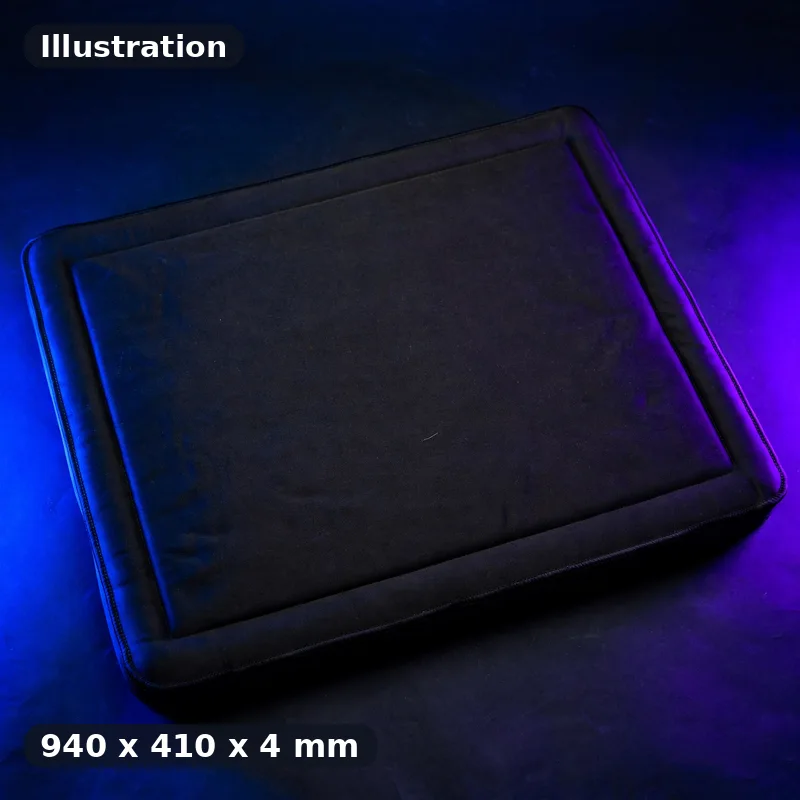
Pick 1 · Best overall
Razer Gigantus V2 XXL
Best for desks 48 in and widerThe Razer Gigantus V2 XXL is the widest mat here at 940 mm, with a 4 mm foam base and a micro-weave cloth surface over rubber foam.
- Size
- 940 x 410 x 4 mm (37 x 16.1 x 0.2 in)
- Surface
- Textured micro-weave cloth
- Thickness
- 4 mm
- Base
- Rubber foam, anti-slip
- Edges
- Not published
- Brand
- Razer
Strengths
- Widest here at 940 mm
- 4 mm foam cushions the wrist
Trade-offs
- No edge treatment published
- At 910 g, it stays at home
Editorial opinion
Get it for desks 48 in or wider at low sensitivity.
Price and availability change often — check the current listing.
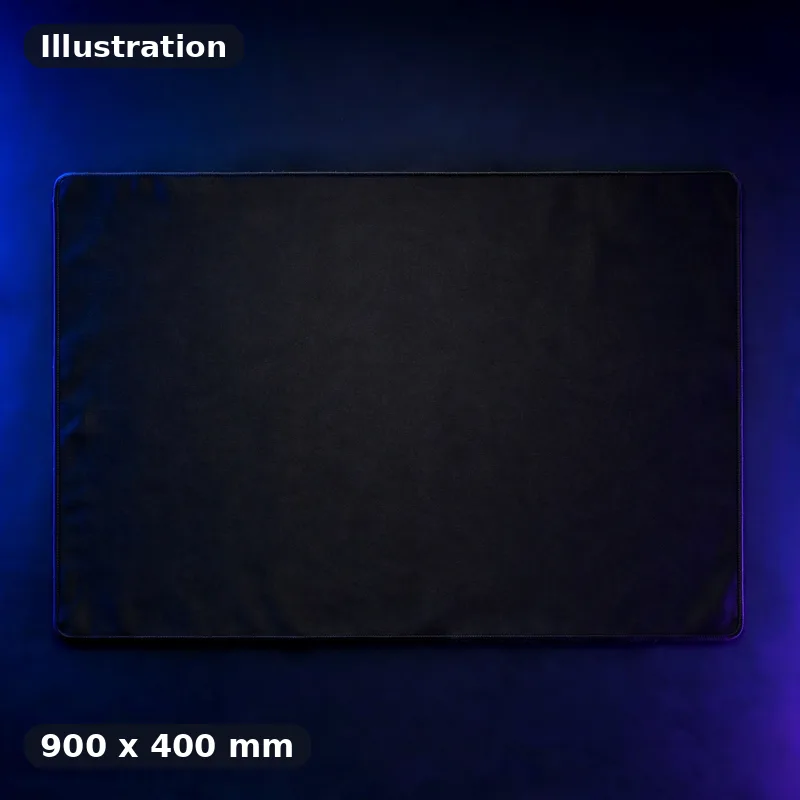
Pick 2 · Best value
SteelSeries QcK XXL
Best for a thin, flat surfaceThe SteelSeries QcK XXL is the plain cloth mat: micro-woven cloth on a non-slip rubber base, in a 900 x 400 mm footprint. SteelSeries lists it as washable. Its current page lists 2 mm thick, while older listings list 4 mm.
- Size
- 900 x 400 mm (35.4 x 15.7 in)
- Surface
- Micro-woven cloth
- Thickness
- 2 mm per current page; older listings say 4 mm
- Base
- Non-slip silicone rubber
- Edges
- Not published
- Brand
- SteelSeries
Strengths
- Thinnest here; the keyboard sits almost level
- Washable, per SteelSeries
Trade-offs
- Thickness listed as both 2 mm and 4 mm
- No stitched edge published
Editorial opinion
Get it for the simplest washable mat.
Price and availability change often — check the current listing.
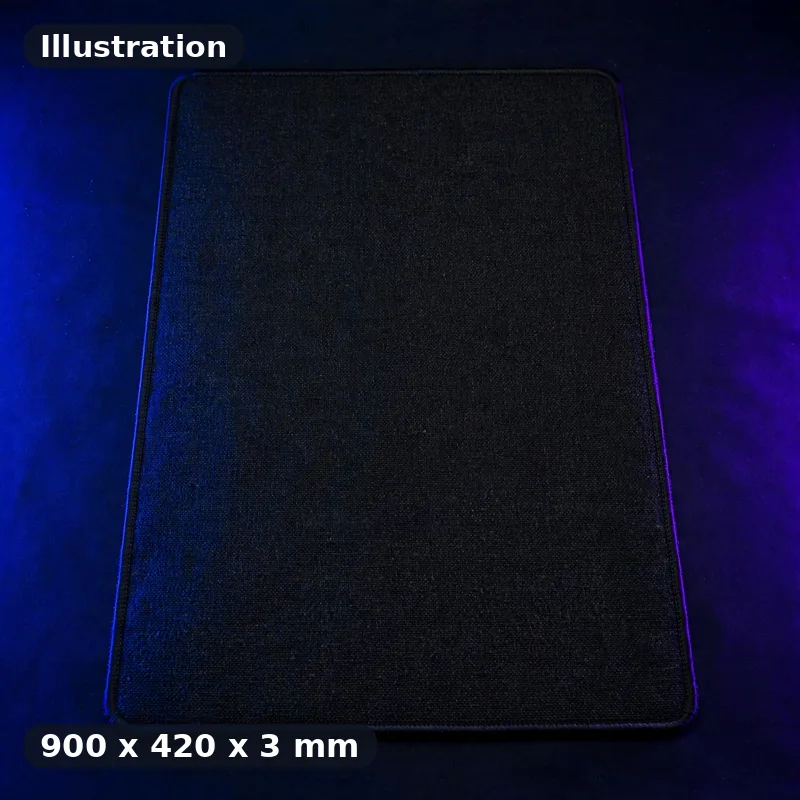
Pick 3 · Best for deep desks
HyperX Pulsefire Mat XL
Best for desks with room to spare front to backThe HyperX Pulsefire Mat XL is the deepest mat here at 420 mm, for low-sensitivity players. HyperX lists a densely woven cloth surface, a non-slip rubber base and anti-fray flush stitching.
- Size
- 900 x 420 x 3 mm (35.4 x 16.5 x 0.1 in)
- Surface
- Densely woven cloth
- Thickness
- 3 mm
- Base
- Non-slip rubber
- Edges
- Anti-fray flush stitching
- Brand
- HyperX
Strengths
- Deepest here at 420 mm
- Stitched edges stop fraying
Trade-offs
- Leaves only 2.5 in free on a 19 in desk
- No cushion layer
Editorial opinion
Get it for desks at least 24 in deep.
Price and availability change often — check the current listing.
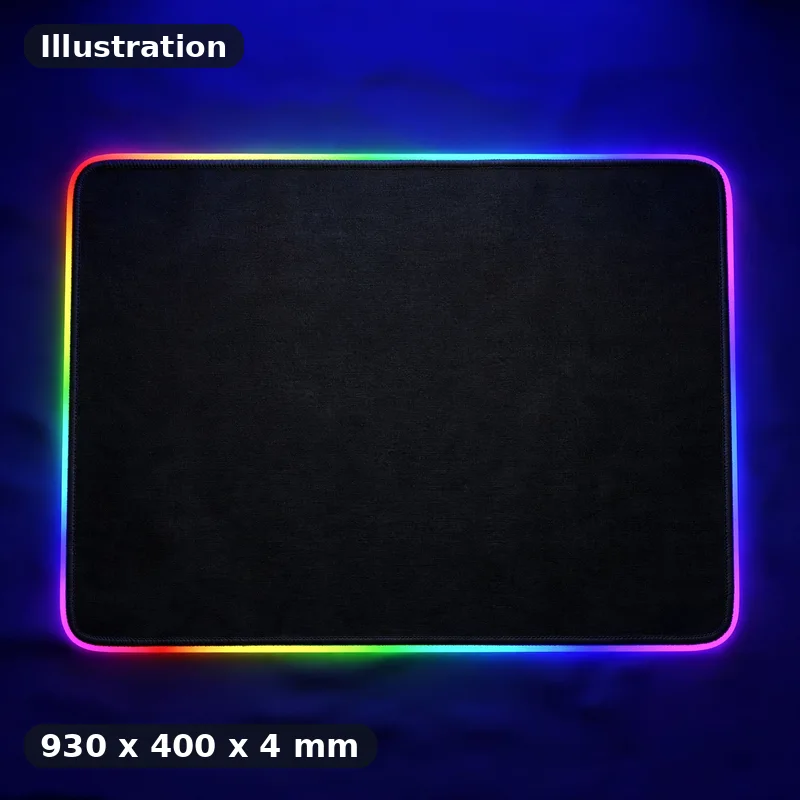
Pick 4 · Best for RGB setups
Corsair MM700 RGB Extended
Best for a lit setupThe Corsair MM700 RGB Extended is the only pick here with lighting: 360-degree, three-zone RGB around a 930 x 400 mm cloth surface, with 12 onboard profiles in iCUE. It also has a two-port USB hub.
- Size
- 930 x 400 x 4 mm (36.6 x 15.7 x 0.2 in)
- Surface
- Glide-enhanced woven textile
- Thickness
- 4 mm
- Base
- Anti-skid textured rubber
- Edges
- RGB stitched edges
- Brand
- Corsair
Strengths
- Three-zone RGB, 12 profiles, controlled in iCUE
- USB hub frees ports on the PC
Trade-offs
- Needs USB, so it adds a cable
- The light strip cannot be replaced alone
Editorial opinion
Get it if your setup already runs Corsair lighting.
Price and availability change often — check the current listing.
Pick 5 · Also worth a look
Logitech G840 XL
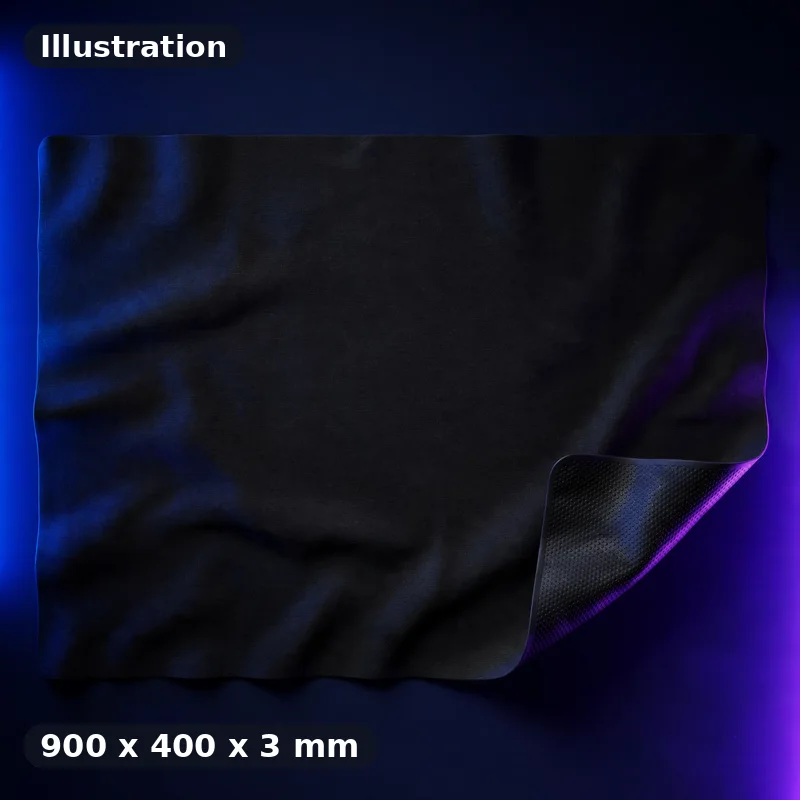
Best for low-DPI sweepsThe Logitech G840 XL is the plain, steady pick: a 900 x 400 x 3 mm performance-tuned cloth surface on a stable rubber base, with heat-treated edges. Logitech calls the surface moderate friction, tuned for consistent tracking.
- Size
- 900 x 400 x 3 mm (35.4 x 15.7 x 0.1 in)
- Surface
- Performance-tuned cloth
- Thickness
- 3 mm
- Base
- Stable rubber
- Edges
- Heat-treated
- Brand
- Logitech
Strengths
- Moderate friction suits sharp stops, per Logitech
- Heat-treated edges resist fraying
Trade-offs
- No stitched edge
- Same footprint as the QcK XXL
Editorial opinion
Get it for a matched Logitech surface for low-DPI play.
Price and availability change often — check the current listing.
Materials and how they wear
All five picks are cloth. The differences are the weave, the base, the thickness and the edge.
Cloth weave
Micro-weave cloth gives a smooth, even glide. A loose weave gets uneven sooner, because dust settles into the gaps.
Rubber base and thickness
The base stops the mat sliding. Rubber grips wood and laminate, while foam adds cushion and levels small bumps. At 2 to 3 mm a mat sits almost level; at 4 mm it gives a soft step.
Edges
Stitched edges stop fraying, and the HyperX and Corsair picks have them.
What barely matters
Ignore speed-versus-control labels. No maker here publishes a friction number.
Key terms, explained
A few listing words, explained.
- Micro-weave cloth
- A tightly woven fabric surface that gives a sensor a consistent surface to read.
- Anti-slip base
- A rubber underside that grips the desk so the mat does not slide.
- Stitched edges
- A sewn border that stops the cloth edge from fraying.
Mistakes that cost gamers money
The most expensive mistake is ordering by the photo instead of the measurements.
- Buying the XXL size without measuringCheck the millimetres, not the letters.
- Forgetting desk depthMeasure front to back too.
- Paying for RGB you will switch offA plain mat does the same job.
- Assuming leather is a mouse surfaceBuy cloth for gaming, leather for looks.
Cleaning and flattening creases
Cloth mats get dirty, and every one arrives rolled up with a curl.
Setup and upkeep
Shake the mat outside and wipe it with a damp cloth and mild soap, then air dry flat. SteelSeries lists the QcK XXL as washable, the only pick here you can rinse.
To flatten a rolled mat, unroll it face down overnight with books on the corners. Never iron a mat or use a hair dryer.
Frequently asked questions
What size gaming desk mat do I need?
Measure your desk width, then pick a mat at least 3 in narrower in total. On a 48 in desk, a 35.4 to 37.0 in mat fits well; on a 40 in desk it leaves only 3.0 to 4.6 in spare.
Is a gaming desk mat the same as a large mouse pad?
Yes, for gaming. Both names describe a wide cloth surface with a rubber base for keyboard and mouse. They split only in office listings, where a desk mat is often leather or PU. A leather pad is made to protect the desktop, not to track a mouse.
Can I wash a gaming desk mat?
It depends on the maker. SteelSeries lists the QcK XXL as washable. For the other picks, no maker states machine washing is safe, so use a damp cloth with mild soap. Air dry flat, and keep an iron and hair dryer away from any cloth mat.
Will a 940 mm mat fit a 40 inch desk?
Yes, but only just. A 940 mm mat is 37.0 in wide, so on a 40 in desk it leaves 3.0 in spare. Center it and keep the monitor base off the mat. Measure depth too: the 410 mm mat can overhang a shallow desk.
So which one should you buy?
Buy the Razer Gigantus V2 XXL if your desk is 48 in or wider: widest here, with 4 mm foam and 11 in of spare width. Everyone else should start from the sizing table.
| If you need | Best pick | Why | Link |
|---|---|---|---|
| All-rounder | Razer Gigantus V2 XXL | Widest at 940 mm | Amazon Paid link |
| Thin and washable | SteelSeries QcK XXL | 2 mm, and washable | Amazon Paid link |
| Most pull-back room | HyperX Pulsefire Mat XL | Deepest at 420 mm | Amazon Paid link |
| RGB and USB hub | Corsair MM700 RGB Extended | RGB, 12 profiles, 2-port hub | Amazon Paid link |
Still deciding? Answer a few questions in Help me choose and GameVexo will narrow it down by your games, platform and budget.
Where to go next
- Best Corner Gaming DeskCorner desks ranked by wall space.
- Best L-Shaped Gaming DesksL-shaped desks with scale floor plans.
Sources
- Razer Gigantus V2 specifications, checked
- SteelSeries QcK XXL product page, checked
- Logitech G840 XL product page, checked
- Corsair MM700 RGB Extended product page, checked
- HP HyperX Pulsefire Mat XL product page, checked
Explore


Article engagement
Comments (0)
No comments yet. Be the first to share what you think.
Sign in to join the conversation.