
Gaming Headset Buying Guide
Pick the right gaming headset by platform, room and session: open-back vs closed-back vs IEMs, wired vs wireless, and the battery and mic figures that matter.

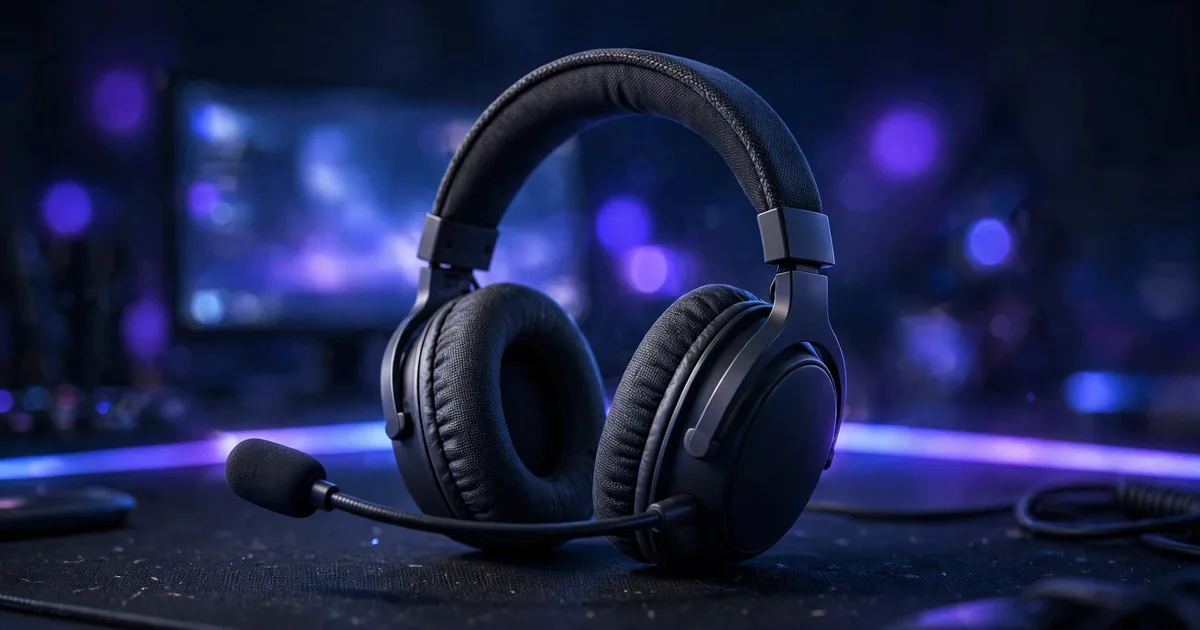
A gaming headset buying guide should start with your room, your platform and your games, not with a spec sheet. A headset that sounds great in a quiet room can be the wrong pick in a shared flat, on Xbox, or for a player who wears glasses for six hours a day. This guide walks through the three choices that decide everything: open-back, closed-back or in-ear; wired, 2.4 GHz or Bluetooth; and how much battery and microphone quality your sessions actually need. Every section ends with the GameVexo guide that settles that question in detail.
Short answer
Buy a closed-back headset with a 2.4 GHz dongle for PC or PS5 in a shared room, and check the maker’s rated battery first: the best wireless headsets in this gaming headset buying guide are rated between 22 and 70 hours per charge, and the wrong connection is the most common expensive mistake.
Gaming headset buying guide: three questions first
Three questions settle almost every headset decision. First, what do you play on: PC, PS5, Xbox or Switch? Second, who shares your room? Third, how long are your sessions: an hour after work, or five-hour ranked nights? Answer those three and the rest of this guide turns into a checklist.
Your platform decides the connection: a 2.4 GHz dongle is the standard wireless link for PC and PS5, while Xbox needs its own Xbox Wireless protocol or a wired 3.5 mm cable. Your room decides the cup: open-back for a quiet room you have to yourself, closed-back for everywhere else, and in-ear monitors when glasses, heat or travel rule out big cups.
This is for you if
- You play on PC, PS5 or Xbox and want one headset for your platform and your room
- You talk to a squad most nights and your mic matters as much as your ears
- You wear glasses, play long sessions, or share a room
Look elsewhere if
- You only need earbuds for your phone: a gaming headset is the wrong tool for that job
- You want a studio headset for music mixing: this guide is for games and chat
Three things to check
- Your platform and connection Check the box for your platform first: a 2.4 GHz dongle works on PC and PS5, Xbox needs Xbox Wireless or a 3.5 mm cable, and Bluetooth audio does not work on PS5 at all.
- Your room and who shares it Open-back cups leak sound both ways, so they only work alone. Closed-back cups and in-ear monitors keep your game private.
- The maker’s rated battery and weight Read the rated hours with the conditions the maker states, and compare the stated weight in grams: a difference of 50 g is easy to feel by the third hour.
Building more than one piece? Plan the rest of your setup in the Setup Builder before you order.
How we researched this
- Manufacturer spec sheets and manuals for the headsets named here, checked in November 2026, including the rated battery figures and their conditions.
- Specifications and rated figures come from manufacturer documentation. GameVexo does not physically test products — see how we research.
Six terms do most of the confusing in headset shopping, so here they are in plain English before you meet them again below.
- Open-back
- A cup with a grille outside, so air and sound move freely both ways. It sounds wide, leaks sound, and blocks almost no outside noise.
- Closed-back
- A sealed cup that keeps sound in and room noise out. Most gaming headsets are closed-back, because most gamers share a room.
- Active noise cancelling (ANC)
- Microphones on the cup hear room noise and the headset cancels it with the opposite sound. It cuts steady noise like fans, costs battery, and does nothing in a quiet room.
- 2.4 GHz wireless
- A small USB dongle that carries game audio on its own radio link. It is the low-latency wireless link for PC and PS5.
- Virtual surround
- Software that places sounds around you through two drivers. It is processing, not extra speakers, and it works with any stereo headset.
- Driver
- The small speaker inside each cup, measured in millimetres. A 50 mm driver is not automatically better than a 40 mm one.
Open-back, closed-back and IEMs
The cup decides more about your headset than the driver does. An open-back cup has a grille on the outside, so the sound feels wide and natural, like speakers in a room, but everyone nearby hears your game and you hear everything in the room. A closed-back cup is sealed, so the sound stays private and room noise stays out, at the cost of a narrower sound. In-ear monitors, or IEMs, sit inside the ear canal and seal it, which blocks noise and leaks almost nothing, in a package that weighs a few grams per ear.
RTINGS’ headphone testing finds open-back designs give a wider perceived soundstage than closed-back models, because the open cup removes the trapped air that makes a closed cup sound boxed in. That is a real advantage for single-player games in a quiet room, and worth almost nothing in a shared room.
| Type | Sound leaks out | Room noise blocked | Soundstage | Bass feel | Best for |
|---|---|---|---|---|---|
| Open-back | A lot: anyone nearby hears your game | Almost none | Widest, most natural | Lighter, less punch | Quiet room, solo play |
| Closed-back | Little at normal volume | Good, passive seal | Narrower, in your head | Stronger punch | Shared rooms, LAN, voice chat |
| IEMs | Almost none | Strong, from the ear seal | Narrow, but precise | Strong, from the seal | Travel, glasses, hot rooms |
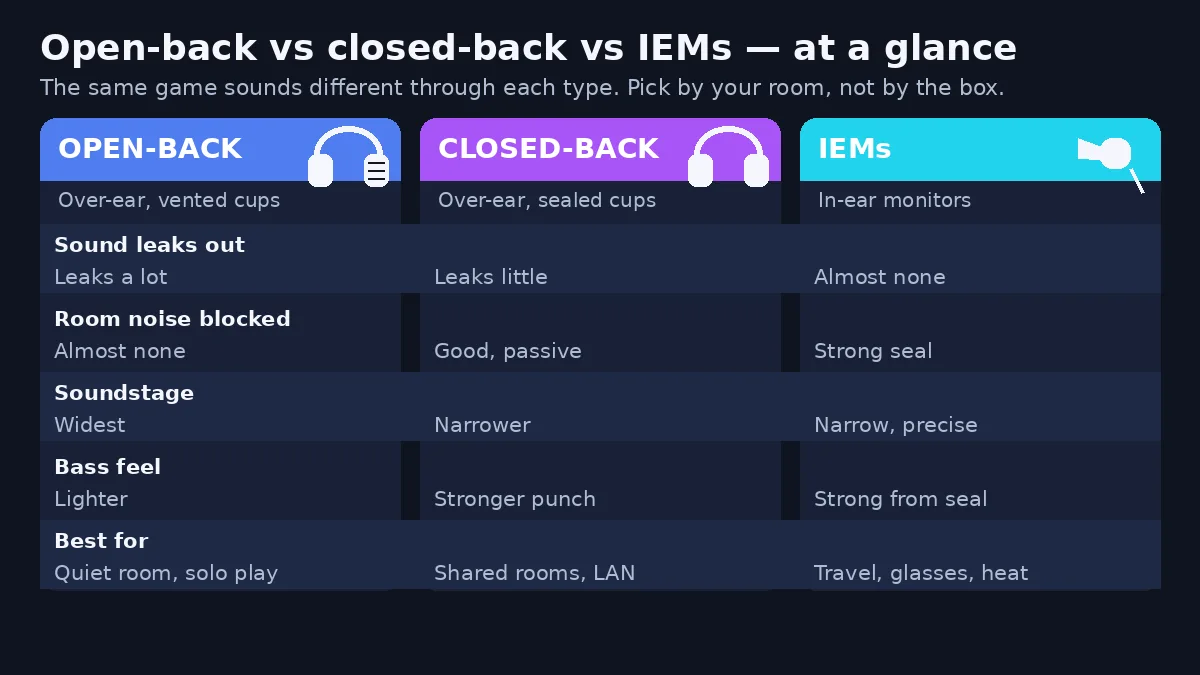
IEMs deserve a longer look than most headset guides give them. They never press on glasses, never trap heat, and fit in a pocket, which makes them the right pick for travel, hot rooms and glasses wearers. Their weakness is fit: the seal is everything, and a bad seal means thin sound and no isolation at all.
Best IEMs for gaming: in-ear picks for PC and console
The classic closed-back wired headset is still the cheapest way to get good sound and a good mic, because there is no battery, no dongle and no wireless link to pay for. The Sennheiser GSP 300 is the closed-back example we studied: a wired over-ear with a flip-to-mute boom mic, built for long sessions without software or charging.
Sennheiser GSP 300: what the specifications show
Audio-Technica’s ATH-GL3 is the other closed-back wired headset we covered: a sealed cup, a wired connection with nothing to charge, and a boom mic that sits where your voice is.
Audio-Technica ATH-GL3 closed-back gaming headset: what the specs show
Wired, 2.4 GHz and Bluetooth
Wired is the simplest connection and the hardest to get wrong. A 3.5 mm or USB cable works on almost everything, adds no latency, never runs out of battery, and costs the least. Its only real cost is the cable itself, which catches on chair arms and desk edges.
2.4 GHz wireless is the standard for wireless gaming, through a small USB dongle that carries game audio on its own radio link. It is fast enough for competitive play, it works on PC and PS5, and most wireless headsets also let Bluetooth run at the same time, so game audio comes through the dongle while calls come through your phone. The catch is Xbox: a standard 2.4 GHz dongle does not work on Xbox, which needs a headset built for Xbox Wireless, or a wired 3.5 mm cable.
Bluetooth is the most convenient connection and the worst one for competitive gaming. It pairs with phones, tablets and the Switch, which makes it perfect for music and calls, but it adds latency you can feel in a fast shooter. It also does not work for game audio on PS5 at all. Use it as the second connection on a headset that also has a dongle or a cable, not as the only one.
The JBL Quantum 910X is a good example of the dual-connection idea done properly: a 2.4 GHz dongle for Xbox, PC, PlayStation and Switch, Bluetooth 5.2 running at the same time for calls and music, and a 3.5 mm cable for everything else. JBL lists 50 mm drivers, active noise cancelling and head tracking.
JBL Quantum 910X wireless gaming headset for Xbox: analysis
If wireless is the goal and the budget is tight, the choice is between a cheaper wireless headset and a better wired one. Our budget wireless guide compares the picks that keep a 2.4 GHz link, a usable mic and a battery that survives a week of evenings, without the flagship extras.
Best budget wireless gaming headset
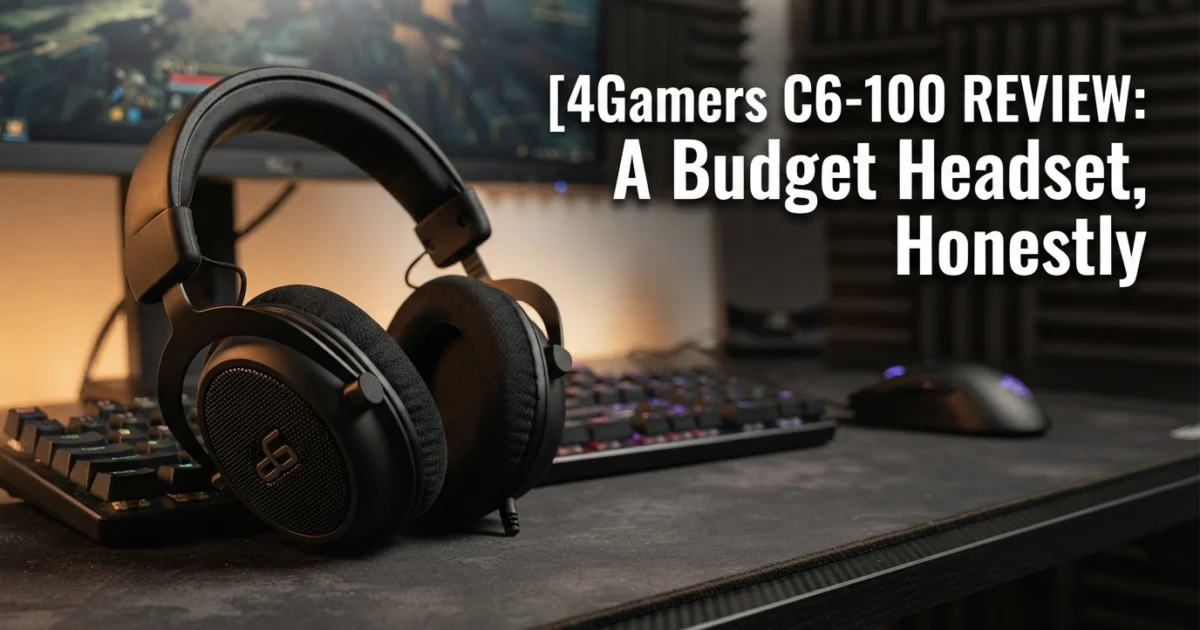
At the entry end of the market, the 4Gamers C6-100 shows what a budget wired headset can and cannot do. It is a wired closed-back headset with a boom mic, judged honestly against headsets that cost far more.
4Gamers C6-100 review: a budget headset, honestly judged
Microphones: what actually matters
Your squad hears your mic, not your drivers, so the mic decides more of your evenings than the sound does. A boom mic near your mouth beats a mic built into the ear cup every time, because distance is the biggest factor in how clear you sound. Flip-to-mute is the feature you will use every session, and it should be a physical movement you can feel without looking.
Read the pickup pattern on the spec sheet, not the marketing. A unidirectional or cardioid mic picks up sound from one direction, your mouth, and rejects the keyboard and the fan behind you. An omnidirectional mic picks up everything, which is fine for a quiet room and bad for a shared one.
One warning: a great mic on paper can still sound bad if the headset does not fit. A loose seal or a mic that sits too far from your mouth lets room noise in and drops your voice out. If your friends keep asking you to repeat yourself, move the mic closer before you blame the headset. Our mic guide compares the headsets that get this right.
Best gaming headset for microphone quality
Comfort: clamp, weight and glasses
Comfort is three numbers and one feeling: clamp force, weight and ear cup depth, and whether the headset disappears after an hour or starts to press. Too loose a clamp and the seal breaks, which kills the bass and lets room noise in; too tight and your temples ache by the second game. You cannot read clamp force from a spec sheet, which is why the return window matters more than any review score.
Weight is the number you can compare, and the maker states it on the spec sheet. Razer lists the BlackShark V3 Pro at 367 g, Turtle Beach lists the Stealth Pro at 413 g, and JBL lists the Quantum 910X at 420 g. A difference of 50 g is easy to feel by the third hour, especially with a thin headband. A wide, padded headband spreads the weight, and a suspension strap does it better still.
Glasses are the comfort problem most guides skip. A headband presses the arms of your glasses into your temples, and the cups press the arms into your head, which hurts within the hour. Three fixes work: a looser clamp, a channel in the cushion for the arms, or no headband at all. Turtle Beach says the Stealth Pro’s cushions are shaped so glasses arms are not pinched. IEMs skip the problem entirely. If you wear glasses every day, try the headset with your glasses on, not without them.
Ear cushion material is the last comfort choice. Leatherette seals better, which helps bass and isolation, but it traps heat and sweat in a warm room. Fabric breathes and stays cooler over long sessions, but it leaks a little more sound and wears faster. A hot room wants fabric, a cold shared room wants leatherette.
Surround sound: real or marketing
Most headsets that say 7.1 on the box have two drivers, one per ear, and the surround is software. The game sends a stereo or surround signal, and software such as Windows Sonic, Dolby Atmos for Headphones, DTS Headphone:X, Tempest 3D Audio on PS5 or THX Spatial Audio places the sounds around you. That processing is real, but it works with any stereo headset, so paying extra for a 7.1 badge buys you the software, not extra speakers. A few headsets add head tracking; JBL’s Quantum 910X has it.
What actually helps you hear footsteps is not the surround badge. It is a clear mid and high range, where footsteps live, a good seal that keeps the bass from washing them out, and a tuning that does not bury detail under bass. A closed-back headset with a good seal will place footsteps better than an open-back headset in a noisy room.
Rainbow Six Siege is the game where footsteps decide rounds, and our Siege guide is built around exactly that: which headsets make footsteps readable, which ones bury them under bass, and what to set in the game itself.
Best gaming headset for Rainbow Six Siege
Battery life and how it is measured
A battery rating is a measurement with conditions, not a promise. Makers measure it at moderate volume, with noise cancelling off, RGB off and a single connection running, then print the biggest number the test allows. Your sessions will be shorter, because you will turn the volume up and switch ANC on. Read the conditions next to the number, and compare headsets on the same conditions.
ANC and low-latency modes are the two features that eat battery fastest. Razer rates the BlackShark V3 Pro at up to 70 hours on PC over 2.4 GHz, and 48 hours on console, but reviewers found about 30 hours with ANC and the ultra-low-latency mode switched on together. Sony’s INZONE H9 shows the same gap: up to 32 hours with noise cancelling off, and 20 hours with it on.
| Headset | Rated battery | Conditions, as the maker states them |
|---|---|---|
| Razer BlackShark V3 Pro | Up to 70 hours | PC, 2.4 GHz; 48 hours on console |
| SteelSeries Arctis Nova Pro Wireless | 22 hours per battery | Two batteries in the box, 44 hours total; 18 to 22 hours with Bluetooth on |
| Sony INZONE H9 | Up to 32 hours | Noise cancelling off; 20 hours with noise cancelling on |
| JBL Quantum 910X | Up to 37 hours | 2.4 GHz only, ANC and lighting off; up to 42 hours on Bluetooth only |
| Turtle Beach Stealth Pro | 12 hours per battery | Two swappable batteries, 24 hours total |
Swappable batteries change the question entirely. The Arctis Nova Pro Wireless and the Stealth Pro both ship with two batteries, so one charges in the base station or dock while the other runs the headset, and a swap takes seconds. SteelSeries rates each Nova Pro battery at 22 hours, and Turtle Beach rates each Stealth Pro battery at 12 hours, so the totals are 44 hours and 24 hours.
Quick charging saves the evenings you forget to charge. Fifteen minutes on USB-C gives about 3 hours of play on the Arctis Nova Pro Wireless and the Stealth Pro, and about 6 hours on the BlackShark V3 Pro, according to the makers. Wired headsets skip this whole question.
Price tiers and what each buys
Headset prices fall into three tiers, and each tier buys a different set of features, not a different level of sound. The entry tier is a wired closed-back headset with a boom mic: no battery, no dongle, no software, just sound and voice. It is the best sound per pound in the market, because every part of the cost goes into the drivers and the mic.
The middle tier adds wireless and the features around it: a 2.4 GHz dongle, Bluetooth running at the same time, a better mic, and an app with an equaliser. The sound is not automatically better than the entry tier; what you pay for is freedom from the cable and calls on your phone without swapping headsets. This is the tier most players should buy.
The top tier adds the features that cost the most to build: active noise cancelling, swappable batteries, a base station or charging dock, and head tracking. These are real features, and they matter in a noisy room, but they do not make footsteps clearer or your voice cleaner. They buy convenience and quiet, not skill. These tiers describe what the headset includes, not a price list: GameVexo never lists prices, which change daily.
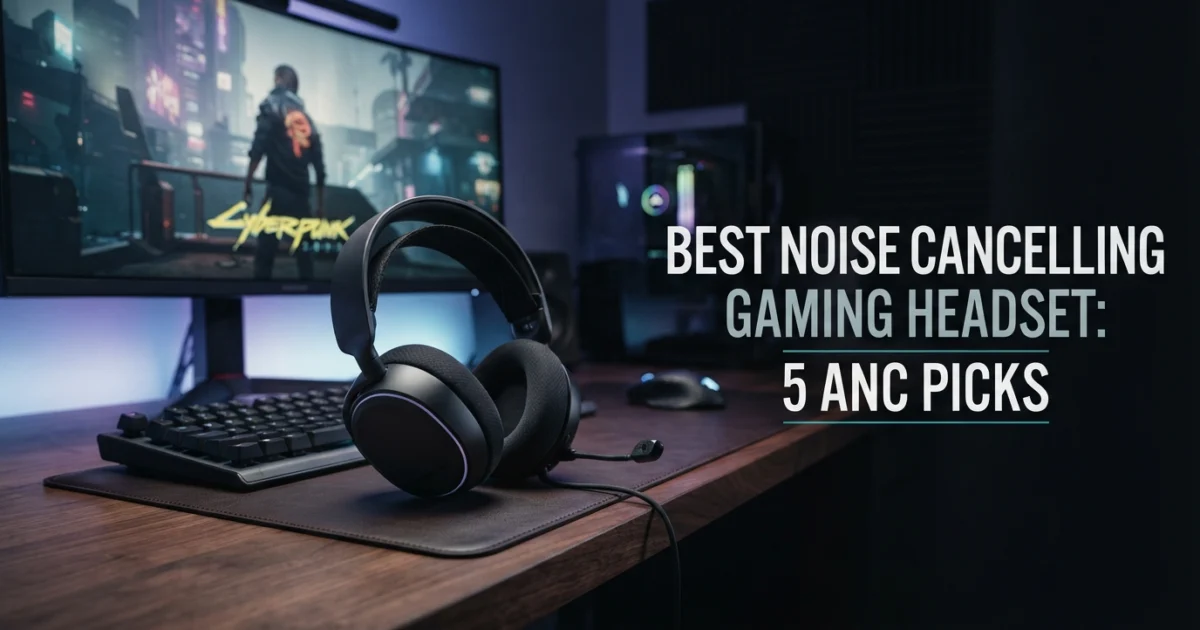
Active noise cancelling is the top-tier feature most buyers misunderstand, so it has its own guide. ANC cuts steady noise like fans, traffic and air conditioning, and it does almost nothing for sudden sounds like a door or a voice. Our noise cancelling guide compares five ANC headsets, and it states the one published ANC figure in the category: Turtle Beach rates the Stealth Pro at up to 25 dB of noise reduction at 100 Hz.
Best noise cancelling gaming headset
Mistakes that cost gamers money
The single most expensive mistake in this category is buying the wrong connection for your platform, and it is also the easiest to avoid: read the box before you pay.
- Buying a PC dongle headset for XboxA standard 2.4 GHz dongle does not work on Xbox. You need a headset built for Xbox Wireless, or a wired 3.5 mm cable into the controller, so check the box for your console first.
- Buying for the biggest driver numberA 50 mm driver is not automatically better than a 40 mm one. Tuning and the seal around your ear decide the sound, so a well-tuned 40 mm headset beats a badly tuned 50 mm one.
- Paying for ANC you will switch offANC costs battery and adds nothing in a quiet room. If your room is quiet, spend the money on a better mic or a lighter headset instead.
- Ignoring the return window on fitClamp force and glasses comfort cannot be read from a spec sheet. Buy from a shop that lets you send it back, wear the headset for a full evening, and then decide.
Frequently asked questions
Do I need a wireless gaming headset?
No. A wired headset sounds just as good, costs less, never runs out of battery, and works on every platform with a 3.5 mm jack or USB. Wireless is worth it if you move around, hate cables, or take calls on your phone while you play. If you play at a desk, spend the money on a better mic or better drivers instead.
Is 7.1 surround sound worth paying for?
No, not as a badge on the box. Most 7.1 headsets have two drivers and the surround is software, which works with any stereo headset through Windows Sonic, Dolby Atmos, DTS Headphone:X or Tempest 3D Audio. What helps footsteps is a clear mid and high range and a good seal, not the badge.
How long should a wireless headset battery last?
Enough for a week of evenings without thinking about it. The headsets in this guide are rated between 22 and 70 hours per charge, with the Arctis Nova Pro Wireless at 22 hours per battery and the BlackShark V3 Pro at up to 70 hours on PC. Read the conditions next to the number: ANC and low-latency modes cut real runtime.
Are gaming IEMs good for competitive games?
Yes, with one condition: the fit has to seal. A well-sealed IEM blocks room noise, leaks almost nothing, and places sounds precisely, which is exactly what competitive play needs. A bad seal means thin sound and no isolation at all. Try the included ear tips first, and switch sizes before you judge the pair.
Where to go next
Start with your platform and your room, then read the guide below that matches the question you still have. The right headset is the one that fits your console, your room and your head.
Where to go next
- Best noise cancelling gaming headsetFive ANC picks compared, for noisy rooms and shared flats.
- Best budget wireless gaming headsetWireless without the flagship extras, for PC and console.
- Best gaming headset for microphone qualityThe picks your squad will actually hear clearly.
Still deciding? Answer a few questions in Help me choose and GameVexo will narrow it down by your games, platform and budget.
Sources
- JBL Quantum 910X Wireless: product page and battery table, checked
- Sony INZONE H9: product page and battery life, checked
- SteelSeries Arctis Nova Pro Wireless: specifications, via Crutchfield, checked
- Razer BlackShark V3 Pro: specifications, via Alza, checked
- Turtle Beach Stealth Pro: user manual and specifications, checked
- Open-back vs closed-back headphones: RTINGS findings as reported by SoundHub, checked
Explore


Article engagement
Comments (0)
No comments yet. Be the first to share what you think.
Sign in to join the conversation.