


A best 1080p gaming monitor is still the smart buy for most PC gamers in 2026. The panel is cheap to drive, so a mid-range graphics card can push high frame rates, and the 1080p models in this guide run at 165 Hz to 240 Hz. The catch is size: the same 1,920 x 1,080 pixels look sharp on a 24-inch screen and soft on a 32-inch one. This guide shows you which size still looks sharp at your desk, then ranks five 1080p monitors on rated refresh rate, panel type and the stand you actually get.
Short answer
The best 1080p gaming monitor for most gamers is the ASUS TUF Gaming VG249QL3A: a 23.8-inch IPS panel at 180 Hz with a 1 ms response and a full stand. Buy 24 inches if you sit close; at 27 inches the same 1,920 x 1,080 pixels drop to 82 ppi, so sit further back.
Find your pick at a glance
-
Best overall
ASUS TUF Gaming VG249QL3A
180 Hz, full stand, built-in speakers.
-
Best value
AOC 24G2SP
165 Hz IPS with a 130 mm height stand.
-
Best for competitive FPS
ViewSonic XG2431
240 Hz, Blur Busters Approved 2.0.
Who this guide is for
This guide is for the PC gamer who wants high refresh rates without a high-end graphics card. If your games are mostly competitive shooters, 1080p is still the resolution that makes sense.
This is for you if
- You play on PC and your GPU reaches high frame rates at 1080p.
- You play competitive shooters and want 165 Hz or more.
- Your desk fits a 24-inch or 27-inch screen.
Look elsewhere if
- You want the sharpest text for work — a 27-inch 1440p panel is the better buy.
- You need a monitor for colour-critical work.
- You want a big screen for the living room — 32 inches at 1080p looks soft up close.
Check this before you buy
The check that decides this purchase is your graphics card and your desk. A 240 Hz monitor is only as fast as the GPU feeding it, and a 27-inch panel only looks sharp if you sit far enough back.
Three things to check
- Your GPU and its ports Your card needs to draw the frames the panel can show. All five picks have DisplayPort and HDMI, so a modern card connects without an adapter.
- Your desk depth and viewing distance A 24-inch panel suits a desk about 60 to 90 cm deep; a 27-inch panel wants 70 to 100 cm. Measure first — the pixel-density table below shows why.
- Your console plan PS5 and Xbox Series X cap at 1080p 120 Hz, so the 165 Hz to 240 Hz figures are for PC only. Consoles get 120 Hz on these panels.
Why 1080p still makes sense
1080p is the resolution most PCs can actually drive fast. A mid-range graphics card can push 165 frames per second or more at 1,920 x 1,080, where the same card at 1440p or 4K drops to half that. That matters in competitive games, where a higher refresh rate shows you movement sooner and makes aiming feel smoother. 1080p panels are also cheaper, lighter on power and easier to run on a laptop or an older card. The trade-off is sharpness: the same pixel count spread over a bigger screen looks softer. That is why size, not brand, is the first decision in this guide.
Pixel density and screen size
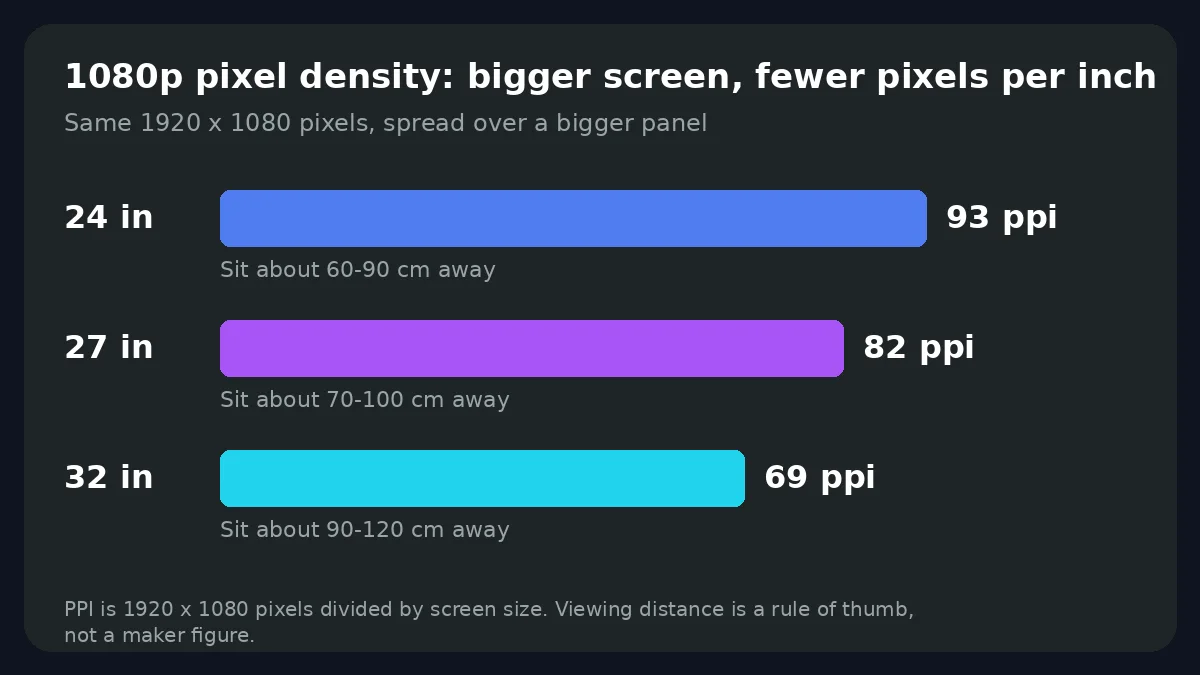
Pixel density is pixels per inch, or ppi. It is the number that decides whether a 1080p screen looks sharp. A 1080p panel always has 1,920 x 1,080 pixels — 2,203 pixels across the diagonal — so the bigger the screen, the fewer pixels per inch.
| Screen size | Pixels per inch | How it looks | Sit this far away |
|---|---|---|---|
| 24 in (23.8 in) | 93 ppi | Sharp at a normal desk distance | About 60–90 cm |
| 27 in | 82 ppi | Good if you sit a little further back | About 70–100 cm |
| 32 in | 69 ppi | Soft up close; needs a deep desk | About 90–120 cm |
The rule is simple: 24 inches is the safe size for 1080p. At 27 inches the picture still works, but sit further back or text starts to look soft. At 32 inches, 1080p is a stretch — the same pixels are spread so thin that individual pixels show up close. If your desk is deep enough to sit a metre away, a 32-inch 1080p panel can work for games, but for text and work it is the weakest size here. The viewing distances are rules of thumb, not maker figures — they come from the ppi numbers, not a spec sheet.
How these picks were chosen
Every pick below was checked against the maker’s own spec sheet, not a retailer listing. The ranking is simple: the monitor that gives you the most speed, the best panel and the most useful stand for the size.
How we researched this
- Spec sheets from each maker were compared in November 2026.
- Refresh rate, panel type and stand adjustment were weighted most heavily: the three things that decide how a 1080p monitor feels every day.
- Only 1080p panels with a rated 165 Hz or higher made the list. Premium-priced and discontinued models were left out.
- Specifications and rated figures come from manufacturer documentation. GameVexo does not physically test products — see how we research.
Quick comparison
| Monitor | Size | Refresh rate | Response | Ports | Link |
|---|---|---|---|---|---|
| ASUS TUF Gaming VG249QL3A | 23.8 in IPS | 180 Hz | 1 ms GTG | DP 1.2, 2 x HDMI 2.0 | Amazon Paid link |
| AOC 24G2SP | 23.8 in IPS | 165 Hz | 1 ms MPRT | DP 1.2, 2 x HDMI 1.4 | Amazon Paid link |
| MSI G244F E2 | 23.8 in Rapid IPS | 180 Hz | 1 ms GTG | DP 1.2a, 2 x HDMI 2.0b | Amazon Paid link |
| Acer Nitro VG270 M3bmiipx | 27 in IPS | 180 Hz | 1 ms GTG | DP 1.2, 2 x HDMI 2.0 | Amazon Paid link |
| ViewSonic XG2431 | 23.8 in IPS | 240 Hz | 1 ms GTG | DP 1.4, 2 x HDMI 2.0 | Amazon Paid link |
What the table does not show
The stand. The ASUS, AOC and ViewSonic adjust height, tilt, swivel and pivot; the MSI and the Acer tilt only. If you share the desk or use a monitor arm, the stand matters as much as the refresh rate.
The five best 1080p gaming monitor picks
Five 1080p monitors, all IPS, all 165 Hz or faster. The difference between them is size, speed and the stand.
Pick 1 · Best overall
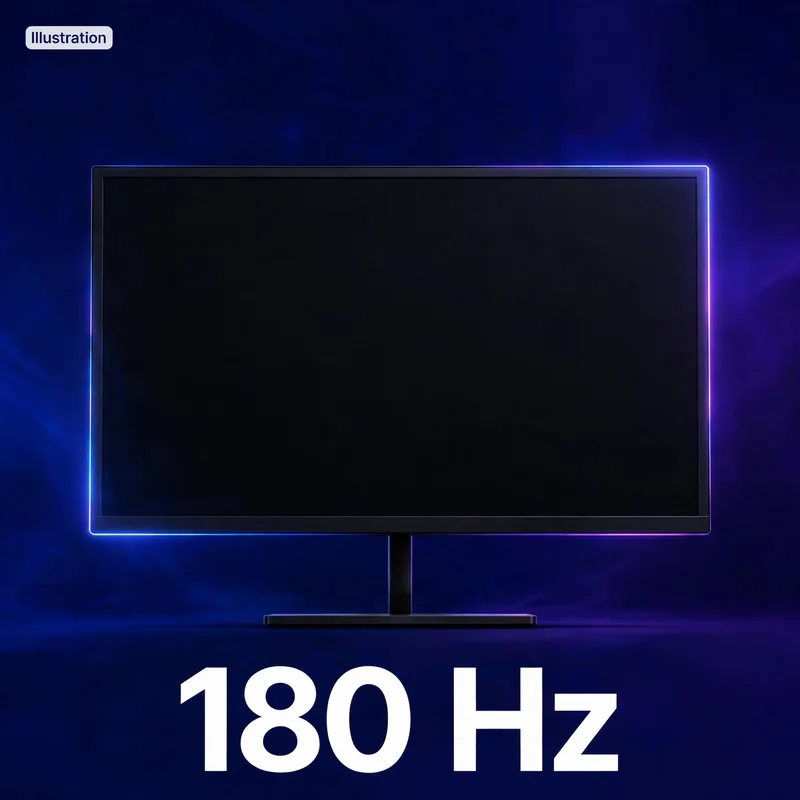
ASUS TUF Gaming VG249QL3A
Best for: the fastest all-round 1080p monitorThe best all-round 1080p monitor here: a 23.8-inch IPS panel at 180 Hz with a 1 ms response, a full stand and built-in speakers. It does everything well and nothing badly.
- Size and resolution
- 23.8 in · 1920 x 1080
- Refresh rate
- 180 Hz
- Panel and response
- IPS, 1 ms GTG
- Brightness and colour
- 350 nits, 99% sRGB
- Ports
- DisplayPort 1.2, 2 x HDMI 2.0
- Stand and VESA
- Height 0–120 mm, tilt, swivel, pivot · VESA 100 x 100
Strengths
- 180 Hz with a 1 ms response
- Full stand: height, tilt, swivel, pivot
- Built-in speakers, 2 W x 2
- FreeSync Premium and ELMB
Trade-offs
- DisplayPort 1.2, not 1.4
- No USB hub
- 23.8 inches only — no 27-inch version in this guide
Editorial opinion
Buy it if you want one monitor that does everything. It is the fastest all-rounder at 1080p, and the full stand is the difference from the cheaper picks.
Price and availability change often — check the current listing.
Pick 2 · Best value
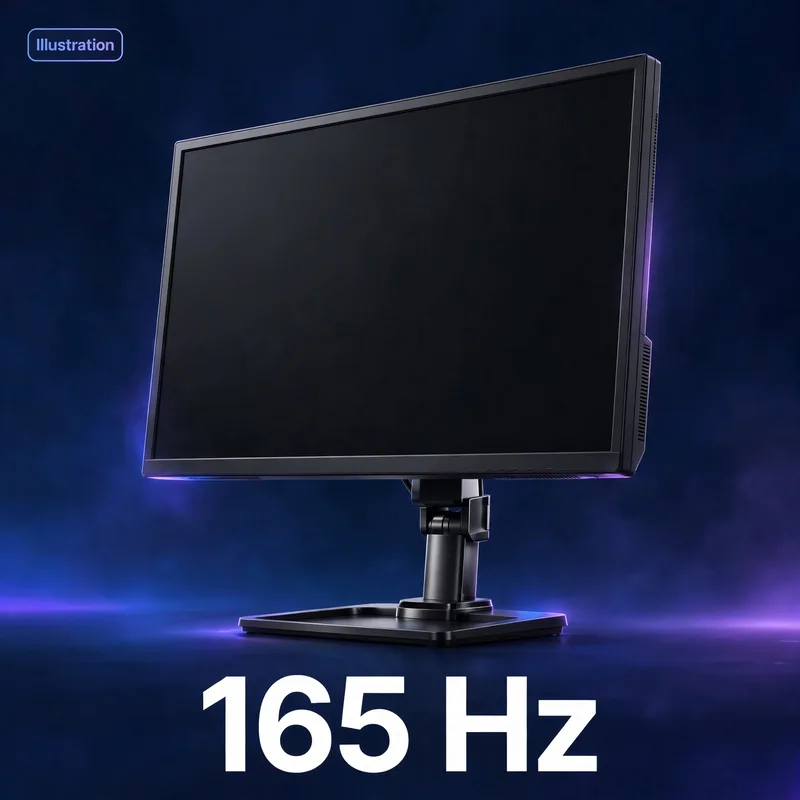
AOC 24G2SP
Best for: high refresh on a tight budgetThe value pick: a 23.8-inch IPS panel at 165 Hz with a 1 ms MPRT response and a full stand that adjusts height, swivel and pivot. It gives up 15 Hz to the 180 Hz picks and keeps everything else.
- Size and resolution
- 23.8 in · 1920 x 1080
- Refresh rate
- 165 Hz
- Panel and response
- IPS, 1 ms MPRT (4 ms GtG)
- Brightness and colour
- 300 nits, 92% DCI-P3
- Ports
- DisplayPort 1.2, 2 x HDMI 1.4, VGA
- Stand and VESA
- Height 130 mm, tilt, swivel, pivot · VESA 100 x 100
Strengths
- Full stand with 130 mm height adjust
- Wide colour: 92% DCI-P3
- VGA port for an older second PC
Trade-offs
- 165 Hz, not 180 Hz
- HDMI 1.4, not 2.0
- No built-in speakers
Editorial opinion
Buy it if you want the cheapest way into a fast IPS panel with a proper stand. The 15 Hz gap to the 180 Hz picks is the smallest trade-off here.
Price and availability change often — check the current listing.
Pick 3 · Best 180 Hz on a budget
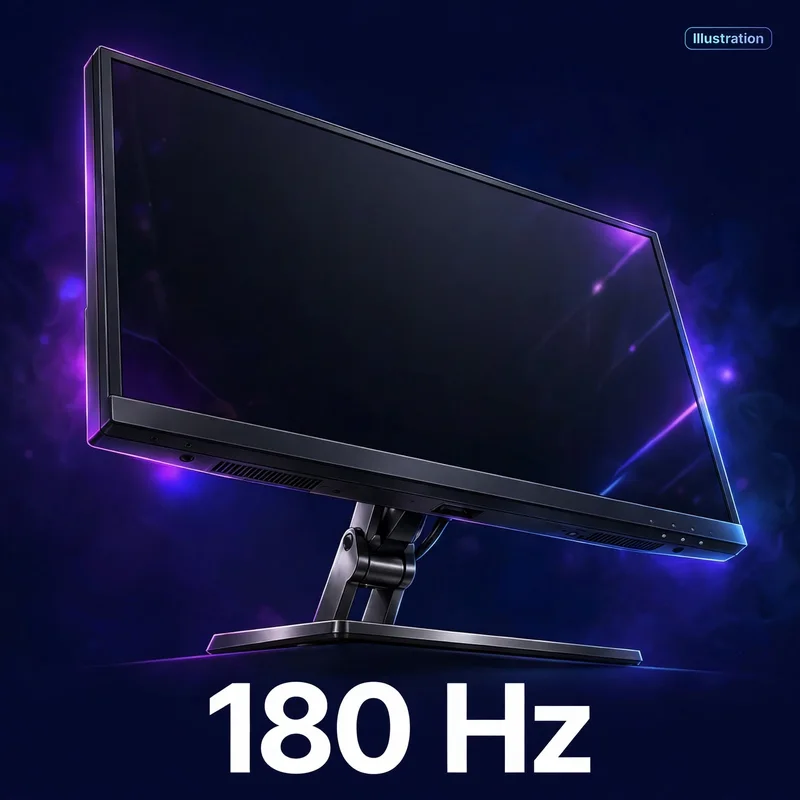
MSI G244F E2
Best for: 180 Hz with the widest colourThe 180 Hz pick with the widest colour: a 23.8-inch Rapid IPS panel at 180 Hz with 118% sRGB and a 1 ms response. It matches the ASUS on speed and beats it on colour, but the stand only tilts.
- Size and resolution
- 23.8 in · 1920 x 1080
- Refresh rate
- 180 Hz
- Panel and response
- Rapid IPS, 1 ms GTG
- Brightness and colour
- 300 nits, 118% sRGB
- Ports
- DisplayPort 1.2a, 2 x HDMI 2.0b
- Stand and VESA
- Tilt only · VESA 75 x 75
Strengths
- 180 Hz with 118% sRGB
- 1 ms GTG and 1 ms MPRT
- HDMI 2.0b ports
Trade-offs
- Stand tilts only — no height adjust
- VESA 75 x 75, not 100 x 100
- No speakers or USB hub
Editorial opinion
Buy it if you want 180 Hz and rich colour and you already have a monitor arm. Without one, the tilt-only stand is the compromise.
Price and availability change often — check the current listing.

Pick 4 · Best 27-inch
Acer Nitro VG270 M3bmiipx
Best for: a bigger screen that stays affordableThe 27-inch pick: a 27-inch IPS panel at 180 Hz with a 1 ms response and 99% sRGB. It is the only 27-inch monitor in this guide, so sit a little further back — at 82 ppi the picture softens up close.
- Size and resolution
- 27 in · 1920 x 1080
- Refresh rate
- 180 Hz
- Panel and response
- IPS, 1 ms GTG (up to 0.5 ms)
- Brightness and colour
- 250 nits, 99% sRGB
- Ports
- DisplayPort 1.2, 2 x HDMI 2.0
- Stand and VESA
- Tilt only · VESA 100 x 100
Strengths
- 27 inches at 180 Hz
- HDR10 support
- Built-in speakers, 2 W x 2
Trade-offs
- 250 nits — dimmest screen here
- Stand tilts only
- 82 ppi, so sit 70–100 cm back
Editorial opinion
Buy it if you want the biggest screen in this guide. The 27-inch size is the reward; the 82 ppi and the tilt-only stand are the price.
Price and availability change often — check the current listing.

Pick 5 · Best for competitive FPS
ViewSonic XG2431
Best for: the fastest 1080p panel hereThe fastest pick: a 23.8-inch IPS panel at 240 Hz with a 1 ms response and Blur Busters Approved 2.0. It is the monitor for players who notice every frame, and it is the only pick here with a USB hub and DisplayHDR 400.
- Size and resolution
- 23.8 in · 1920 x 1080
- Refresh rate
- 240 Hz
- Panel and response
- IPS, 1 ms GTG (under 0.5 ms MPRT)
- Brightness and colour
- 350 nits, 104% sRGB
- Ports
- DisplayPort 1.4, 2 x HDMI 2.0, USB 3.2 hub
- Stand and VESA
- Height 120 mm, tilt, swivel, pivot · VESA 100 x 100
Strengths
- 240 Hz — fastest here
- Blur Busters Approved 2.0
- USB 3.2 hub and DisplayPort 1.4
Trade-offs
- No built-in speakers
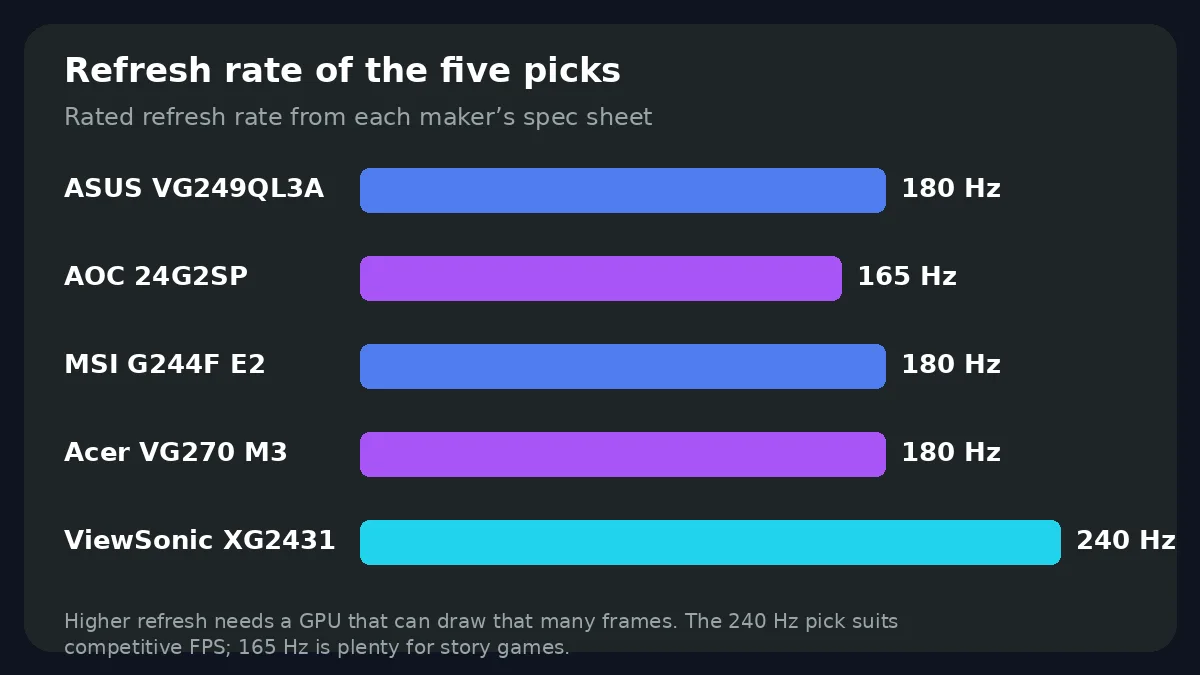
- 240 Hz needs a GPU that can draw 240 fps
- Heaviest pick here at 6.8 kg
Editorial opinion
Buy it if you play competitive FPS and your GPU can keep up. For story games, 165 Hz is enough — the extra speed only shows in fast shooters.
Price and availability change often — check the current listing.
High refresh at 1080p
Refresh rate is how many times per second the screen draws a new image. A 165 Hz panel draws 165 images a second; a 240 Hz panel draws 240. The jump from 60 Hz to 165 Hz is the big one — motion goes from choppy to smooth. The jump from 165 Hz to 240 Hz is smaller, and only competitive players feel it. All five picks run at 165 Hz or more, so none of them is slow. The real question is whether your graphics card can draw that many frames: a 240 Hz monitor only shows 240 frames if your GPU draws 240 frames. For story games and single-player titles, 165 Hz is plenty. For Valorant, Counter-Strike and Apex, the extra headroom of 180 Hz or 240 Hz is worth it.
When to spend the extra on 1440p
Buy 1440p when your graphics card can drive it and your desk is deep enough for a 27-inch screen. At 27 inches, 1440p gives you 109 ppi — much sharper text than 82 ppi at 1080p — and that matters if you also work, study or read on the same screen. It also costs more: the panel costs more, and the graphics card that drives it costs more. If your games are mostly competitive shooters, or your card is mid-range, stay at 1080p and spend the difference on a faster panel. If you play story games, edit photos or write all day, 1440p is the better spend. Our budget 4K 144Hz guide shows what the next step up costs, and our 27-inch 1440p guide ranks the sharper middle ground.
Key terms, explained
Monitor boxes are full of letters. These are the only ones that matter for this guide.
- PPI
- Pixels per inch: how many pixels fit in one inch of screen. Higher ppi means a sharper picture. At 1080p, 24 inches gives 93 ppi and 27 inches gives 82 ppi.
- Refresh rate (Hz)
- How many times per second the screen draws a new image. 165 Hz draws 165 images a second; 240 Hz draws 240.
- Response time (GtG)
- How fast a pixel changes from one shade of grey to another. Makers measure it differently, so compare it only within one brand.
- MPRT
- Moving picture response time: a figure that includes motion blur. A 1 ms MPRT figure usually means the panel uses backlight strobing.
- VRR
- Variable refresh rate: the monitor matches its refresh rate to the frames your GPU draws, so tearing falls away. FreeSync Premium is AMD’s version; G-Sync Compatible is NVIDIA’s.
- DisplayHDR
- VESA’s HDR certification. DisplayHDR 400 needs a 400-nit peak; it is entry-level HDR with no local dimming.
Mistakes that cost gamers money
The most expensive mistake here is buying a 27-inch 1080p monitor for a shallow desk, then wondering why text looks soft.
- Buying 27 inches for a shallow deskAt 82 ppi, a 27-inch 1080p panel needs 70 to 100 cm of distance. On a 60 cm desk, buy 24 inches.
- Buying 240 Hz for a GPU that draws 100 fpsThe panel can only show the frames your card draws. Check your frame rates first: the refresh section above shows what each rate needs.
- Using an old HDMI cableAn HDMI 1.4 cable tops out at 1080p 120 Hz. If your monitor only shows 120 Hz, check the cable and the port first.
- Ignoring the standA tilt-only stand on a fixed desk means the screen sits at the wrong height. If you cannot adjust it, budget for a monitor arm — the VESA mount is 75 x 75 on the MSI and 100 x 100 on the rest.
Frequently asked questions
Is 1080p good for gaming in 2026?
Yes, for most PC gamers. A mid-range card can push 165 frames per second or more at 1080p, which a 1440p or 4K panel cannot match on the same card. The catch is size: buy 24 inches for the sharpest picture, or sit further back with a 27-inch panel.
Is a 1080p monitor good for PS5 and Xbox?
Yes, at 120 Hz. PS5 and Xbox Series X cap at 1080p 120 Hz, so the 165 Hz to 240 Hz figures in this guide are for PC only. Any pick here gives a console 120 Hz with VRR. For a monitor chosen around consoles, see our console monitor guide.
Is 24-inch or 27-inch better for 1080p gaming?
24 inches is sharper: 93 ppi against 82 ppi at 27 inches. If your desk is 60 to 90 cm deep, buy 24 inches. If your desk is deeper and you sit 70 to 100 cm back, 27 inches works and the bigger screen is easier to read. At 32 inches, 1080p drops to 69 ppi and looks soft up close.
Do I need DisplayPort for 1080p 240Hz?
DisplayPort is the safe choice: every pick here reaches its rated refresh over DisplayPort. HDMI 2.0 also carries 1080p 240 Hz, but HDMI 1.4 tops out at 1080p 120 Hz, so check your cable and port. The AOC 24G2SP is the only pick here with HDMI 1.4 — use its DisplayPort for 165 Hz.
So which one should you buy?
Most gamers should buy the ASUS VG249QL3A. It is the fastest all-rounder, it has the best stand, and it has speakers. If your budget is tighter, the AOC 24G2SP gives you nearly the same monitor at 165 Hz. If you play competitive FPS, the ViewSonic XG2431 is the only 240 Hz pick here.
| If you… | Buy | Why |
|---|---|---|
| Want the best all-round 1080p monitor | ASUS TUF Gaming VG249QL3A Paid link | 180 Hz, full stand, speakers |
| Want the best value | AOC 24G2SP Paid link | 165 Hz with a full stand |
| Want 180 Hz and the widest colour | MSI G244F E2 Paid link | 118% sRGB, but a tilt-only stand |
| Want the biggest screen | Acer Nitro VG270 M3bmiipx Paid link | 27 inches at 180 Hz; sit further back |
| Play competitive FPS | ViewSonic XG2431 | 240 Hz, Blur Busters Approved 2.0 |
Still deciding? Tell us your GPU and your desk depth in the comments, or use our product chooser to narrow it down.
Where to go next
- Best Budget 4K 144Hz Gaming MonitorIf you want the next step up in sharpness.
- Best 27-Inch 1440p Gaming MonitorsIf 1080p feels soft at 27 inches.
- Best Gaming Monitor for Xbox Series X & PS5 in 2026Five 4K 120 Hz monitors for consoles.
Sources
- ASUS TUF Gaming VG249QL3A tech specs, checked
- AOC 24G2SP product page, checked
- MSI G244F E2 specification, checked
- Acer Nitro VG270 M3 tech specs, checked
- ViewSonic XG2431 spec sheet, checked
Explore

Article engagement
Comments (0)
No comments yet. Be the first to share what you think.
Sign in to join the conversation.