
Best Mechanical Keyboard Kits for Beginners
Five beginner-friendly mechanical keyboard kits compared on what is actually in the box — switches, keycaps and stabilizers included or not.

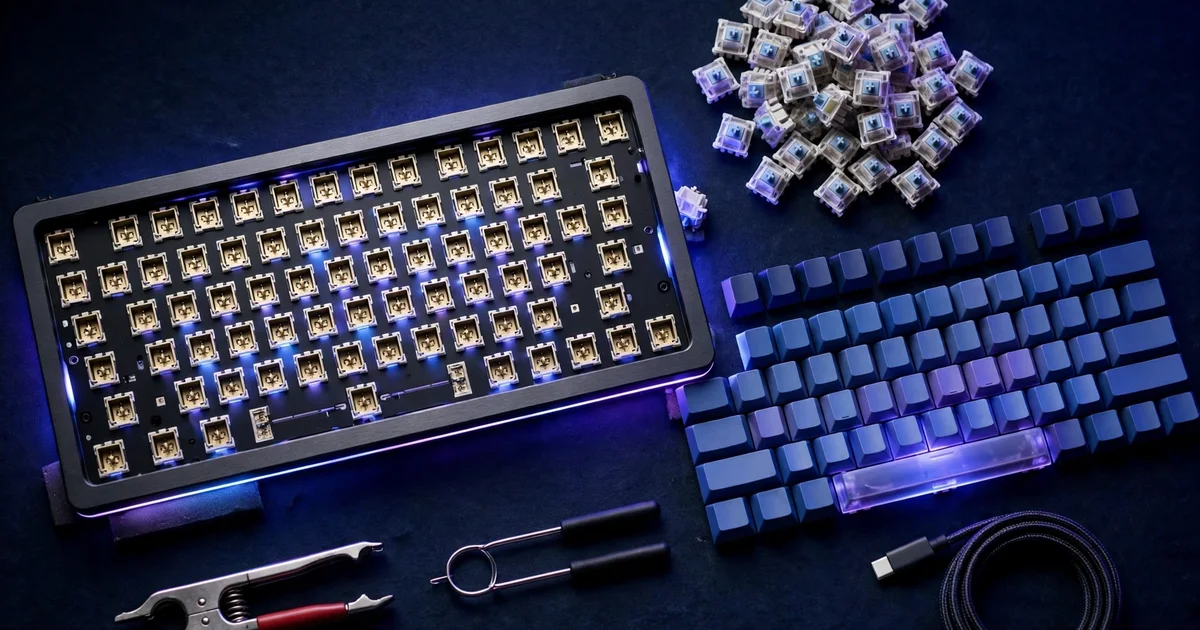
A mechanical keyboard kit is the easiest way to build your first keyboard: a set of parts — case, circuit board, plate, switches, keycaps, and stabilizers — that you put together yourself. This guide compares five beginner-friendly kits, from complete sets to a barebones frame.
The biggest trap for a first-time builder is the box list. Four of the five kits here ship with switches and keycaps. One does not — and this guide shows you exactly what each kit includes before you order.
Short answer
Buy the Keychron V1 for the simplest first build. It is a complete mechanical keyboard kit — 75% layout, 84 keys, hot-swappable switches, keycaps, and stabilizers all in the box — so you can type in minutes. If you want wireless, pick the Epomaker TH80 Pro instead.
Find your pick at a glance
-
Best overall
Keychron V1
Complete kit, 75% layout, knob, QMK/VIA.
-
Best wireless
Epomaker TH80 Pro
Tri-mode, 4,000 mAh battery, complete kit.
-
Best for building your own
Glorious GMMK 2 Compact 65% Barebones
Aluminum frame, no switches or keycaps.
Who this guide is for
This is for you if
- You have never built a keyboard before
- You want a keyboard you can change later
- You type or play games on a PC every day
Look elsewhere if
- You want a keyboard that works with zero setup
- You need a full-size board with a number pad — none of these five has one
Check this before you buy
Three quick checks stop the two most common beginner mistakes: a barebones kit by accident, and a layout that does not fit your desk.
Three things to check
- Your desk width A 75% board is about 13 in wide; a 60% board is about 11.5 in wide.
- What is in the box A complete kit ships with switches and keycaps. A barebones kit ships without them.
- The connection Two picks are wired only. Three connect by Bluetooth, 2.4 GHz, and USB-C.
Building more than one piece? Plan the rest of your setup in the Setup Builder before you order.
What a mechanical keyboard kit includes
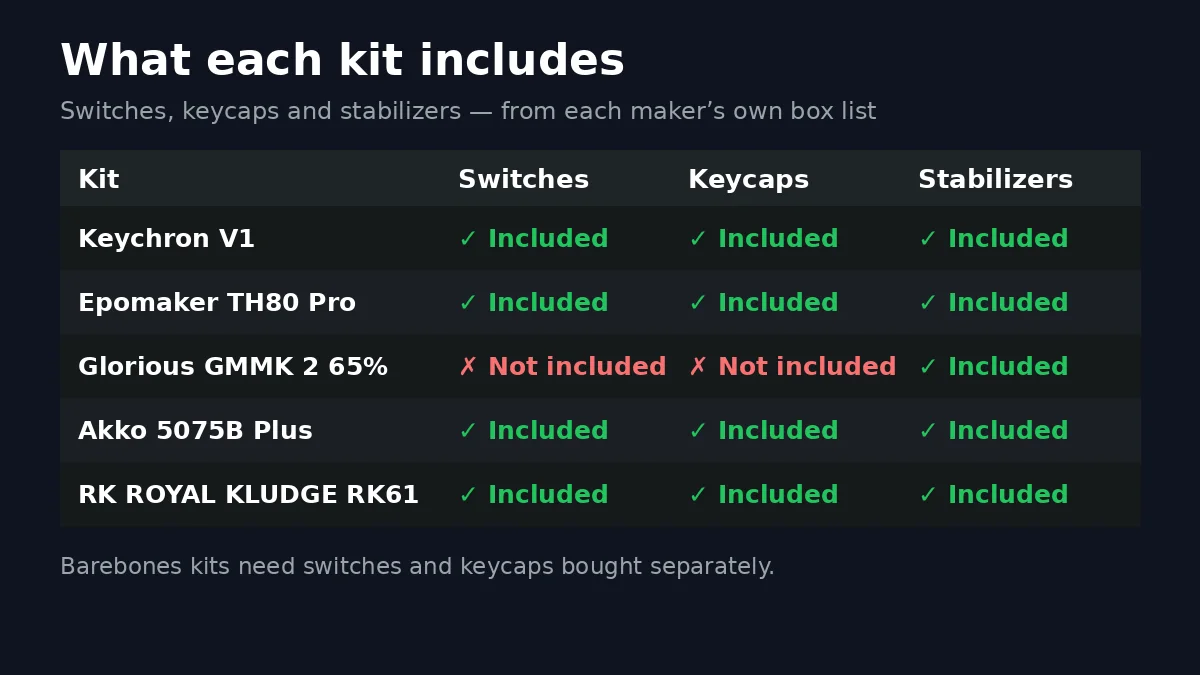
A complete kit ships with everything: case, circuit board, plate, switches, keycaps, stabilizers, and a cable. A barebones kit ships with only the frame. The table below shows what each kit includes.
The real total cost
A barebones kit is not a working keyboard on its own. A complete kit needs nothing extra: switches, keycaps, stabilizers, and a cable are all in the box. The only gap is a switch puller, which the RK61 box does not list. A barebones kit needs a full set of switches (67 for the GMMK 2) and a full keycap set in the 65% layout. Switch lube, spare stabilizers, and a wrist rest are optional.
How GameVexo chose
GameVexo ranked these kits by what is in the box first, then by layout and connection.
How we researched this
- Manufacturer spec sheets, manuals, and box lists for all five makers were compared in November 2026.
- A kit made the list only if its maker publishes a full box list and the kit is hot-swappable.
- Four complete kits and one barebones kit were chosen, so the guide shows both ways to start. Specifications come from manufacturer documentation. GameVexo does not physically test products — see how we research.
Quick comparison
All five picks are hot-swappable. Four ship complete; one is barebones.
| Product | What is included | Connection | Best for | Link |
|---|---|---|---|---|
| Keychron V1 | Complete kit | Wired USB-C | First-time builders | Amazon Paid link |
| Epomaker TH80 Pro | Complete kit | BT, 2.4 GHz, USB-C | Wireless setups | Amazon Paid link |
| Glorious GMMK 2 Compact 65% Barebones | Stabilizers only | Wired USB-C | Your own parts | Amazon Paid link |
| Akko 5075B Plus | Complete kit | BT, 2.4 GHz, USB-C | Sound out of the box | Amazon Paid link |
| RK ROYAL KLUDGE RK61 | Complete kit | BT, 2.4 GHz, USB-C | Small desks | Amazon Paid link |

Pick 1 · Best overall
Keychron V1
Best for a first-time builderThe Keychron V1 is a fully assembled 75% keyboard with 84 keys, a knob, and hot-swappable K Pro switches.
- Layout
- 75%, 84 keys
- Switches
- K Pro Red, hot-swappable
- Keycaps
- OSA profile, double-shot PBT
- Connection
- Wired USB-C, 1,000 Hz polling
- Stabilizers
- Screw-in PCB stabilizers
- Size
- 328.5 x 148.7 mm
- Brand
- Keychron
Strengths
- Everything included — switches, keycaps, stabilizers
- QMK/VIA support for remapping keys
Trade-offs
- Wired only — no Bluetooth or 2.4 GHz mode
- Plastic case, not aluminum
Editorial opinion
The safest first kit here. Buy it, plug it in, and type.
Price and availability change often — check the current listing.
Pick 2 · Best wireless
Epomaker TH80 Pro
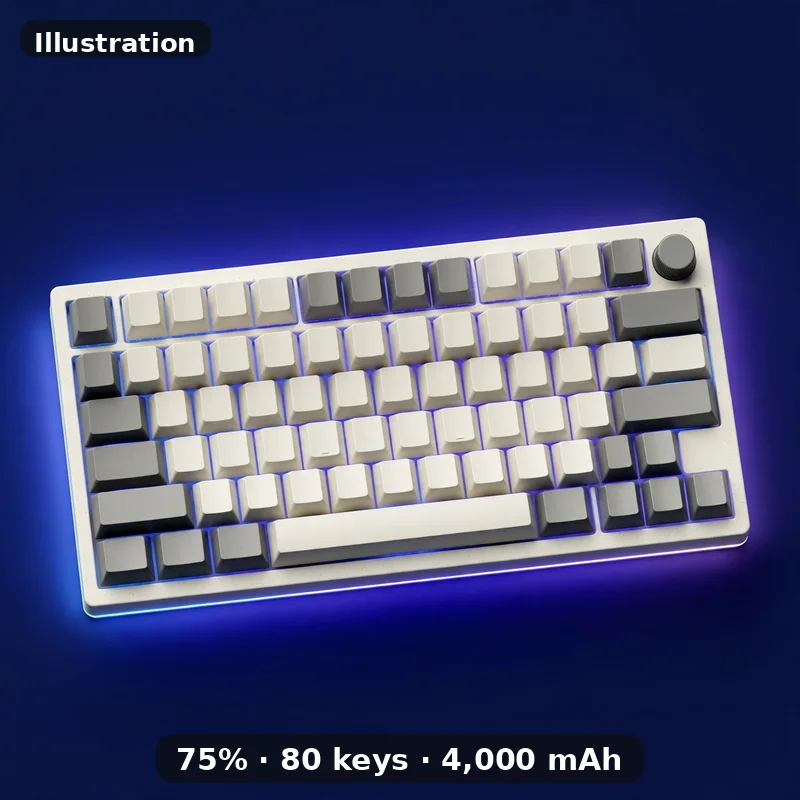
Best for one keyboard across PC, laptop, and tabletThe Epomaker TH80 Pro is a fully assembled 75% board with 80 keys, a knob, and three ways to connect.
- Layout
- 75%, 80 keys
- Switches
- Hot-swappable (3-pin and 5-pin)
- Keycaps
- PBT dye-sub, MDA profile
- Connection
- Bluetooth 5.0, 2.4 GHz, USB-C
- Battery
- 4,000 mAh
- Size
- 328 x 142 x 40 mm
- Brand
- Epomaker
Strengths
- Three connection modes in one board
- 4,000 mAh battery, rated by the maker
Trade-offs
- The maker’s kit page lists a slimmer case height (23 mm) than the assembled board (40 mm)
- No QMK/VIA support stated by the maker
Editorial opinion
The most flexible kit here. One board, three devices.
Price and availability change often — check the current listing.
Pick 3 · Best for building your own
Glorious GMMK 2 Compact 65% Barebones
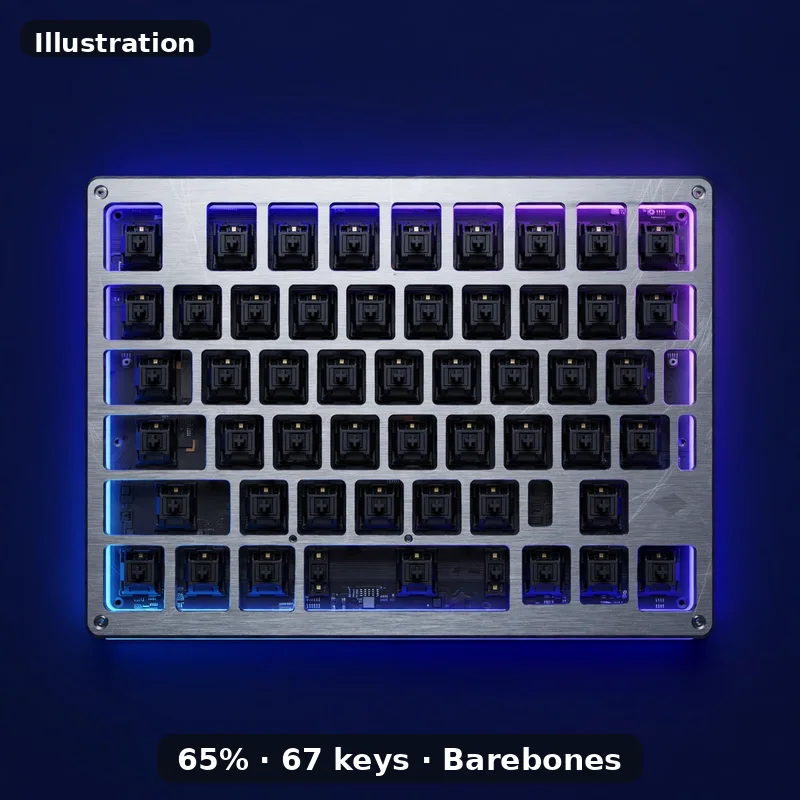
Best for picking your own switches and keycapsThe Glorious GMMK 2 Compact is a 65% barebones frame with an aluminum top and 5-pin hot-swap sockets.
- Layout
- 65%, 67 keys
- Switches
- Not included — 5-pin hot-swap
- Keycaps
- Not included
- Connection
- Wired USB-C, 1,000 Hz polling
- Stabilizers
- Pre-lubed plate-mount stabilizers
- Size
- 313 x 105 x 37.5 mm
- Brand
- Glorious
Strengths
- Aluminum top frame, not plastic
- QMK/VIA support for remapping keys
Trade-offs
- Barebones — switches and keycaps must be bought separately
- Wired only, and no knob
Editorial opinion
The best way to learn what you like.
Price and availability change often — check the current listing.

Pick 4 · Best 75% for sound out of the box
Akko 5075B Plus
Best for a deep, soft sound out of the boxThe Akko 5075B Plus is a fully assembled 75% board with 84 keys, a knob, and V3 Cream Yellow Pro switches.
- Layout
- 75%, 84 keys
- Switches
- V3 Cream Yellow Pro, 5-pin hot-swap
- Keycaps
- PBT double-shot, ASA profile
- Connection
- Bluetooth 5.0, 2.4 GHz, USB-C
- Battery
- 3,000 mAh
- Size
- 335 x 146 x 42 mm
- Brand
- Akko
Strengths
- Full foam set included for a softer sound
- Tri-mode connection with a knob
Trade-offs
- Akko Cloud Driver software is needed for full remapping — no QMK/VIA
- The Blue-switch version is a different listing — check the switch type before ordering
Editorial opinion
The best-sounding complete kit here. Open the box and type.
Price and availability change often — check the current listing.
Pick 5 · Best compact
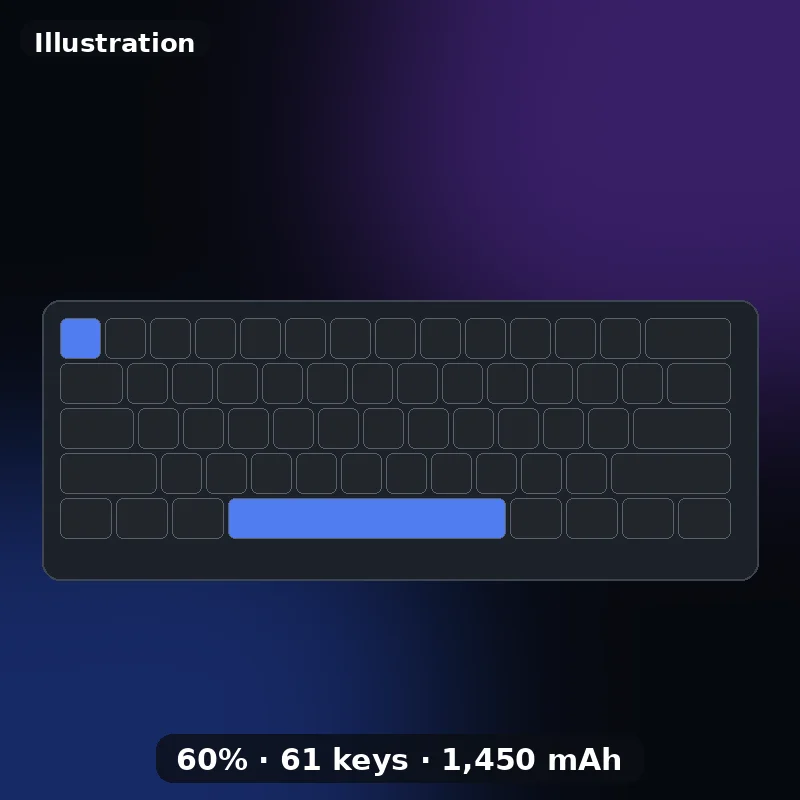
RK ROYAL KLUDGE RK61
Best for a small deskThe RK ROYAL KLUDGE RK61 is a fully assembled 60% board with 61 keys and tri-mode wireless.
- Layout
- 60%, 61 keys
- Switches
- Hot-swappable (3-pin and 5-pin)
- Keycaps
- ABS double-shot
- Connection
- BT 5.1, 2.4 GHz, USB-C
- Battery
- 1,450 mAh
- Backlight
- Single-color LED, 17 dynamic modes
- Size
- 292 x 102 x 39 mm
- Brand
- RK ROYAL KLUDGE
Strengths
- Smallest footprint here, and the lightest pick
- Tri-mode wireless for PC, laptop, and tablet
Trade-offs
- No arrow keys or function row — they live on a function layer
- ABS keycaps, not PBT
Editorial opinion
The smallest complete kit here.
Price and availability change often — check the current listing.
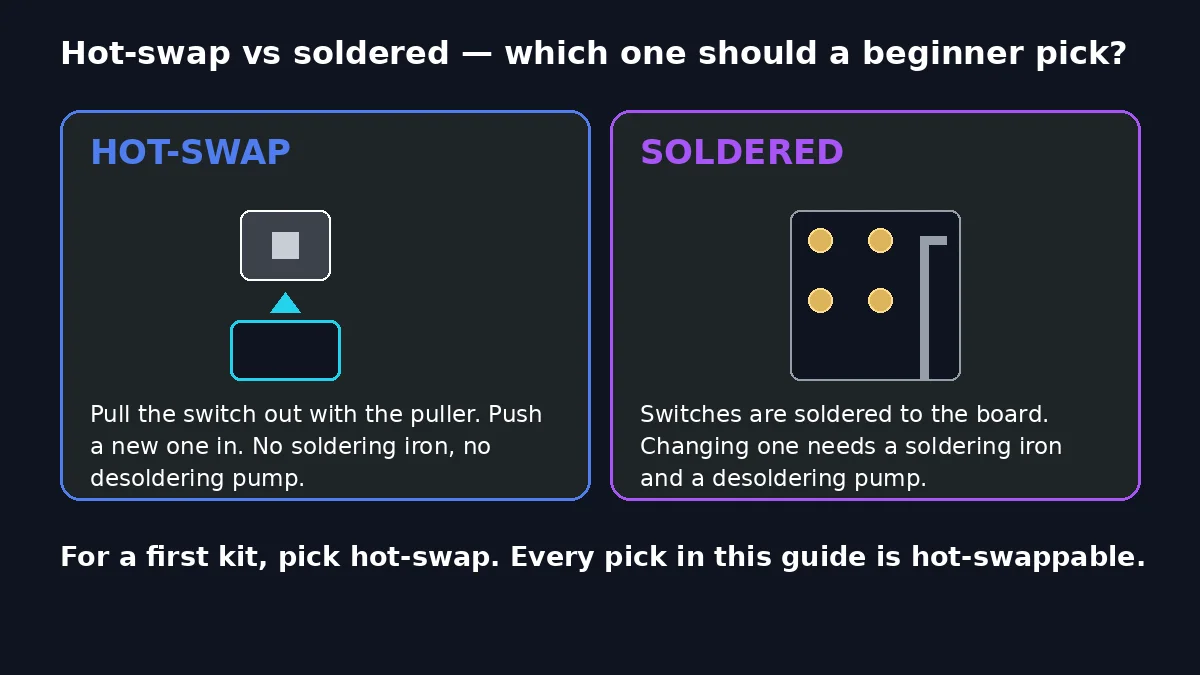
Hot-swap or soldered?
Every pick in this guide is hot-swappable — the one feature that matters most for a first build.
Hot-swap
- Choose it when: this is your first build
- What it does better: pull a switch out, push a new one in
- What it costs you: nothing, on these five picks
or
Soldered
- Choose it when: you already own a soldering iron
- What it does better: nothing for a beginner — the connection is permanent
- What it costs you: an iron and a pump to change one switch
What to look for before you buy
What is in the box
Switches, keycaps, and stabilizers included, or a barebones frame? This one choice decides what else you must order.
Layout size
75% keeps the function row and arrow keys; 65% drops the function row; 60% drops both. Our guide to mechanical keyboard sizes: 60% vs 75% vs full size explains the trade-offs.
Hot-swap sockets
Every pick here is hot-swappable. If a kit is soldered, changing a switch means a soldering iron — the wrong tool for a first build.
Connection and Mac support
The V1 and GMMK 2 are wired only; the other three connect by Bluetooth, 2.4 GHz, and USB-C. If you use a Mac, see our guide to the best mechanical keyboard for Mac.
Tools you will need
You need very little to build a kit — and most of it is in the box.
- Switch puller — in the box with the V1, GMMK 2, and 5075B Plus. Add one if you pick the RK61.
- Keycap puller — in the box with the V1, GMMK 2, 5075B Plus, and RK61.
- Screwdriver and hex key — in the box with the V1 only, for opening the case.
- Switch lube (optional) — none of these kits includes lube; the GMMK 2’s stabilizers come pre-lubed.
- A small tray — keeps switches and screws from rolling off the desk while you work.
Key terms, explained
- Hot-swap
- Switches push into sockets on the circuit board, so you can pull one out and push another in without a soldering iron.
- Barebones kit
- A kit with the case, circuit board, plate, and stabilizers only — no switches and no keycaps. You buy both separately.
- Stabilizer
- A small wire and housing under long keys — spacebar, Enter, Shift — that keeps the key level when you press one side.
- Gasket mount
- The plate sits on soft gaskets instead of screws, so the board flexes a little and sounds softer.
- QMK/VIA
- Open-source firmware and software that let you remap keys and layers without the maker’s own app.
Mistakes that cost gamers money
The most expensive mistake is ordering a barebones kit by accident.
- Buying a barebones kit without switches or keycapsCheck the box list first. The GMMK 2 ships with neither — order switches and a 65% keycap set with the frame.
- Ordering the wrong switch versionThe RK61 and the 5075B Plus each have several listings. Check the switch type in the listing title.
- Picking a 60% board as a first keyboardIf you use arrow keys and function keys every day, the function layer will slow you down.
- Skipping the size checkMeasure your desk before you order: a 75% board is about 13 in wide, a 60% board about 11.5 in.
Setup and upkeep
After unboxing, check the maker’s software for a firmware update.
Clean the board monthly: pull the keycaps, brush out dust, and wipe the plate.
Frequently asked questions
What is a mechanical keyboard kit?
A mechanical keyboard kit is the parts of a keyboard sold as one set — case, circuit board, plate, switches, keycaps, and stabilizers — that you put together yourself. A complete kit has all of those parts. A barebones kit has only the case, circuit board, plate, and stabilizers, so you buy the switches and keycaps separately.
Do I need to solder to build a mechanical keyboard kit?
Not with these five picks. All five are hot-swappable, so you pull a switch out and push a new one in — no soldering iron, no desoldering pump. A soldered board is different: its switches are soldered to the board, and changing one needs a soldering iron and a desoldering pump.
What else do I need to buy with a barebones keyboard kit?
Switches and keycaps, at minimum. For the Glorious GMMK 2, that means 67 switches — one per key — and a full keycap set in the 65% layout. Stabilizers and both pullers are already in the box. Switch lube is optional, and the GMMK 2’s stabilizers come pre-lubed.
Which layout should a beginner pick — 60%, 65%, or 75%?
Pick 75% for the easiest move from a full-size board: it keeps the function row and arrow keys. Pick 65% for a smaller board that still has arrow keys. Pick 60% only if your desk is tight — it drops the function row and arrow keys.
So which one should you buy?
Start with the Keychron V1 for the simplest first build. Take the Epomaker TH80 Pro for one keyboard across a PC, a laptop, and a tablet. Take the Glorious GMMK 2 to choose your own switches and keycaps. The Akko 5075B Plus is the pick for a deep sound out of the box, and the RK61 is the pick for a small desk.
| If you need | Best pick | Why | Link |
|---|---|---|---|
| Simplest first build | Keychron V1 | Complete kit, QMK/VIA | Amazon Paid link |
| One board, three devices | Epomaker TH80 Pro | Tri-mode, 4,000 mAh | Amazon Paid link |
| Your own switches and keycaps | Glorious GMMK 2 Compact 65% Barebones | Aluminum frame, QMK/VIA | Amazon Paid link |
| Deep sound out of the box | Akko 5075B Plus | Gasket mount, foam set | Amazon Paid link |
Still deciding? Answer a few questions in Help me choose and GameVexo will narrow it down by your games, platform and budget.
Where to go next
- Mechanical keyboard sizes: 60% vs 75% vs full sizePick a layout first.
- Best mechanical keyboard for MacMac layouts, keycaps, and software.
Sources
- Keychron V1 specifications, checked
- Epomaker TH80 Pro quick start guide, checked
- Glorious GMMK 2 Compact 65% Barebones specifications, checked
- Akko 5075B Plus user manual, checked
- RK ROYAL KLUDGE RK61 user manual, checked
Explore



Article engagement
Comments (0)
No comments yet. Be the first to share what you think.
Sign in to join the conversation.