
Mouse Pad Buying Guide: Pick the Right Surface and Size
This mouse pad buying guide ranks cloth, glass, hard and hybrid surfaces by glide, then matches size and thickness to your desk, games and sensitivity.


This mouse pad buying guide answers the only question that matters before you spend money: which surface, size and thickness fit your desk, your games and the way you aim. A pad is the cheapest part of a setup and the easiest to get wrong, because the wrong surface fights your mouse on every swipe. Read the three questions below first.
Short answer
A mouse pad buying guide comes down to one choice: pick your surface first, then your size. Glass glides fastest, cloth stops best, and a balanced cloth pad around 450 by 400 mm and 3 mm thick suits most players, because it fits a standard desk and works at low and high sensitivity.
Start here: three questions
Answer three questions before you look at a single pad. First, what do you play? Fast flicks in Valorant and Counter-Strike reward glide and space; slow, precise work rewards a pad that stops where you stop. Second, how much desk do you have? Measure the free space left of your keyboard. Third, what sensitivity do you play at? Low sensitivity means big arm movements and a bigger pad; high sensitivity means wrist movements and a small pad is enough.
This is for you if
- You play PC games with a mouse and your current pad is too small, too slow, or curling.
- You bought a new mouse and want a matching surface.
- Your desk is new and you are choosing the pad first.
Look elsewhere if
- You play only on a controller or a trackpad — a pad changes nothing for you.
- You want a pad that covers the whole desk and holds your keyboard too — that is an XXL desk mat.
Three things to check
- Your free desk space Measure the space left of your keyboard in mm. Large needs about 450 by 400 mm; XXL needs a desk at least 36 in wide.
- Your sensitivity Low sensitivity means wide arm sweeps — buy large or XL. High sensitivity means wrist play — medium is enough.
- Your mouse feet Glass pads need the dot skates in the box; Pulsar says glass feet are not recommended on glass. Cloth pads work with stock feet on almost every mouse.
Building more than one piece? Plan the rest of your setup in the Setup Builder before you order.
Cloth, glass, hard and hybrid surfaces
Every pad is one of four surfaces, and the surface decides how your mouse moves. Cloth is woven fabric over foam: it grips a little, so flicks stop where you aim. Glass is a rigid sheet that glides with almost no drag, so the mouse keeps moving after a flick. Hard plastic sits between the two, and hybrid pads mix a firm top with a soft, rollable base.
The table ranks the surfaces from fastest glide to most stopping power, built from the makers’ own words: Pulsar rates its Superglide glass pad “Speed”, Razer calls its Strider hybrid “a balance of speed and control”, and SteelSeries sells its QcK cloth pads in Speed, Balance and Control versions. No maker publishes a friction number, so this is an order, not a measurement.
| Surface | Glide | Stopping power | Best for |
|---|---|---|---|
| Glass | Fastest | Weakest — the mouse keeps sliding | Fast flicks in Valorant and Counter-Strike |
| Hard plastic | Fast | Low | Players who want a fast glide without a glass sheet |
| Hybrid | Balanced | Good | Players who want speed and stopping power in one pad |
| Cloth, balanced | Controlled | Good | Most players, most games |
| Cloth, control | Slowest | Strongest | Low-sensitivity aim and precise work |
| Leather | Smooth, medium | Medium | Desk work and casual play with an easy wipe clean |
What the table does not show
Glide also depends on your mouse feet. Worn feet drag on any surface, and glass pads ship with dot skates because stock feet are not made for glass.

Glass is the fastest surface you can buy, and the least forgiving: the mouse keeps sliding after a flick, and you need the dot skates in the box. Our glass guide compares the pads that matter and what to check before you switch from cloth — read the best glass gaming mouse pad guide.
Cloth is the default for a reason: it works with every mouse, comes in every size, and costs the least to replace. Our cloth guide ranks five cloth pads by weave, thickness and edge stitching — read the best gaming cloth mouse pad guide.
A white pad looks clean on a light desk, and it shows every mark your hands leave behind. Our white pad guide covers the white cloth pads that hold up best — read the best white gaming mouse pad guide.
Printed pads are cloth pads with art on top. Our anime guide compares five printed pads on surface quality first and art second — read the best anime gaming mouse pads guide.
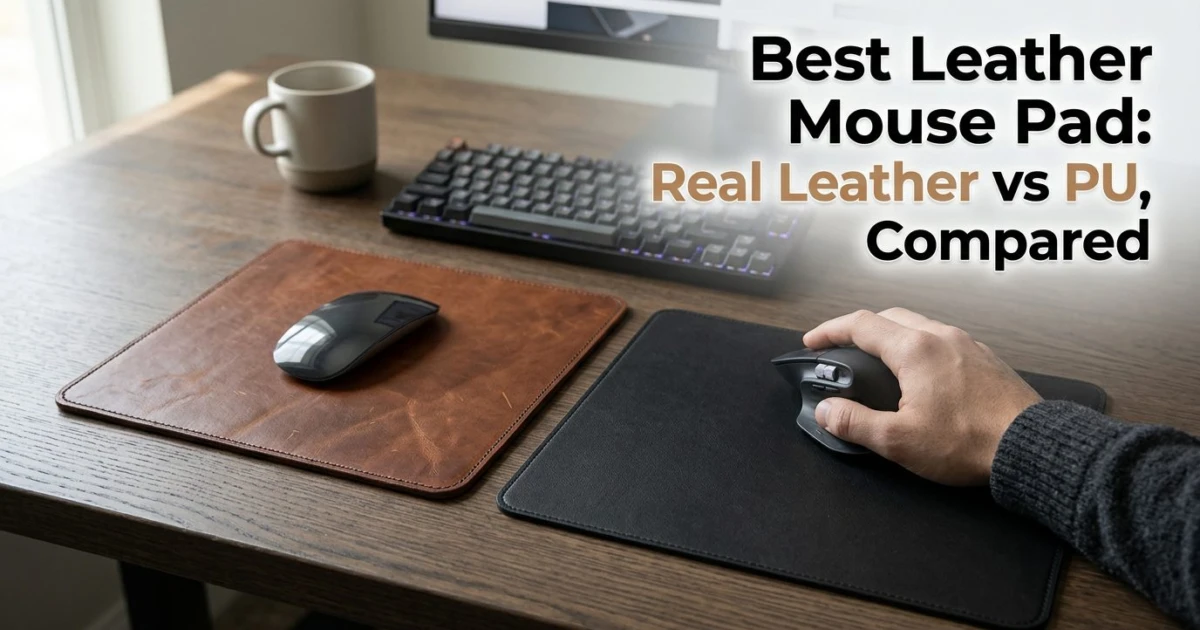
Leather is the odd one out: a firm, smooth surface that wipes clean in seconds. Our leather guide compares leather pads on feel, cleaning and durability — read the best leather mouse pad guide.
Speed vs control, and how to tell
Speed is how easily the mouse starts moving and keeps moving; control is how easily it stops. A fast pad helps you flick across the screen; a control pad helps you land on a head and stay there. Most players do best in the middle, on a balanced cloth pad: pure speed makes small corrections overshoot, pure control makes big flicks feel heavy.
You can tell which side you need without buying three pads. Play one deathmatch on your current pad: if your flicks keep sailing past the target, you need more stopping power; if your arm gets tired dragging the mouse, you need more glide. Change one thing at a time — surface first, size second.
Artisan pads are the specialist corner of this hobby: Japanese cloth pads in different weaves for different points on the speed-control scale. Our artisan guide explains the weaves and which suit low-sensitivity aim — read the best artisan mouse pads guide.
Sizing: measured, against real desks
Pad sizes use the same words everywhere and mean different things on every box, so buy by millimetres. SteelSeries’ QcK runs from a Small at 250 by 210 mm to a 5XL at 1600 by 800 mm; Razer’s Gigantus V2 runs from a Medium at 360 by 275 mm to a 3XL at 1200 by 550 mm.
| Size label | SteelSeries QcK | Razer Gigantus V2 |
|---|---|---|
| Small / Medium | 250 × 210 × 2 mm (QcK Small) | 360 × 275 × 3 mm (Gigantus V2 M) |
| Large | 450 × 400 × 2 mm (QcK Large) | 450 × 400 × 3 mm (Gigantus V2 L) |
| XL | 900 × 400 × 2 mm (QcK XXL) | 940 × 410 × 4 mm (Gigantus V2 XXL) |
| 3XL / desk size | 1220 × 590 × 3 mm (QcK 3XL) | 1200 × 550 × 4 mm (Gigantus V2 3XL) |
The two makers use different labels for the same sizes — SteelSeries calls 900 by 400 mm “XXL”, Razer calls 940 by 410 mm “XXL”. Measure your desk, not the label.
Measure before you order. Put your keyboard where it sits, then measure the flat space left of it: that is your pad’s real width. A small pad needs about 10 in of width; an XXL mat needs a desk at least 36 in wide. If it hangs off the desk, the edge curls up and catches your mouse on every wide flick.
An XL pad holds your keyboard and mouse on one surface, which suits low-sensitivity players who sweep their whole arm. Our XL guide compares the full-desk pads that matter and how to measure your desk first — read the best full-desk mouse pad guide.
Thickness and what it changes
Thickness changes two things: how flat the pad sits, and how much cushion sits under your wrist. A 2 mm pad, like the standard SteelSeries QcK, sits almost flush with the desk. A 3 mm pad, like the Razer Gigantus V2 in Medium and Large or the Razer Strider, adds a little cushion and still lies flat. A 4 mm pad, like the Gigantus V2 in XXL and 3XL or the QcK Prism Cloth, feels softer under the wrist. A 6 mm pad, like the QcK Heavy, is a cushion first and a pad second.
Thicker is not better — it is a trade. A thick pad smooths out small bumps in a cheap desk, which is why the Heavy exists. But it also raises your wrist above the keyboard, and on a desk with a keyboard tray that step can ache by the end of a long session. If your desk is flat, 2 to 3 mm is enough. If it has dips and seams, go thicker.
If your wrist hurts after long sessions, the pad is only half the answer — the rest is your chair height and how your forearm rests. Our wrist-support guide covers the pads built for sore wrists, and when a rest helps and when it gets in the way of wide flicks — read the best ergonomic mouse pad guide.
Stitched edges, backing and lifespan
A cloth pad dies at the edges first. The weave frays where your wrist rubs it every day, and once the edge lifts, the mouse catches it. Stitched edges stop that: Razer stitches the Strider’s edges to prevent fraying, and SteelSeries sells a QcK Edge version with stitched edges for the same reason. If you play every day, stitched edges are worth having.
The base decides whether the pad stays put. Most cloth pads use a rubber or silicone base that grips the desk — Razer’s Gigantus V2 uses high-density rubber foam with an anti-slip underside, and Pulsar’s Superglide uses a moulded high-density silicone base that covers the whole underside. A base that only grips at the corners lets the middle lift and flex; a full-coverage base stays flat.
How long a pad lasts depends on the surface, not the brand. Cloth wears where your wrist sits and where the mouse travels most, and a white cloth pad shows that wear first. Glass does not wear the same way — the surface stays the same, and the mouse feet do the sliding, which is why glass pads ship with dot skates. Replace a cloth pad when the glide turns patchy in the middle and smooth at the edges; that patch is wear, not dirt.
Washing and how long a pad lasts
A dirty pad glides worse than a clean one, and cloth holds sweat, dust and skin oil in its weave. Wash a cloth pad by hand with mild soap and cool water, rinse it well, and let it air-dry flat — never wring it, and never put it on a radiator or in a dryer, because heat warps the rubber base. A pad that still feels patchy after washing is worn, not dirty.
Glass and hard pads are easier: a wipe with a damp cloth takes off dust and prints, and the Razer Strider’s water-resistant surface is made to be wiped down the same way. RGB pads need more care — unplug them first, wipe the surface only, and never soak the light strip or the cable. Check the maker’s page before any pad goes near water: some RGB cloth pads are listed as washable, and some are not.
Our washing guide covers every surface — cloth, glass, hard, hybrid and RGB — with the routine for each and the mistakes that ruin pads — read how to wash a mouse pad without ruining it.
How this guide was researched
This guide is built from manufacturer documents and named-outlet reporting. We compared the spec sheets and product pages for the Razer Gigantus V2 and Razer Strider, the Pulsar Superglide V2, and the SteelSeries QcK family, and Tom’s Hardware’s hands-on look at the QcK Performance series for the Speed, Balance and Control split. Sizes and thicknesses are the makers’ published figures; glide is ranked from the makers’ own words.
How we researched this
- Manufacturer spec sheets and product pages compared: Razer Gigantus V2 and Razer Strider, Pulsar Superglide V2, and the SteelSeries QcK family, checked November 2026.
- Glide ranked from the makers’ own surface labels — Pulsar “Speed”, Razer “balance of speed and control”, SteelSeries Speed, Balance and Control — not from a lab test.
- Every GameVexo guide linked here was checked live on 22 November 2026; the small mouse pad guide is not live yet and is not linked.
- Specifications and rated figures come from manufacturer documentation. GameVexo does not physically test products — see how we research.
Mouse pad buying guide: what to look for
Buy in this order: surface, size, thickness, edges.
Surface first
The surface decides glide and stopping power. Glass is fastest, control cloth stops hardest, and balanced cloth suits most players. Pick the surface for your games, not the colour.
Size against your desk
Measure the flat space left of your keyboard in mm. A Large at 450 by 400 mm fits most desks; an XL at 900 by 400 mm needs a desk at least 36 in wide.
Thickness and your wrist
2 to 3 mm sits almost flush with the desk; 4 to 6 mm cushions the wrist and smooths a rough desk. Thick pads raise your wrist, so check your chair height too.
The spec everyone checks that barely matters
Pads have no DPI and no sensor — a pad’s job is friction, not electronics. Ignore RGB and “pro-grade” labels, and judge the surface.
Key terms, explained
Pad listings reuse the same six words, and half of them mean less than they sound.
- Glide
- How easily the mouse starts moving and keeps moving. Fast glide suits flicks; slow glide suits stopping.
- Stopping power
- How quickly the mouse settles when you stop pushing it. High stopping power means it lands where you aimed.
- Static friction
- The grip you feel when the mouse starts moving from a standstill. High static friction makes small moves feel sticky; low static friction makes the mouse feel loose.
- Stitched edge
- Thread sewn around the pad’s rim to stop the cloth fraying where your wrist rubs it. Unstitched cloth frays at the edges first.
- Hybrid surface
- A firm top layer over a soft, rollable base, built to glide like a hard pad and pack like a cloth one. Razer’s Strider is the best-known example.
- Desk mat
- A pad big enough to hold your keyboard and mouse, usually 900 by 400 mm or larger. A desk mat is a size, not a surface.
Mistakes that cost gamers money
The most expensive mistake is buying the fastest pad first: glass feels amazing for a week, then the flicks that sail past their target start costing rounds.
- Buying XXL for a small deskAn XXL mat needs a desk at least 36 in wide. On a smaller desk it hangs off the edge, curls up, and catches your mouse on every wide flick.
- Buying glass before trying fast glideGlass is the fastest surface and the hardest to stop on. If you have never played on a fast pad, start with a balanced cloth pad.
- Ignoring thicknessA 6 mm pad under a low keyboard tray lifts your wrist and aches by the end of a session. Match thickness to your chair and desk height.
- Buying for the print, not the surfaceA printed pad is a cloth pad with art on top. If the weave is wrong for your games, the art will not save it.
Frequently asked questions
What size mouse pad should I buy?
A Large pad at 450 by 400 mm suits most players: it fits a standard desk and gives low-sensitivity players room to sweep. Go XL at 900 by 400 mm if your desk is at least 36 in wide and you play at low sensitivity. Medium at 320 by 270 mm is enough only for small desks or high-sensitivity wrist aim.
Is a glass mouse pad worth it?
Yes, if you already like fast pads and want the fastest glide you can buy. Glass gives the quickest flicks, but it stops worst, so small corrections overshoot until you adjust. You also need the dot skates in the box, and Pulsar says glass mouse feet are not recommended on glass.
How thick should a mouse pad be?
2 to 3 mm suits most desks: the standard SteelSeries QcK is 2 mm and sits almost flush, while the Razer Gigantus V2 and Strider are 3 mm and add a little cushion. Choose 4 to 6 mm if your wrist aches after long sessions or your desk has dips and seams. Avoid 6 mm under a low keyboard tray.
How do I clean a cloth mouse pad?
Hand-wash it with mild soap and cool water, rinse it well, and let it air-dry flat. Never wring it, and never put it on a radiator or in a dryer, because heat warps the rubber base. Glass and hard pads only need a damp-cloth wipe. Our washing guide covers every surface step by step, including RGB pads — read how to wash a mouse pad without ruining it.
Where to go next
Start with the surface, then check the size. Fast flick games: read the glass guide first. Safe default: read the cloth guide.
Where to go next
- Best Glass Gaming Mouse PadThe fastest surface, and what to check before you switch from cloth.
- Best Gaming Cloth Mouse PadFive cloth pads ranked by weave, thickness and edge stitching.
- Best Gaming Mouse Pad XLFull-desk pads measured against real desks.
- How to Wash a Mouse PadHow to clean every surface without ruining it.
Still deciding? Answer a few questions in Help me choose and GameVexo will narrow it down by your games, platform and budget.
Sources
- Razer Gigantus V2: product page, checked
- Pulsar Superglide V2: specifications (retailer page reproducing Pulsar’s spec table), checked
- Razer Strider: specifications (retailer page reproducing Razer’s copy), checked
- Tom’s Hardware: SteelSeries QcK Performance series hands-on (Speed, Balance and Control), checked
Explore



Article engagement
Comments (0)
No comments yet. Be the first to share what you think.
Sign in to join the conversation.