

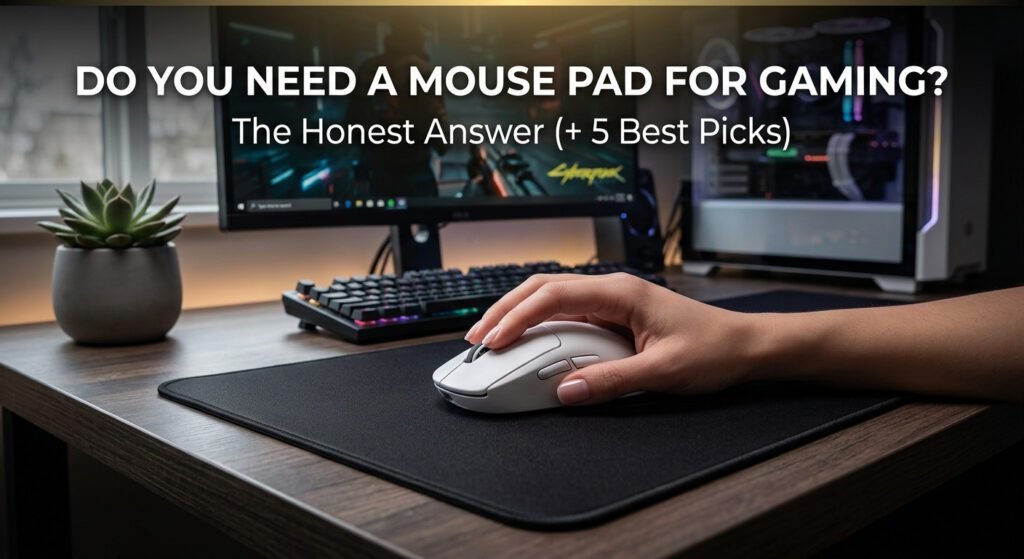
You just built (or upgraded) your gaming setup, and now you’re staring at your desk wondering: do you actually need a mouse pad, or is that just marketing? It’s a fair question — your desk already looks flat and smooth.
Short version: yes, almost everyone benefits from one, and the reasons are more practical than you’d expect. This guide breaks down exactly what a mouse pad does, when a bare desk is genuinely fine, how to choose between thick and thin, and which 5 pads are worth buying in 2026 — from a $6 budget option to a glass speed pad.
Quick Answer
Yes, you need a mouse pad for gaming — it gives your mouse a flat, consistent, low-friction surface that a bare desk can’t reliably provide. The SteelSeries QcK Large is the best overall pick, the Amazon Basics Large Square is the best budget option, and the gogofree Tempered Glass pad is best if you want maximum speed.
Find Your Best Pick — At a Glance
- Best Overall
SteelSeries QcK Large
The best-selling cloth pad ever made, with a consistent, low-friction weave that works well for every genre.
View on Amazon Paid link - Best Value
Amazon Basics Large Square
Nearly the same footprint as the QcK for a fraction of the price — proof you don’t need to spend much to upgrade from bare desk.
View on Amazon Paid link - Premium Pick
Corsair MM350 PRO Extended XL
A 36.6-inch full-desk mat with spill-proof coating, built for anyone who wants keyboard and mouse on one surface.
View on Amazon Paid link
What Is a Mouse Pad (and What’s a Gaming Mat)?
A mouse pad is a flat, low-friction surface — usually cloth, hard plastic, or glass — that gives your mouse a consistent tracking surface instead of your bare desk. Modern optical and laser sensors read tiny surface details thousands of times per second, and a purpose-made pad keeps that surface uniform from edge to edge.
A “gaming mat” is really just a bigger mouse pad. Once a pad is large enough to fit your keyboard and mouse side by side — usually 30 inches wide or more — most brands start calling it an extended mat, desk mat, or XXL pad instead of a standard mouse pad. The material and purpose are the same; only the size changes.
Quick Tip: If your desk already fits a keyboard and mouse with room to spare, you don’t need a gaming mat — a standard 12-18in mouse pad covers the same tracking area for less money.
| Type | Typical Size | Surface | Best For |
|---|---|---|---|
| Standard mouse pad | 12″–18″ wide | Cloth or hard | Mouse only, tight desks |
| Extended / XXL mat | 30″+ wide | Cloth | Keyboard + mouse together |
| Glass / hard pad | 16″–20″ wide | Tempered glass or plastic | ⭐ Fastest glide, low-sens FPS |
Do You Actually Need a Mouse Pad for Gaming?
For most people, yes — and it has nothing to do with hype. Desks are rarely as flat as they look. Wood grain, laminate seams, glass glare, and even fine dust create small inconsistencies that make your sensor’s tracking speed up, slow down, or skip in spots you can’t see or feel. On a mouse pad, that surface is engineered to be uniform, so your in-game aim matches your actual hand movement every time.
There are a few situations where you can reasonably skip one: if you already use a large fabric desk mat for other reasons, if your desk surface is genuinely flat matte laminate with no glare, or if you’re on a laptop trackpad instead of a mouse. Outside of those cases, a mouse pad is one of the cheapest upgrades you can make to a gaming setup.
⚠️ Important: Glass and glossy laminate desks are the worst-case scenario for laser mice specifically — the sensor can misread the reflective surface entirely, causing cursor drift or random stops mid-game.
Competitive FPS Players (CS2, Valorant, Overwatch)
You’ll feel the difference most here — low-sensitivity, high-DPI play depends on totally consistent glide. A firm cloth or glass pad removes the tiny surface variance that throws off flick shots. See our picks for CS2, Overwatch, WoW, and LoL for genre-specific recommendations.
Casual & Everyday Gamers
Even a $6-10 basic cloth pad noticeably improves glide over a bare desk and protects your mouse feet from wearing down early. There’s no reason to skip one just because you’re not playing competitively.
Streamers & Desk-Setup Enthusiasts
If your desk is part of your on-camera setup, a mouse pad also cleans up the visual — and you’re not limited to plain black. Check out anime-themed pads or pink, blue, and purple picks if you want your setup to match your aesthetic.
Quick Comparison Table
| Product | Surface | Size / Thickness | Best For | Link |
|---|---|---|---|---|
| SteelSeries QcK Large Best Overall | Micro-woven cloth | 17.7 × 15.75in, 2mm | All-round gaming | Amazon Paid link |
| Amazon Basics Large Square Best Value | Cloth | 17.7 × 15.7in, ~2mm | Budget upgrade | Amazon Paid link |
| Corsair MM350 PRO XL Premium | Micro-woven cloth | 36.6 × 15.7in, 4mm | Full desk coverage | Amazon Paid link |
| MROCO Gel Wrist Rest | Lycra cloth + gel | 9.4 × 8.1in | Wrist comfort, thick feel | Amazon Paid link |
| gogofree Tempered Glass | Tempered glass | 19.7 × 15.7in, 3mm | Speed, low-sens FPS | Amazon Paid link |
How We Chose These Picks
We compared listing data, verified buyer feedback, and manufacturer specs across dozens of mouse pads currently sold on Amazon, then narrowed the list to 5 that cover the real decision points readers ask about most: cloth vs. glass, thick vs. thin, budget vs. premium, and standard vs. full-desk coverage.
We don’t list prices or star ratings in this guide since both change daily on Amazon — tap “Check Current Price” on any pick to see live numbers. We re-check specs every 3 months.
Detailed Reviews

#1 — Best Overall
SteelSeries QcK Large
Best for: anyone who wants a proven, all-round mouse padThe most-sold gaming mouse pad in the world — 10M+ units and counting.
- Brand
- SteelSeries
- Surface
- Micro-woven cloth
- Thickness
- 2mm
- Size
- 450 × 400mm (17.7 × 15.75in)
- Base
- Non-slip rubber
- Care
- Machine washable
Pros
- Consistent glide for both optical and laser sensors
- Proven, best-selling design with 10M+ sold
- Washable cloth surface
- Stays put thanks to the non-slip rubber base
Cons
- 2mm is thin if you want extra wrist cushioning
- No stitched edge on this size, so edges can fray over years of heavy use
- Cloth surface will show wear faster than glass or hard pads
Our Editorial Opinion
If you only buy one mouse pad, this is the safe, well-tested choice. It doesn’t excel at any single thing the way a glass or wrist-rest pad does, but it does everything well enough that you won’t think about it again — which is exactly what most gamers want.
The QcK Large is the pad most esports players default to, and for good reason — the micro-woven cloth surface is tuned for both optical and laser sensors, so tracking stays consistent whether you’re flicking fast in an FPS or making small, precise MOBA adjustments. At 450 × 400mm it’s roomy enough for low-sensitivity play without eating your whole desk. It’s also just plain durable: the cloth is washable, so a spilled drink or months of hand oils don’t mean buying a new pad.
🔗 Pairs well with: our full guide to the best cloth mouse pads in 2026
Price changes frequently — check Amazon for the latest deal.

#2 — Best Value
Amazon Basics Large Square
Best for: anyone who just wants proof a pad beats bare deskNearly QcK-sized coverage for a fraction of the cost.
- Brand
- Amazon Basics
- Surface
- Cloth
- Thickness
- ~2mm
- Size
- 17.7 × 15.7in
- Base
- Rubberized, non-slip
- Care
- Hand wash
Pros
- Very low cost for the surface area
- Same rough footprint as premium pads
- Smooth, reliable everyday glide
Cons
- No stitched edges, so fraying starts sooner
- Thin profile means little wrist cushioning
Our Editorial Opinion
Perfect first mouse pad if you’re upgrading from bare desk and want to see the difference for yourself before spending more. It won’t out-perform dedicated gaming brands long-term, but it solves the core problem this whole article is about.
This is the pad to buy if you’re not sure you’ll notice a difference and don’t want to spend much finding out. At 17.7 × 15.7in it’s essentially the same footprint as the SteelSeries QcK Large, with a cloth top and rubberized non-slip base that does the core job — smooth, consistent glide — without any of the branding markup. It’s thin, at roughly 2mm, so don’t expect wrist cushioning, but for the price it’s hard to argue with.
🔗 Pairs well with: more budget-friendly cloth mouse pad options
Price changes frequently — check Amazon for the latest deal.

#3 — Premium / Full-Desk Coverage
Corsair MM350 PRO Extended XL
Best for: full-desk setups that want keyboard and mouse on one surface930 × 400mm of spill-proof, 4mm-thick coverage.
- Brand
- Corsair
- Surface
- Micro-woven cloth, spill-proof
- Thickness
- 4mm
- Size
- 930 × 400mm (36.6 × 15.7in)
- Base
- Anti-skid rubber
- Edges
- Anti-fray stitching
Pros
- Full desk coverage for keyboard + mouse
- Spill-proof, stain-resistant coating
- 4mm cushioning is noticeably softer than standard pads
- Anti-fray stitched edges
Cons
- Takes up your entire desk — not for small setups
- Costs more than a standard-size pad
- Overkill if you only need mouse coverage
Our Editorial Opinion
Worth it specifically if you want a single, cohesive surface across your whole desk. If you only need mouse coverage, save money and get the QcK or Amazon Basics pick instead.
This is the pad for anyone whose keyboard and mouse currently sit on two different surfaces (or none at all). At 36.6 × 15.7in it swallows a full-size keyboard and still leaves generous mouse room, and the 4mm plush rubber base is noticeably softer underfoot than the 2mm pads on this list. The spill-proof, stain-resistant coating is a genuine practical upgrade if you eat or drink at your desk — liquid beads up instead of soaking in.
🔗 Pairs well with: our full roundup of the best XXL mouse pads in 2026
Price changes frequently — check Amazon for the latest deal.

#4 — Best for Wrist Comfort
MROCO Ergonomic Gel Wrist Rest
Best for: long sessions, wrist pain, office + gaming hybrid desksA built-in gel cushion answers the “thick pad” side of the debate.
- Brand
- MROCO
- Surface
- Lycra cloth
- Cushion
- Gel wrist rest
- Size
- 9.4 × 8.1in
- Base
- Non-slip PU
- Colors/Patterns
- Multiple options
Pros
- Genuine wrist support, not just a thicker mat
- Smooth Lycra surface works with any mouse type
- Firm non-slip grip
- Multiple patterns/colors available
Cons
- Compact size isn’t ideal for low-sens, wide-swing FPS play
- Gel cushion adds bulk some players find in the way
Our Editorial Opinion
The clear pick if “thick or thin mouse pad” is your actual question and your answer is “my wrist hurts.” Not the pad for competitive low-sens flick shots, but excellent for everyday comfort.
If long sessions leave your wrist sore, this is the pick that actually addresses it instead of just being “thick.” The gel-filled wrist rest sits below a smooth Lycra cloth surface, so your palm gets real cushioning instead of resting flat on the desk edge. It’s compact at 9.4 × 8.1in, which suits office and casual gaming use more than fast-flick FPS play, and the non-slip PU base keeps it anchored during normal use.
🔗 Pairs well with: our dedicated guide to the best wrist-support gaming mouse pads
Price changes frequently — check Amazon for the latest deal.

#5 — Best for Speed
gogofree Tempered Glass
Best for: low-sensitivity FPS players who want maximum glide speedThe “thin pad” answer — hard, fast, and consistent forever.
- Brand
- gogofree
- Surface
- Frosted tempered glass
- Thickness
- 3mm
- Size
- 19.7 × 15.7in
- Base
- Non-slip anti-slip stickers
- Care
- Wipe clean, scratch-resistant
Pros
- Consistent glide speed that never changes over time
- Scratch- and dirt-resistant, wipes clean instantly
- Firm, direct feel favored by low-sens players
- Large 19.7in surface
Cons
- Louder mouse-click and movement sound than cloth
- No wrist cushioning at all
- Can crack if dropped or hit hard
Our Editorial Opinion
If “thin mouse pad” and “fastest glide possible” describe what you’re after, this beats every cloth pad on this list. Not the pick for comfort-focused or budget buyers.
Glass pads exist for one reason: unmatched, unchanging glide speed. This 3mm tempered glass pad has a frosted top surface that stays exactly as fast on day 500 as it was on day one — cloth pads slowly change feel as the weave compresses, glass doesn’t. At 19.7 × 15.7in there’s plenty of room for wide swings, and the hard surface gives a firmer, more direct connection to the desk than any cloth pad on this list.
🔗 Pairs well with: our full glass gaming mouse pad guide and top glass pad picks compared
Price changes frequently — check Amazon for the latest deal.
Buying Guide — What to Look For
Once you’ve decided you need a pad, these four factors matter more than brand names or RGB lighting.
Thickness — Thick or Thin?
Thin pads (2-3mm) give a firmer, more direct feel that low-sensitivity FPS players tend to prefer, since there’s no “give” under fast flicks. Thick pads (4mm+) add real wrist cushioning, which matters more for MMO, MOBA, or long office-and-gaming hybrid sessions. Neither is objectively better — match it to how you actually play.
Surface Material
Cloth is the most common and most forgiving — smooth glide, decent stopping control, and it works with any sensor. Glass and hard plastic surfaces are faster and never wear down, but feel harsher and louder. If you’re not sure, start with cloth.
Size
Standard pads (12-18in) cover just the mouse and suit tighter desks or higher sensitivity settings. Extended mats (30in+) fit a full keyboard too, which matters most for low-DPI players who need long sweeping arm movements to aim.
Base Grip
A pad that slides during play is worse than no pad at all. Look for a non-slip rubber, PU, or silicone base — cheap pads sometimes skip this, so check the listing specifically mentions a non-slip base before buying.
Frequently Asked Questions
Do I really need a mouse pad for gaming?
Yes. A mouse pad gives your mouse sensor a flat, consistent, low-friction surface that a bare desk can’t match, which means more accurate tracking, less wrist strain, and a mouse that lasts longer since its feet won’t wear down on rough wood or glass desktops.
What is the difference between a mouse pad and a gaming mat?
A standard mouse pad is sized just for your mouse, usually 12 to 18 inches wide, while a gaming mat (also called an extended or XXL mouse pad) is large enough to cover your keyboard and mouse together, often 30 inches or more across.
Is a thick or thin mouse pad better for gaming?
Thin pads (around 2 to 3mm) give a firmer, more direct feel that many FPS players prefer for precise, fast movements, while thick pads (4mm and up) add cushioning that reduces wrist strain during long sessions and suit MMO, MOBA, or all-day office use better.
Can I just use my desk instead of a mouse pad?
You can, but most desks have small imperfections, glare, or slick coatings that make an optical or laser sensor track inconsistently, so even a basic $10 cloth mouse pad will usually feel smoother and more accurate than bare wood, glass, or laminate.
How often is this guide updated?
We update this guide every 3 months to keep all product information current. Last updated: August 2026.
Final Verdict — Which Should You Buy?
Bottom line: yes, you need a mouse pad — the only real question is which one fits how you play. Use the table below to match your priority to a pick.
| If You Need… | Best Pick | Key Spec | Buy |
|---|---|---|---|
| Best overall | SteelSeries QcK Large | Cloth, 2mm, 17.7×15.75in | Amazon Paid link |
| Best value | Amazon Basics Large Square | Cloth, ~2mm, 17.7×15.7in | Amazon Paid link |
| Premium pick | Corsair MM350 PRO XL | Cloth, 4mm, 36.6×15.7in | Amazon Paid link |
| Wrist comfort / thick pad | MROCO Gel Wrist Rest | Gel cushion, 9.4×8.1in | Amazon Paid link |
| Max speed / thin pad | gogofree Tempered Glass | Glass, 3mm, 19.7×15.7in | Amazon Paid link |
Still not sure which one’s right for you? Drop your setup and playstyle in the comments and we’ll point you to the right pick. 👇
Explore


Article engagement
Comments (0)
No comments yet. Be the first to share what you think.
Sign in to join the conversation.