
Best Gaming Mouse Under $100 in 2026: 5 Picks That Feel Flagship
Five flagship-sensor mice for under $100, from the 53 g Pulsefire Haste 2 to the 13-button G502 X, with weights checked against independent reviews.

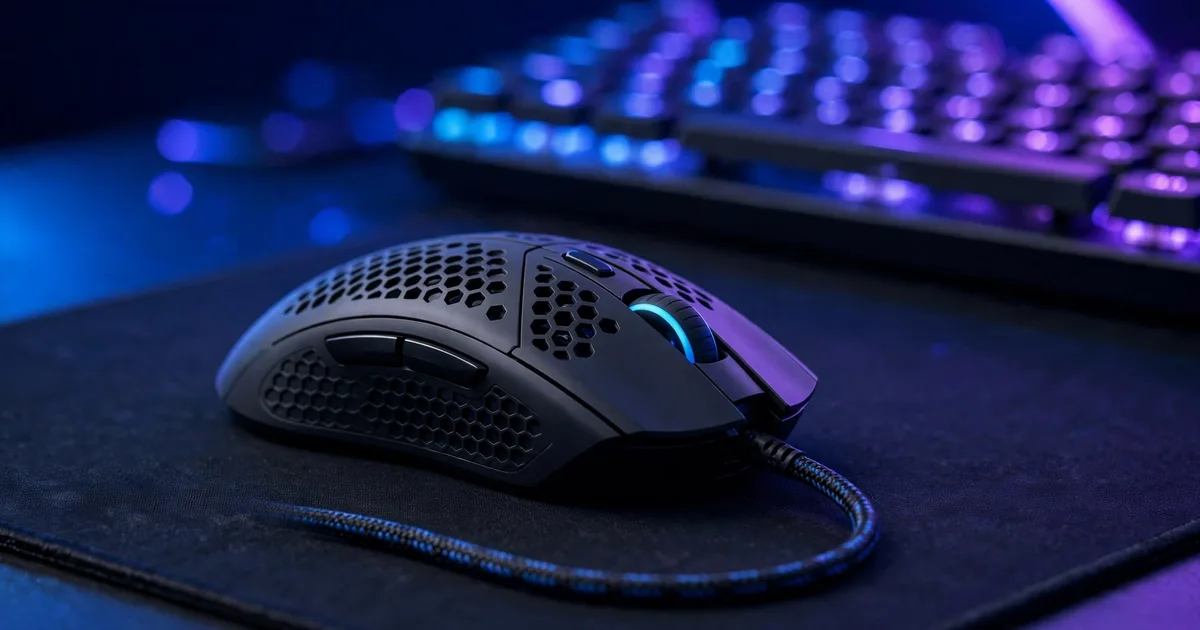
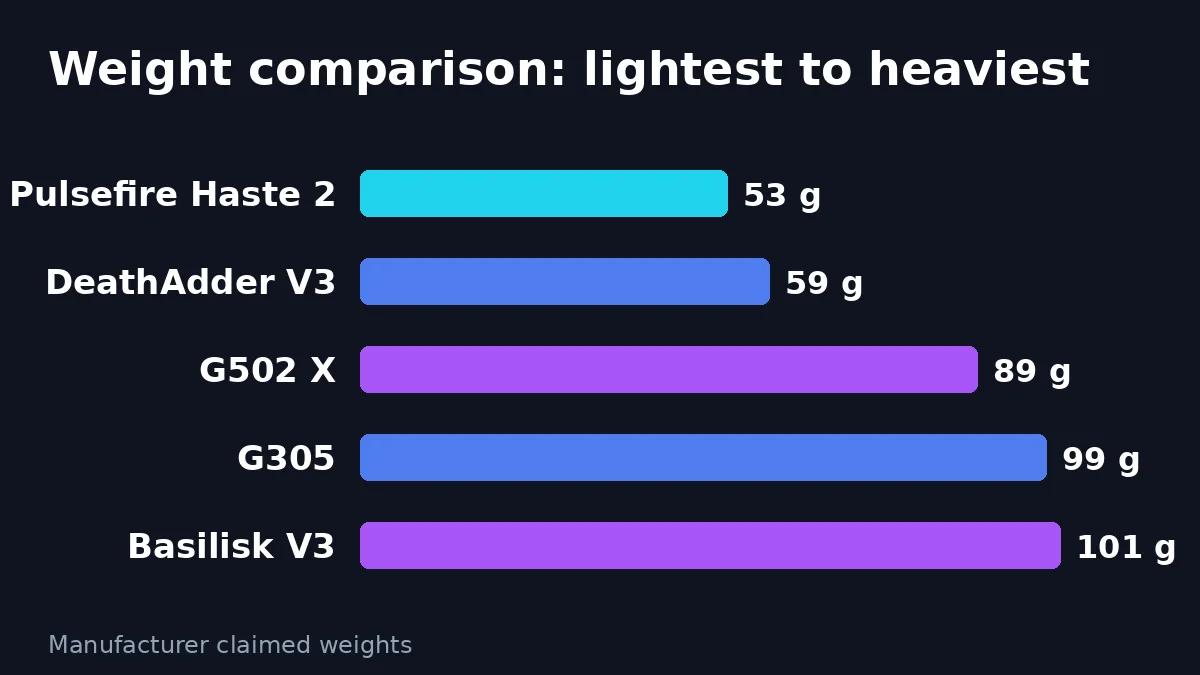
Spending under $100 on a gaming mouse used to mean giving something up — a weaker sensor, a flimsy shell, buttons that stuck after a few months. That is far less true in 2026. The best gaming mouse under $100 now uses the same core sensor technology Logitech, Razer and HyperX put in mice well above $100, and the five picks in this guide run from 53 g to 101 g. This guide compares those five on the numbers their makers publish, and checks every claimed weight against independent hands-on reviews.
Updated
Short answer
For most players, the Logitech G502 X is the best gaming mouse under $100: a HERO 25K sensor, 13 programmable buttons and an 89 g weight that independent reviews confirmed. If competitive FPS is your main game, the 59 g Razer DeathAdder V3 is the better call, and the Logitech G305 is the only real wireless pick here.
Find your pick at a glance
-
Best overall
Logitech G502 X
The most complete feature set under $100 — a flagship-tier sensor plus 13 programmable buttons.
-
Best value
Logitech G305 LIGHTSPEED
Genuine low-latency wireless for a fraction of what the other four picks cost.
-
Best for FPS
Razer DeathAdder V3
The lightest wired shape in this guide, built specifically for fast, low-effort flicks.
Who this guide is for
For PC gamers who want a real gaming mouse without spending over $100 — FPS players, MMO players, and anyone replacing a basic office mouse with something faster and lighter.
This is for you if
- You play on PC and want a flagship-tier sensor for under $100.
- You play competitive shooters and want a mouse under 60 g.
- You want real wireless without paying wireless flagship prices.
Look elsewhere if
- You need a left-handed mouse — every pick here is right-handed or symmetrical.
- You want a mouse over $100 with 8,000 Hz polling out of the box.
- You play only on console — these mice are built for PC first.
Check this before you buy
The check that decides this purchase is your hand size and grip against the mouse shape — a great sensor cannot fix a mouse that does not fit your hand.
Three things to check
- Your hand length and grip Measure from your wrist to the tip of your middle finger. Under 17 cm with a fingertip grip points to the lightest picks here; over 19 cm with a palm grip points to the G502 X or Basilisk V3.
- Wired or wireless Only the G305 is wireless here. The other four are wired USB, so check your cable length and desk layout before you order.
- The weight you will actually feel The five picks run from 53 g to 101 g. Under 60 g matters most for fast flicks in competitive shooters; over 90 g is fine for MMOs and everyday play.
Building more than one piece? Plan the rest of your setup in the Setup Builder before you order.
How these picks were chosen
GameVexo ranked these five mice by what their makers publish: sensor grade, weight, button count, connection and battery life.
How we researched this
- We compared the manufacturer spec sheets for the Logitech G502 X and G305, the Razer DeathAdder V3 and Basilisk V3, and the HyperX Pulsefire Haste 2, checked in November 2026.
- We weighted sensor grade and weight most, because those two decide how a sub-$100 mouse feels in play.
- We left out mice with no maker data on sensor or weight, and mice that only appear in roundups with no spec sheet behind them.
- Specifications and rated figures come from manufacturer documentation. GameVexo does not physically test products — see how we research.
What the best gaming mouse under $100 buys you in 2026
A gaming mouse under $100 no longer means a compromise sensor. Logitech’s HERO family and Razer’s Focus+ and Focus Pro sensors — the same core technology in mice well above $100 — are now standard at this price. The real differences between picks come down to weight, button count, and whether you want wireless.
Polling rate is the other place the market has moved. Several mice in this range can technically hit 8,000 Hz, though usually only with an extra dongle or dock that is not included in the box. Out of the box, expect a standard 1,000 Hz on most sub-$100 mice — which is still more than enough for competitive play.
| Feature | Entry-level | Mid-range | This guide’s range |
|---|---|---|---|
| Sensor quality | Basic optical | Good optical | Flagship-tier optical (25K–30K DPI) |
| Polling rate | 125–500 Hz | 1,000 Hz | 1,000 Hz stock; up to 8,000 Hz on supported models |
| Switch type | Basic mechanical | Improved mechanical | Optical or hybrid optical-mechanical |
| Weight | 100 g and over | 85–105 g | 53 g–101 g across this guide’s five picks |
| Wireless option | Rare | Some | Available (Logitech G305) |
DPI numbers above about 3,200 are mostly marketing. Most competitive players run between 400 and 1,600 DPI — sensor accuracy and hand fit matter more than the number on the box.
Measured weights vs. claimed weights
Every mouse in this guide lists an official weight on its spec sheet. We did not take those numbers on faith. We checked each one against hands-on reviews from outlets that physically weighed the units themselves, with the source named for every figure below. GameVexo did not weigh these units itself — see the note under the table.
| Mouse | Manufacturer claim | Independent check | Verdict |
|---|---|---|---|
| Logitech G502 X | 89 g | 89 g — FullCleared, GameRevolution | Matches independent reviews |
| Razer DeathAdder V3 | 59 g | 59 g — PCWorld, TechPowerUp | Matches independent reviews |
| Razer Basilisk V3 | 101 g | 101 g — Laptop Mag, KitGuru | Matches independent reviews |
| HyperX Pulsefire Haste 2 | 53 g | About 54 g — PC Magazine; 53 g — High Ground Gaming | Matches independent reviews |
| Logitech G305 LIGHTSPEED | 99 g with battery | 99 g — TechPowerUp; about 89 g — Coolblue | Sources disagree |
On the G305: TechPowerUp’s own bench test matched Logitech’s 99 g exactly. Coolblue’s own hands-on review, testing the same with-included-battery setup, came in 10 grams lower. We cannot independently resolve which reading is more representative — it may come down to unit-to-unit variance, battery brand, or scale calibration. Plan around Logitech’s 99 g claim, but do not be surprised if your unit feels a touch lighter.
A note on sourcing: GameVexo did not physically weigh any of these mice. The figures above come from published, hands-on reviews by outlets that did — FullCleared, GameRevolution, PCWorld, TechPowerUp, Laptop Mag, KitGuru, PC Magazine, High Ground Gaming, and Coolblue — cross-checked against each manufacturer’s official specification.
Quick comparison
Five mice, one table. Weight is the column that matters most here — it runs from 53 g to 101 g — and every pick uses a flagship-tier sensor.
| Product | Sensor and max DPI | Weight | Best for | Link |
|---|---|---|---|---|
| Logitech G502 XBest overall | HERO 25K / 25,600 | 89 g | All-around gaming | Amazon Paid link |
| Razer DeathAdder V3Best for FPS | Focus Pro 30K / 30,000 | 59 g | Competitive shooters | Amazon Paid link |
| Razer Basilisk V3Most features | Focus+ 26K / 26,000 | 101 g | MMO and multi-genre | Amazon Paid link |
| HyperX Pulsefire Haste 2 | HyperX 26K / 26,000 | 53 g | Lowest weight overall | Amazon Paid link |
| Logitech G305 LIGHTSPEED | HERO 12K / 12,000 | 99 g | Wireless on a budget | Amazon Paid link |
What the table does not show
How a shape suits your grip. The DeathAdder V3 and the Basilisk V3 weigh 42 g apart, but the bigger difference in your hand is the shape: the DeathAdder is slim and low, the Basilisk is wide with a thumb rest. Hold the shape in mind, not just the weight.
The picks
Five mice, each judged on the same six specs. The first three specs in every card — weight, sensor and buttons — are the ones that decide the purchase.
Pick 1 · Best overall
Logitech G502 X
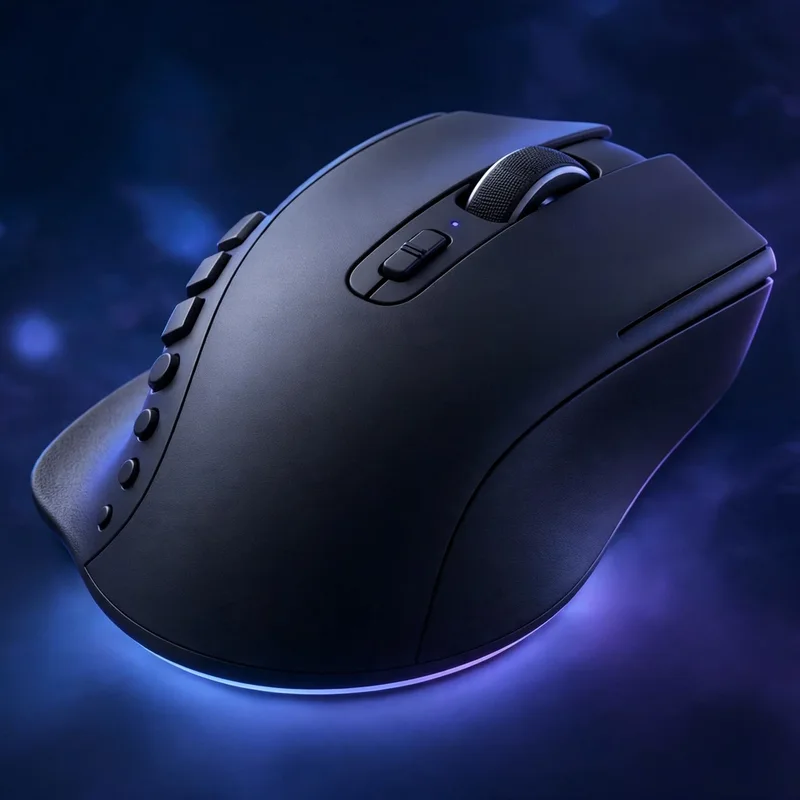
Best for all-around gamers who want the most buttonsThe G502 X is the newest version of Logitech’s long-running G502 line, and the most complete package in this guide. Thirteen programmable buttons and Logitech’s G HUB software give you more ways to customise the mouse than anything else here, and the HERO 25K sensor is the same core sensor Logitech uses in mice well above $100.
- Weight
- 89 g
- Sensor and max DPI
- HERO 25K, 25,600 DPI
- Buttons
- 13 programmable
- Size
- 131.4 × 79.2 × 41.1 mm
- Connection
- Wired USB
- Brand
- Logitech
Strengths
- HERO 25K flagship-tier sensor
- 13 programmable buttons — most in this guide
- HyperScroll wheel toggles free-spin and ratchet
Trade-offs
- Heaviest wired mouse in this guide at 89 g
- No wireless option at this price
Editorial opinion
If you want one mouse that handles FPS, MOBA and everyday use without switching profiles, this is the pick. If low weight is your top priority, look at the DeathAdder V3 or Pulsefire Haste 2 instead.
Price and availability change often — check the current listing.

Pick 2 · Best for FPS
Razer DeathAdder V3
Best for competitive FPS players who want minimum weight, wiredThe DeathAdder V3 takes Razer’s long-running ergonomic shape and strips it down for speed. At a claimed and independently confirmed 59 g, it is the lightest wired mouse in this guide, which matters if you would rather not think about battery life at all. The Focus Pro 30K sensor is shared with Razer’s pricier wireless flagships, so you are not giving up tracking performance for the lower weight.
- Weight
- 59 g
- Sensor and max DPI
- Focus Pro 30K, 30,000 DPI
- Buttons
- 6 programmable
- Connection
- Wired USB
- Works with
- PC
- Brand
- Razer
Strengths
- 59 g claimed weight, matched by PCWorld and TechPowerUp
- Focus Pro 30K sensor shared with pricier Razer mice
- Wired means no battery to manage
Trade-offs
- Wired only at this price
- Right-handed shape only
Editorial opinion
The clearest pick here for competitive shooters who want the lightest wired option without paying flagship prices.
Price and availability change often — check the current listing.
Pick 3 · Most features
Razer Basilisk V3
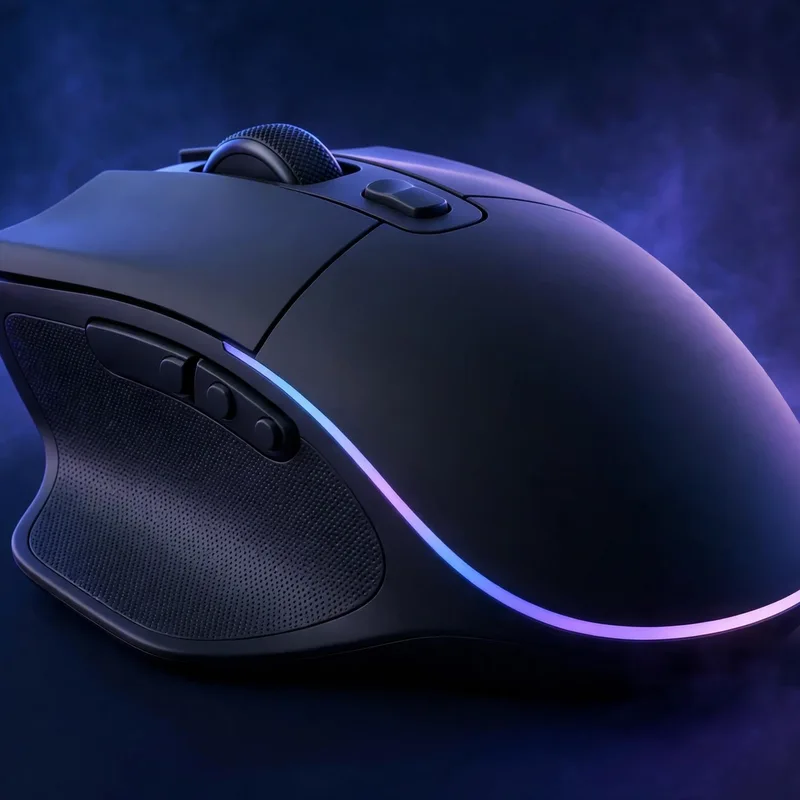
Best for palm-grip players and MMO and multi-genre gamersThe Basilisk V3 is built for players who use more than left-click and right-click. Eleven programmable buttons and a HyperScroll tilt wheel that switches between free-spin and click-to-click modes make it well suited to MMOs and multi-genre play, and its rounded shape tends to suit palm grips and bigger hands better than the more angular DeathAdder.
- Weight
- 101 g
- Sensor and max DPI
- Focus+ 26K, 26,000 DPI
- Buttons
- 11 programmable
- Connection
- Wired USB
- Works with
- PC
- Brand
- Razer
Strengths
- 11 programmable buttons plus a useful tilt scroll wheel
- Focus+ 26K sensor
- Comfortable shape for palm grip and larger hands
Trade-offs
- Heaviest mouse in this guide at 101 g
- Wired only
Editorial opinion
Best suited to players who value buttons and comfort over minimum weight — MMO and multi-genre players especially.
Price and availability change often — check the current listing.

Pick 4 · Lightest pick
HyperX Pulsefire Haste 2
Best for players who want the lightest mouse here, periodThe Pulsefire Haste 2 is built around one priority: weight. At a claimed 53 g — independently checked at roughly the same figure by PC Magazine, which named it an Editors’ Choice pick, and by High Ground Gaming — it is the lightest mouse in this entire guide, wired or wireless. The HyperX 26K sensor and support for polling rates up to 8,000 Hz with compatible accessories make it a legitimate esports tool, not just a lightweight novelty.
- Weight
- 53 g
- Sensor and max DPI
- HyperX 26K, 26,000 DPI
- Buttons
- 6 programmable
- Connection
- Wired USB
- Works with
- PC
- Brand
- HyperX
Strengths
- Lightest mouse in this guide at a claimed 53 g
- HyperX 26K sensor
- PC Magazine Editors’ Choice pick
Trade-offs
- Only 6 buttons, fewer than the G502 X or Basilisk V3
- NGENUITY software is less established than G HUB or Synapse
Editorial opinion
If weight is the only spec you care about, this is the pick — full stop.
Price and availability change often — check the current listing.
Pick 5 · Best wireless
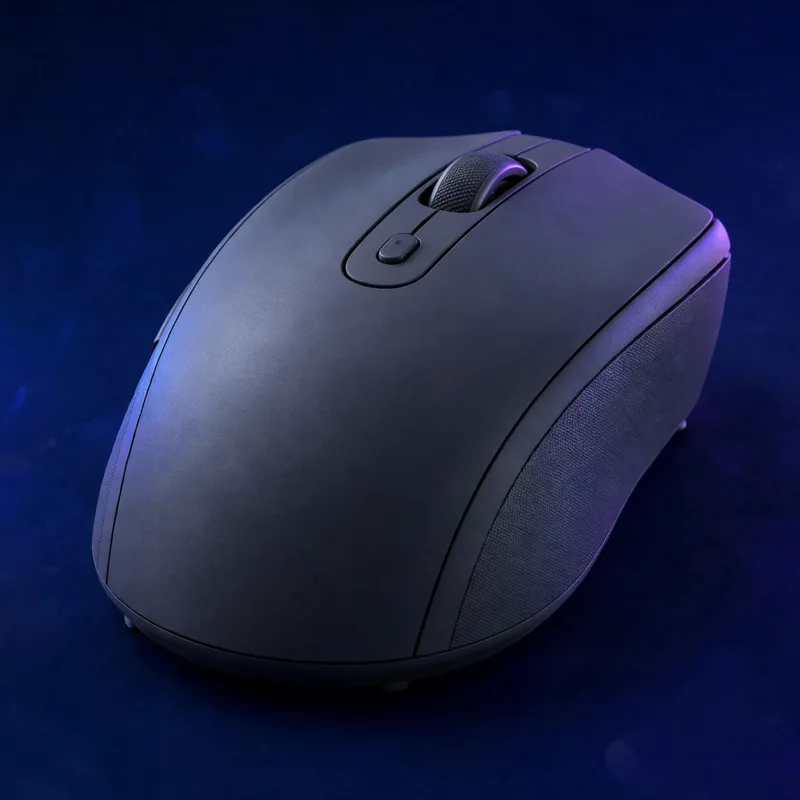
Logitech G305 LIGHTSPEED
Best for anyone who wants real wireless without paying moreThe G305 is the only genuinely wireless mouse in this guide, and it is also by far the least expensive. Logitech’s LIGHTSPEED wireless technology delivers a 1 ms report rate that is indistinguishable from a wired connection in practice, and the HERO 12K sensor — while the oldest sensor generation in this guide — is still more than accurate enough for the DPI ranges most players actually use.
- Weight
- 99 g with battery
- Sensor and max DPI
- HERO 12K, 12,000 DPI
- Buttons
- 6 programmable
- Connection
- LIGHTSPEED wireless
- Battery
- Up to 250 hours, rated, 1 AA
- Brand
- Logitech
Strengths
- Only true wireless pick in this guide
- LIGHTSPEED wireless with a 1 ms report rate
- Rated up to 250-hour battery life on one AA battery
Trade-offs
- Oldest sensor generation here (HERO 12K)
- Uses a single AA battery, not a rechargeable cell
Editorial opinion
The easy recommendation for anyone who wants wireless without paying more than a budget wired mouse costs elsewhere.
Price and availability change often — check the current listing.
Wired or wireless under $100?
Most players should buy wired here. Four of the five picks are wired, and wired buys you a newer sensor and a lighter shell for the same money. Wireless only wins if a cable genuinely bothers you.
Wired
- Choose it when: you play competitive shooters and want the lightest shell and newest sensor for under $100.
- What it does better: 53 g to 101 g with Focus Pro 30K, HERO 25K and HyperX 26K sensors, and no battery to manage.
- What it costs you: a cable on your desk, and no wireless freedom.
or
Wireless
- Choose it when: a cable drags on your desk or you move the mouse between a laptop and a desktop.
- What it does better: the G305 runs LIGHTSPEED wireless with a 1 ms report rate and up to 250 hours of rated battery life on one AA battery.
- What it costs you: an older HERO 12K sensor and a 99 g weight with the battery in.
What to look for before you buy
Weight and sensor first, then connection, then buttons. Max DPI barely matters.
Weight and sensor
These two decide how a sub-$100 mouse feels. Under 60 g suits fast flicks in competitive shooters; over 90 g suits MMOs and everyday play. Every pick here uses a flagship-tier sensor, so weight — not the sensor name — is what separates them.
Wired or wireless
Only the G305 is wireless here, and it trades an older sensor for that freedom. The four wired picks are lighter and run newer sensors. If you go wireless, check the battery: the G305 is rated up to 250 hours on one AA battery.
Buttons and software
If you play MMOs or bind macros, prioritise the G502 X with 13 buttons or the Basilisk V3 with 11 buttons over the two lightest picks, which top out at 6 buttons. Logitech’s G HUB and Razer’s Synapse are both more mature than HyperX’s NGENUITY software.
What barely matters: max DPI
Every pick here goes far past the 400 to 1,600 DPI most competitive players actually use. A 30,000 DPI ceiling does not make a mouse aim better than a 12,000 DPI one. Check your DPI with our guide to how to check mouse DPI instead of chasing the biggest number.
Key terms, explained
Mouse specs hide behind short terms. These four are the ones buyers get wrong most.
- DPI
- Dots per inch: how far the cursor moves for one inch of mouse movement. Most competitive players use 400 to 1,600 DPI, whatever the mouse’s maximum rated DPI is.
- Polling rate
- How often the mouse reports its position to the PC, in hertz. A 1,000 Hz polling rate means 1,000 reports a second, or one report every 1 ms. Higher rates need a compatible dongle or dock on most sub-$100 mice.
- Sensor
- The optical sensor that tracks movement. HERO 25K, Focus Pro 30K, Focus+ 26K and HyperX 26K are the flagship-tier sensors in this guide, and all four track well past the DPI most players use.
- Grip style
- How your hand sits on the mouse: palm grip rests the whole hand on the shell, claw grip arches the fingers, and fingertip grip touches only the fingertips. Shape matters more than weight for comfort over long sessions.
Mistakes that cost gamers money
The most expensive mistake is buying for the biggest number on the box, not for the shape that fits your hand.
- Buying for max DPI, not for fitA 30,000 DPI mouse does not aim better than a 12,000 DPI one at the 800 DPI you will actually play at. Check the weight and the shape first.
- Assuming 8,000 Hz out of the boxSeveral sub-$100 mice can technically hit 8,000 Hz, but usually need a separate dongle or dock that is not in the box. Without it, they run at a standard 1,000 Hz.
- Ignoring the weight check on the G305Two independent reviewers weighed the G305 with the battery in and got readings 10 g apart. Plan around Logitech’s 99 g claim, and do not be surprised if your unit feels lighter.
- Buying wireless without checking the sensorThe only wireless pick here runs the oldest sensor in the guide. If you want wireless and the newest sensor, the budget has to go above $100.
Setup and upkeep
Install the maker’s software from its own site — Logitech G HUB for the G502 X and G305, Razer Synapse for the DeathAdder V3 and Basilisk V3, HyperX NGENUITY for the Pulsefire Haste 2 — and check for a firmware update when you first plug the mouse in. Keep the sensor lens clean and the PTFE feet free of dust, and store the G305’s LIGHTSPEED receiver in the mouse when you travel.
Frequently asked questions
What is the best gaming mouse under $100?
For most players, the Logitech G502 X is the best all-around gaming mouse under $100 — it pairs a HERO 25K sensor with 13 programmable buttons. For competitive FPS play, the lighter Razer DeathAdder V3 at 59 g is worth prioritising instead.
Is a wired or wireless gaming mouse better under $100?
Both are solid at this price. Wired mice like the G502 X, DeathAdder V3, Basilisk V3 and Pulsefire Haste 2 need no battery and cost less for the same sensor grade. The Logitech G305 is the only genuinely good wireless option under $100 here, using LIGHTSPEED wireless with a 1 ms report rate that most players will not be able to tell apart from a wired connection.
How much do gaming mice under $100 actually weigh?
Manufacturers list the five mice in this guide between 53 g and 101 g. We checked those numbers against independent hands-on reviews from outlets that physically weighed the units, and four of the five checked out exactly as claimed. The exception is the Logitech G305: two independent reviewers who both weighed it with the included battery got readings 10 grams apart.
What DPI do I need for gaming?
Most competitive players use somewhere between 400 and 1,600 DPI, regardless of a mouse’s maximum rated DPI. All five mice in this guide support that range and go well beyond it, so the DPI ceiling is not a meaningful way to tell them apart — sensor accuracy and fit in your hand matter more.
So which one should you buy?
Start with the Logitech G502 X for the best-documented all-rounder. Take the Razer DeathAdder V3 for the lightest wired FPS mouse, and the Logitech G305 if you want wireless.
| If you need | Best pick | Why | Link |
|---|---|---|---|
| The best all-rounder | Logitech G502 X | HERO 25K, 13 buttons, 89 g | Amazon Paid link |
| Lightest for FPS | Razer DeathAdder V3 | Focus Pro 30K, 59 g | Amazon Paid link |
| Most buttons and features | Razer Basilisk V3 | Focus+ 26K, 11 buttons, 101 g | Amazon Paid link |
| Lightest overall | HyperX Pulsefire Haste 2 | HyperX 26K, 53 g | Amazon Paid link |
Still deciding? Answer a few questions in Help me choose and GameVexo will narrow it down by your games, platform and budget.
Where to go next
- Best Mice for Fingertip GripWhat to buy when your grip is fingertip, not palm or claw.
- The Lightest Wireless Gaming Mice, by Published WeightThe lightest wireless mice ranked by the weight their makers publish.
- How to Check Mouse DPIFive ways to find your DPI and set the right eDPI.
Sources
Explore

Article engagement
Comments (0)
No comments yet. Be the first to share what you think.
Sign in to join the conversation.