
Best White Gaming Mouse In 2026 | 5 Top Picks
Five white gaming mice that stay fast and stay white — from a 60 g flagship to a 55 g wired pick, with the coating guide that keeps them clean.


A white wireless mouse looks clean on day one, and the real question is whether it still looks clean on day two hundred. White shells can yellow in sunlight, soft coatings can turn tacky with age, and the wrong cleaner can damage the finish faster than the sun does. This guide covers five white gaming mice worth buying in 2026, explains why white plastic changes colour, and shows how to keep a white shell white.
Updated
Short answer
The Logitech G Pro X Superlight 2 (White) is the best white wireless mouse overall at 60 g with a HERO 2 sensor rated to 44,000 DPI, but if staying white matters most, pick a matte shell and keep it out of direct sunlight.
Find your pick at a glance
-
Best overall
Logitech G Pro X Superlight 2 (White)
The benchmark wireless FPS mouse at 60 g, with the cleanest solid-white shell of the five.
-
Best value
Razer DeathAdder V3 HyperSpeed (White)
A comfortable ergonomic wireless mouse at 55 g with a battery rated up to 100 hours.
-
Best for competitive FPS
Razer Viper V3 Pro (White)
True 8,000 Hz wireless polling and a 35,000 DPI sensor in a 55 g ambidextrous shell.
Who this guide is for
This guide is for PC players who want a white setup without giving up competitive specs. It covers FPS players who need a light wireless mouse, right-handed players who want an ergonomic shape, and budget buyers who want white on a smaller spend.
This is for you if
- You play FPS games like Valorant or Counter-Strike 2 on PC and want a wireless mouse under 60 g
- You are building a white desk setup and want the mouse to match the keyboard and monitor
- You want a white mouse that still looks white after a year on your desk
Look elsewhere if
- You need a left-handed mouse — only the Viper V3 Pro and the Model O Eternal here suit left-handed players
- You play MMO games and need more than 8 programmable buttons
Check this before you buy
Check the finish before you check the sensor. A white mouse lives or dies by its shell: glossy shells show yellowing first, soft-touch shells feel best on day one but can turn tacky after a few years, and a honeycomb shell needs regular cleaning. Pick the finish for how long you plan to keep the mouse, not just how it looks in the box.
Three things to check
- Your hand length and grip Measure from wrist crease to middle fingertip. Hands under 17 cm suit the 122 to 128 mm mice here with a claw or fingertip grip; larger hands suit the DeathAdder V3 HyperSpeed at 122.2 mm long with its taller ergonomic shape.
- Your platform and connection All five picks work on PC over 2.4 GHz wireless or USB. The Viper V3 Pro ships with its 8,000 Hz HyperPolling dongle in the box, while the DeathAdder V3 HyperSpeed and the Superlight 2 need a separately sold dongle or receiver for 8,000 Hz.
- Where the mouse will sit A white mouse on a sunny desk or windowsill yellows faster than one kept out of direct sun. If your desk faces a window, a matte finish hides the change better than a glossy one.
Building more than one piece? Plan the rest of your setup in the Setup Builder before you order.
How these picks were chosen
Every pick is sold in a true white colorway, covers a different price and use case, and has its specs taken from the maker’s own product page. Weight, sensor, polling rate and rated battery life were compared across Logitech, Razer and Glorious listings in November 2026.
How we researched this
- Manufacturer specification pages for all five mice — Logitech G, Razer and Glorious — checked in November 2026, plus Razer and Corsair device-care guidance for the cleaning section.
- Weight and finish were weighted most heavily, because a white mouse is bought for how it looks and feels over years, not only for its sensor numbers.
- Mice with no white colorway were left out, and no pick was included on sensor numbers alone.
- Specifications and rated figures come from manufacturer documentation. GameVexo does not physically test products — see how we research.
Quick comparison
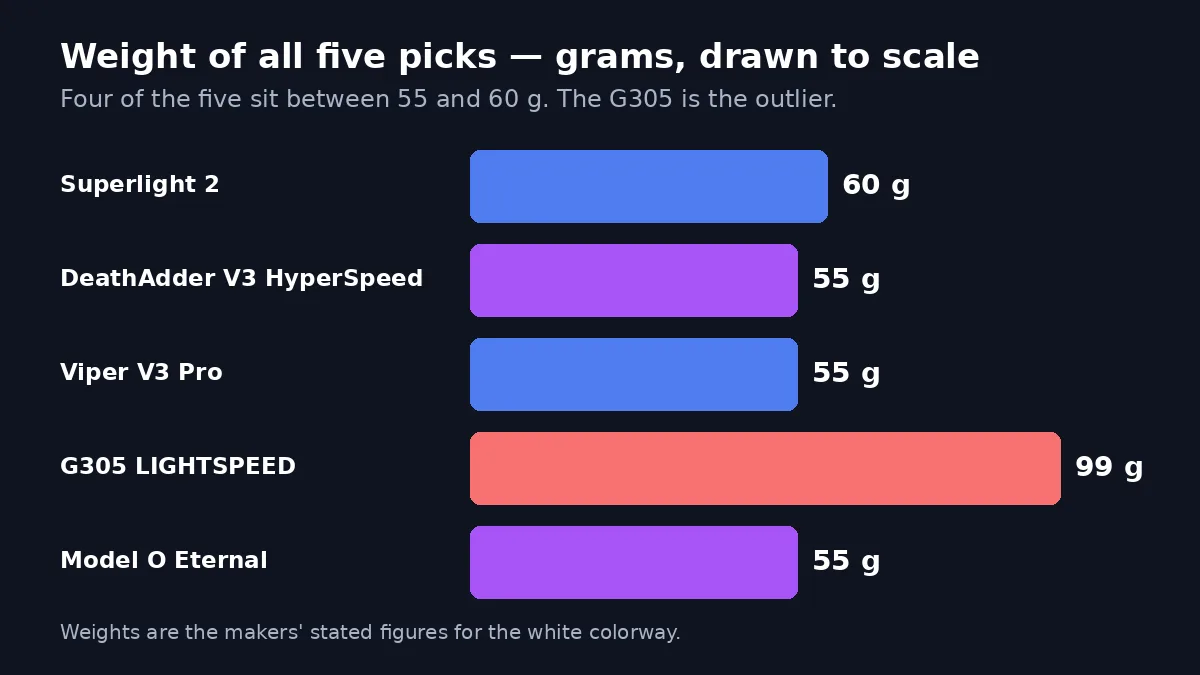
Weight is the column that matters most here: four of the five picks sit between 55 and 60 g, and the G305 is the clear outlier.
| Product | Weight | Connection & platforms | Best for | Link |
|---|---|---|---|---|
| Logitech G Pro X Superlight 2 (White)Best overall | 60 g | LIGHTSPEED wireless, USB-C; PC, Mac | Pro-level FPS gaming | Amazon Paid link |
| Razer DeathAdder V3 HyperSpeed (White)Best value | 55 g | HyperSpeed wireless, USB-C; PC, Mac | Ergonomic wireless under a flagship price | Amazon Paid link |
| Razer Viper V3 Pro (White)Best for competitive FPS | 55 g | HyperSpeed wireless, 8K HyperPolling dongle, USB-C; PC, Mac | Tournament and ambidextrous play | Amazon Paid link |
| Logitech G305 LIGHTSPEED (White) | 99 g | LIGHTSPEED wireless; PC, Mac | Budget wireless | Amazon Paid link |
| Glorious Model O Eternal (White) | 55 g ± 4 g | Wired USB-A, 2 m cable; PC, Mac | Budget wired, ultralight | Amazon Paid link |
What the table does not show
How a shell ages. Two mice can weigh the same 55 g and look very different after two years, because the finish — glossy, soft-touch or honeycomb — decides how yellowing and wear show up.
Why a white wireless mouse turns yellow
A white wireless mouse usually turns yellow because of its plastic, not because of dirt. Most white shells are ABS plastic, and UV light breaks down a component of ABS called polybutadiene. That reaction, called photo-oxidation, forms yellow-tinted compounds — so the shell changes colour even if you keep it clean.
Heat speeds the same reaction up, and oxygen keeps it going slowly even without direct light. Skin oils do not cause the yellowing itself, but they can wear down soft-touch coatings over time. Razer’s own device-care guidance tells owners to keep gear out of direct sunlight and away from extreme temperatures, which lines up exactly with what drives the change.
| Factor | What is happening | How much it matters |
|---|---|---|
| Direct UV and sunlight | Breaks chemical bonds in the ABS shell, forming yellow-tinted compounds | The single biggest factor |
| Heat | Speeds up the same oxidation reaction | Makes UV damage worse and faster |
| Time and oxygen alone | Oxidation continues slowly even without direct light | Minor, but constant |
| Skin oils and sweat | Do not cause yellowing, but can wear down soft-touch coatings | Coating-specific |
Coating types and which hold up
Not every white shell is finished the same way, and the finish matters more than most buying guides mention. Razer, Logitech and Glorious do not publish the exact plastic blend used in each shell, so treat glossy, matte and soft-touch as the practical signal you can check before buying — not a claim about any one product’s internal formula.
A glossy hard-coat ABS shell is shiny and hard, shows fingerprints, and can get slippery once your hands warm up. Because the surface is reflective, any yellowing is more visually obvious than on a matte finish, even if the chemistry underneath is the same. A matte or soft-touch coating feels grippy out of the box, but the coating itself can turn tacky after a few years through a separate ageing process called hydrolysis. PBT-blend shells are rarer on mice than on keyboard keycaps, but PBT resists UV yellowing and surface wear better than plain ABS.
| Finish | Initial grip and feel | Yellowing resistance | Long-term risk |
|---|---|---|---|
| Glossy hard-coat ABS | Can get slippery when warm | Yellowing is visually obvious due to shine | Low — no soft coating to break down |
| Matte soft-touch | Best out-of-the-box grip | Underlying yellowing is less visually obvious | Highest — coating can turn tacky over a few years |
| PBT-blend or reinforced shell | Firm, slightly grainy texture | Best yellowing resistance of the three | Low — resists both UV and hydrolysis well |
Pick 1 · Best overall
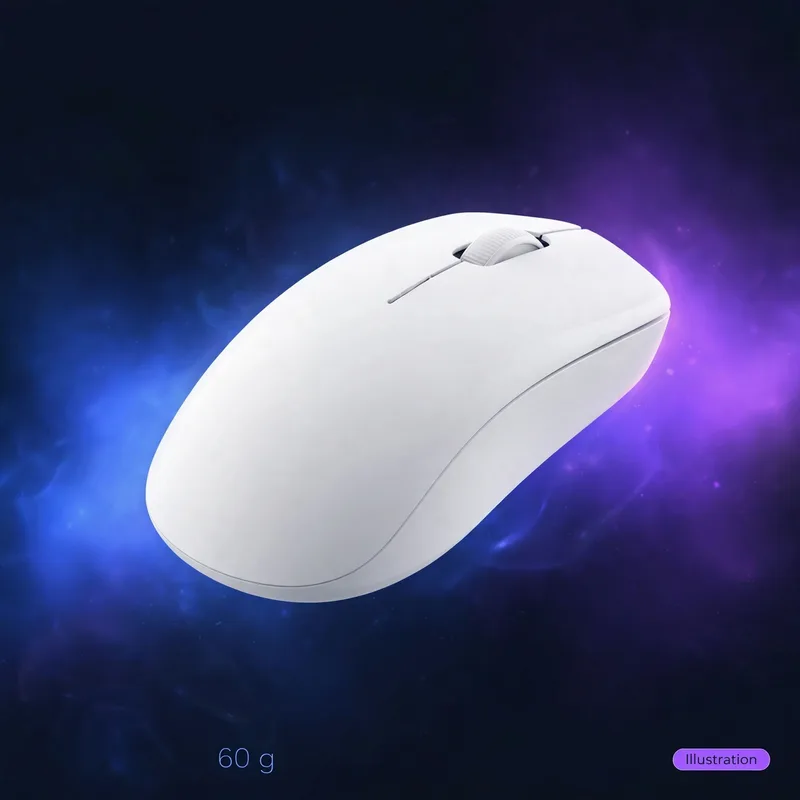
Logitech G Pro X Superlight 2 (White)
Best for pro-level FPS gamingThe benchmark wireless FPS mouse at 60 g, with the HERO 2 sensor and a battery rated up to 95 hours. Its glossy white shell is the cleanest solid-white shell of the five, and it avoids the soft-touch coating that can turn tacky with age.
- Weight
- 60 g
- Sensor and max DPI
- HERO 2, 44,000 DPI
- Polling rate
- Up to 8,000 Hz with PRO LIGHTSPEED receiver, 1,000 Hz with included receiver
- Connection
- LIGHTSPEED Wireless, USB-C
- Battery (rated)
- Up to 95 hours
- Brand
- Logitech G
Strengths
- Genuinely light at 60 g
- HERO 2 sensor with zero smoothing, acceleration or filtering
- 95-hour rated battery life
Trade-offs
- No onboard DPI button — DPI is set through G HUB software
- Only 5 buttons, so it is not ideal for MMO players who want more
Editorial opinion
This is the pick if competitive FPS performance is the priority and you want a clean, solid-white shell. It costs more than the rest of this list, but the sensor and battery life justify it for serious players.
Price and availability change often — check the current listing.
Pick 2 · Best value
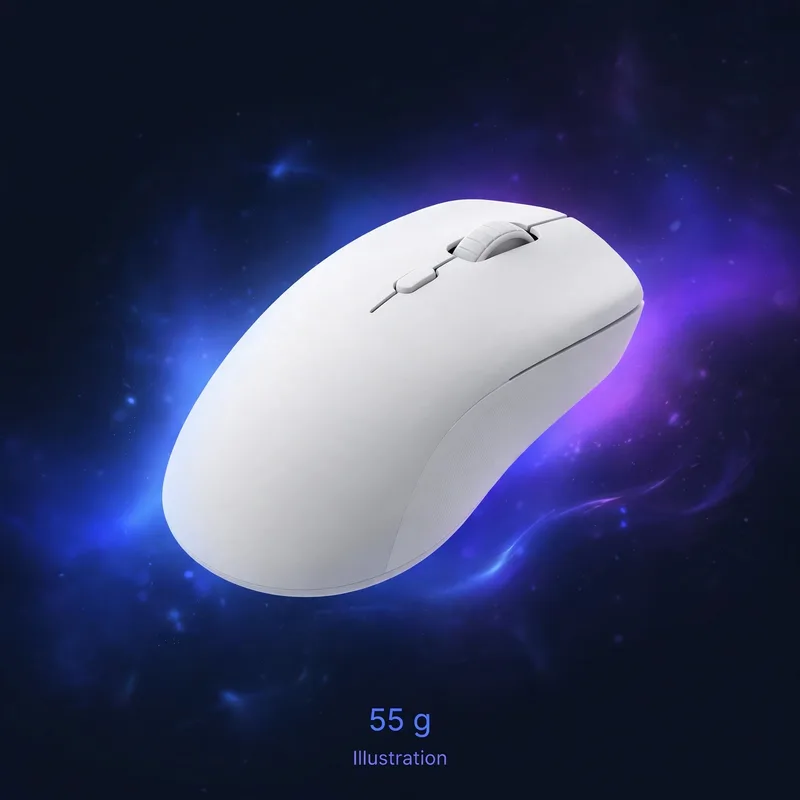
Razer DeathAdder V3 HyperSpeed (White)
Best for ergonomic wireless gaming on a budgetThe classic DeathAdder shape trimmed down to 55 g, with a Focus X 26K sensor and a battery rated up to 100 hours. It is the easiest recommendation on this list for right-handed players who want wireless without flagship money.
- Weight
- 55 g
- Sensor and max DPI
- Focus X 26K Optical, 26,000 DPI
- Polling rate
- 1,000 Hz, up to 8,000 Hz with separately sold HyperPolling dongle
- Connection
- HyperSpeed Wireless, USB-C
- Battery (rated)
- Up to 100 hours
- Brand
- Razer
Strengths
- Iconic, comfortable DeathAdder ergonomic shape
- 100-hour rated battery, among the best in wireless mice
- Exceptionally light at 55 g for an ergonomic mouse
Trade-offs
- Right-handed only
- Soft-touch coating carries the higher long-term stickiness risk noted above
Editorial opinion
The best value pick here. If you are right-handed and want a wireless mouse that does not cost flagship money, this is the one — just be mindful of the soft-touch coating over a long ownership period.
Price and availability change often — check the current listing.
Pick 3 · Best for competitive FPS
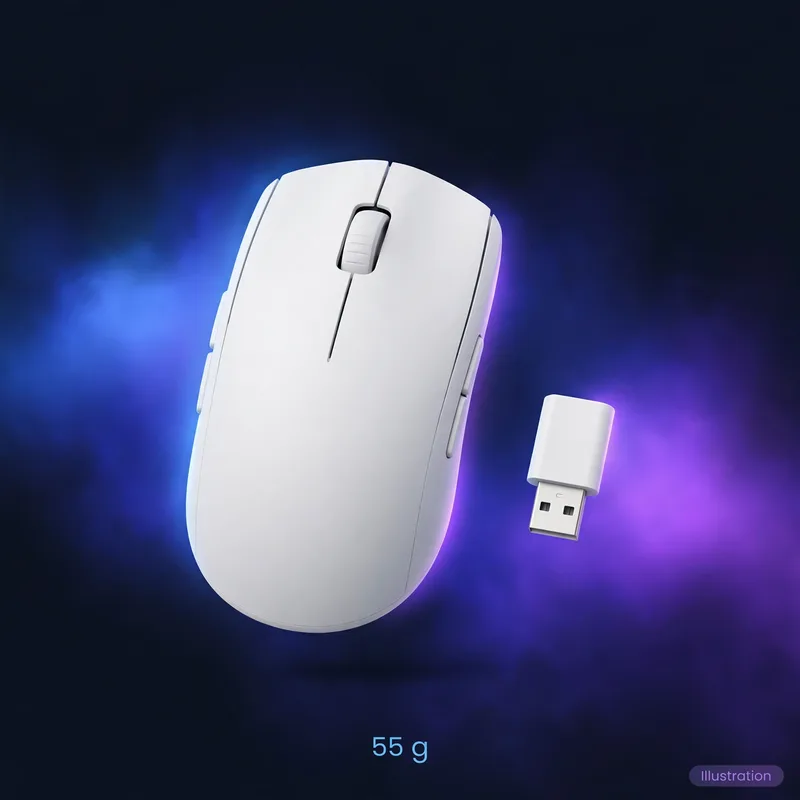
Razer Viper V3 Pro (White)
Best for tournament and ambidextrous playA 55 g symmetrical wireless mouse with true 8,000 Hz polling from the HyperPolling dongle included in the box, and a Focus Pro 35K sensor rated to 35,000 DPI. The white version weighs 55 g; the black version is 54 g.
- Weight
- 55 g
- Sensor and max DPI
- Focus Pro 35K Optical Gen-2, 35,000 DPI
- Polling rate
- Up to 8,000 Hz wireless with included HyperPolling dongle
- Connection
- HyperSpeed Wireless, USB-C
- Battery (rated)
- Up to 95 hours at 1,000 Hz, up to 17 hours at 8,000 Hz
- Brand
- Razer
Strengths
- True 8,000 Hz wireless polling with the dongle in the box
- Ambidextrous shape works for either hand
- Focus Pro 35K Gen-2 sensor
Trade-offs
- Most expensive mouse on this list
- Battery drops to about 17 hours at max 8,000 Hz polling
Editorial opinion
The pick if you want the fastest wireless connection available and do not mind paying for it. The ambidextrous shape is also genuinely useful if you switch hands or share the mouse.
Price and availability change often — check the current listing.

Pick 4 · Best budget wireless
Logitech G305 LIGHTSPEED (White)
Best for budget wireless gamingA budget favourite for years, still sold in white. The HERO 12K sensor reaches 12,000 DPI, and one AA battery is rated for up to 250 hours — no charging cable to manage. At 99 g it is the heaviest mouse here by a wide margin.
- Weight
- 99 g
- Sensor and max DPI
- HERO 12K, 12,000 DPI
- Polling rate
- 1,000 Hz
- Connection
- LIGHTSPEED Wireless
- Battery (rated)
- Up to 250 hours, 1 AA battery
- Brand
- Logitech G
Strengths
- Excellent value for a wireless mouse with a real gaming sensor
- Up to 250-hour rated battery on a single AA — no charging needed
- Reliable LIGHTSPEED wireless connection
Trade-offs
- Heaviest mouse on this list by a wide margin
- Dated shape next to newer competitors
Editorial opinion
If budget is the priority and you do not need the lightest possible mouse, the G305 is still a sound wireless pick in white.
Price and availability change often — check the current listing.
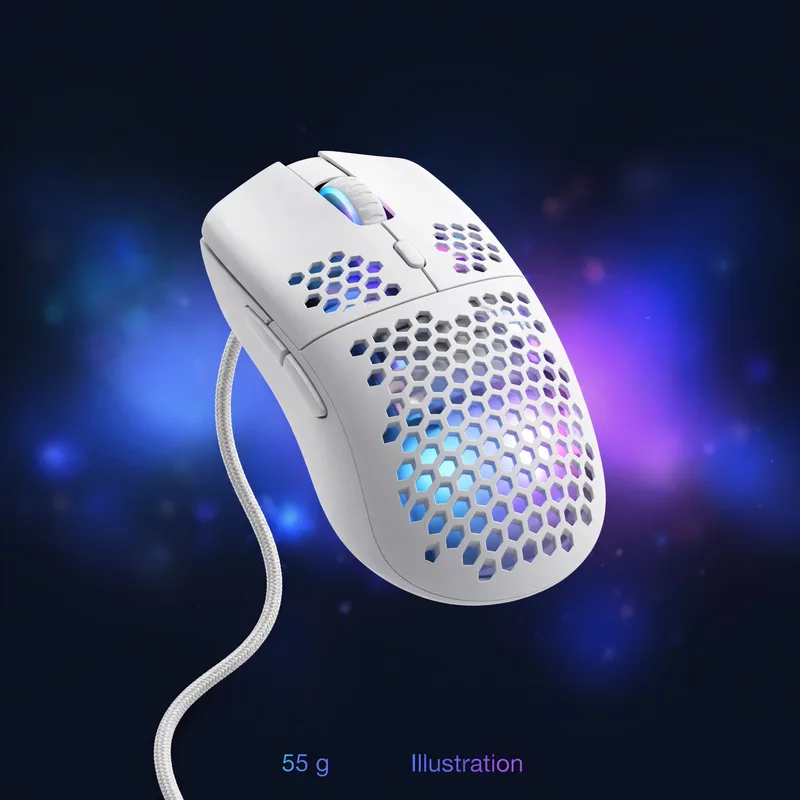
Pick 5 · Best budget wired
Glorious Model O Eternal (White)
Best for budget wired, ultralight gamingThe cheapest true-ultralight option on this list at 55 g, wired only. Glorious labels its sensor “12K Optical” and does not publish the exact sensor chip, so that is the manufacturer’s own label rather than a named third-party sensor. The honeycomb shell shows off dual-zone RGB underneath.
- Weight
- 55 g ± 4 g
- Sensor and max DPI
- 12K Optical, 12,000 DPI
- Polling rate
- 1,000 Hz
- Connection
- Wired, USB-A
- Cable
- 2 m, fixed
- Brand
- Glorious
Strengths
- Cheapest ultralight option on this list
- Honeycomb shell shows off dual-zone RGB well
- 1,000 Hz polling and a capable 12K sensor for the price
Trade-offs
- Wired only, fixed cable
- Honeycomb gaps collect dust and need occasional cleaning
Editorial opinion
The pick if you want an ultralight white mouse on a tight budget and do not mind being tethered. Just budget in occasional cleaning for the honeycomb gaps.
Price and availability change often — check the current listing.
What to look for before you buy
Finish first, weight second, sensor third. A white mouse is a long-term purchase, so the shell you live with matters more than the DPI number on the box.
Finish and coating
Glossy shells show yellowing first. Matte soft-touch hides it better but can turn tacky after a few years. If you plan to keep the mouse for three years or more, a glossy or hard-coat shell is the safer long-term bet.
Weight
Under 60 g feels light in fast FPS games; 99 g feels heavy next to it. Four of the five picks here sit at 55 to 60 g, so weight alone does not separate them — the shape does.
Shape and grip
Symmetrical mice suit claw and fingertip grips and either hand. The DeathAdder V3 HyperSpeed is the only ergonomic shape here, and it is right-handed only — left-handed players should pick the Viper V3 Pro or the Model O Eternal instead.
Max DPI is not the deciding spec
26,000 DPI sounds fast; you will play at 800 or 1,600. Every sensor here tracks far beyond what competitive play uses. Ignore the DPI headline and judge the mouse on weight, shape and finish instead.
Key terms, explained
Mouse specs use a few terms that trip buyers up. Here is what each one actually means for your games.
- Polling rate
- How often the mouse reports its position to your PC, measured in Hz. At 1,000 Hz it reports once per millisecond; at 8,000 Hz it reports eight times per millisecond. Higher polling drains battery faster.
- DPI
- Dots per inch: how far the cursor moves for one inch of mouse movement. Most competitive players use 400 to 1,600 DPI. A 44,000 DPI maximum is headroom you will never play at.
- Photo-oxidation
- The chemical reaction that yellows white ABS plastic. UV light breaks bonds in the plastic, and oxygen continues the reaction, forming yellow-tinted compounds. It is a slow chemical change, not dirt.
- Hydrolysis
- The slow breakdown of soft-touch rubberized coatings by moisture over years. It is separate from yellowing and is what makes an old soft-touch shell feel tacky or sticky.
Mistakes that cost gamers money
The most expensive mistake is buying a white mouse for the sensor number and ignoring the finish — then replacing it a year later because the shell looks old.
- Buying for the spec sheet, not the shellA 44,000 DPI sensor means nothing if the glossy shell yellows on a sunny desk. Check the finish and where the mouse will sit first.
- Cleaning with alcohol wipesRazer and Corsair both advise against alcohol-based cleaners on device shells. A microfiber cloth with a little water does the job without damaging the finish.
- Paying for 8,000 Hz you cannot useThe DeathAdder V3 HyperSpeed and the Superlight 2 need a separately sold dongle or receiver for 8,000 Hz. If you will not buy it, judge the mouse at its included 1,000 Hz.
- Picking a wired mouse for a wireless setupThe Model O Eternal is the cheapest pick here, but it is wired only with a fixed 2 m cable. If your desk needs wireless, the G305 costs little more and cuts the cable.
Cleaning a white mouse without damaging it
Most gear blogs recommend wiping electronics down with rubbing alcohol. For a white mouse shell, that advice conflicts with what the manufacturers themselves say. Razer and Corsair both recommend a soft, dry or slightly water-dampened cloth for the shell — not an alcohol-based cleaner.
Setup and upkeep
Power the mouse down first — unplug a wired mouse or switch a wireless one off. Wipe the shell with a dry or lightly damp microfiber cloth, and use compressed air for gaps and crevices, especially on a honeycomb shell like the Model O Eternal. Keep the mouse out of direct sunlight and away from heat, and never use abrasive scrubbing or melamine eraser sponges on a matte or soft-touch coating.

Frequently asked questions
Why do white gaming mice turn yellow?
Yes, most do eventually. Most white mouse shells are ABS plastic. UV light breaks down a component of that plastic called polybutadiene, and the resulting reaction produces yellow-tinted compounds. It is a slow chemical process, not dirt or staining, and heat and continued light exposure both speed it up.
Can you reverse yellowing once it starts?
Partially, and not reliably. A technique called retrobrighting, using hydrogen peroxide and UV exposure, can temporarily lighten yellowed ABS, but the underlying degradation is not fully undone, discoloration can return, and uneven application can cause streaking. It is not something GameVexo recommends as a routine fix.
Is a matte or glossy white mouse better for staying white?
Neither finish is immune to yellowing, because the underlying ABS plastic is usually the same either way. The real trade-off is different: glossy shells make any yellowing more visually obvious, while matte soft-touch coatings hide it better but carry a separate long-term risk of becoming tacky through hydrolysis.
What is the safest way to clean a white gaming mouse?
A dry or lightly water-dampened microfiber cloth, per Razer and Corsair device-care guidance. Both manufacturers specifically advise against alcohol-based cleaners on the shell finish, which contradicts a lot of generic cleaning advice. Use compressed air for honeycomb gaps and crevices.
Which white wireless mouse is best for FPS games?
The Logitech G Pro X Superlight 2 (White) at 60 g with the HERO 2 sensor rated to 44,000 DPI. If you want the fastest wireless connection, the Razer Viper V3 Pro (White) adds true 8,000 Hz polling with its included HyperPolling dongle, at 55 g.
So which one should you buy?
Get the Logitech G Pro X Superlight 2 (White) if you want the best all-round white mouse. Get the DeathAdder V3 HyperSpeed if you want ergonomic comfort and the longest rated battery for less money.
| If you need | Best pick | Why | Link |
|---|---|---|---|
| The best all-rounder | Logitech G Pro X Superlight 2 (White) | 60 g, HERO 2 sensor, 95-hour rated battery | Amazon Paid link |
| To spend less | Razer DeathAdder V3 HyperSpeed (White) | 55 g ergonomic shape, 100-hour rated battery | Amazon Paid link |
| Competitive FPS | Razer Viper V3 Pro (White) | True 8,000 Hz wireless polling, 35,000 DPI sensor | Amazon Paid link |
| Budget wireless | Logitech G305 LIGHTSPEED (White) | 250-hour rated battery on one AA battery | Amazon Paid link |
Still deciding? Answer a few questions in Help me choose and GameVexo will narrow it down by your games, platform and budget.
Where to go next
- Gaming Mouse Buying Guide: How to ChooseSettles grip, size and weight before you pick any mouse.
- Best Silent Gaming Mouse: 5 Genuinely Quiet PicksSettles which quiet mice exist if click noise bothers you or your household.
- Best Gaming Mouse Under $100Settles the best budget mice across all colours if white is not a must.
Sources
Explore

Article engagement
Comments (0)
No comments yet. Be the first to share what you think.
Sign in to join the conversation.