

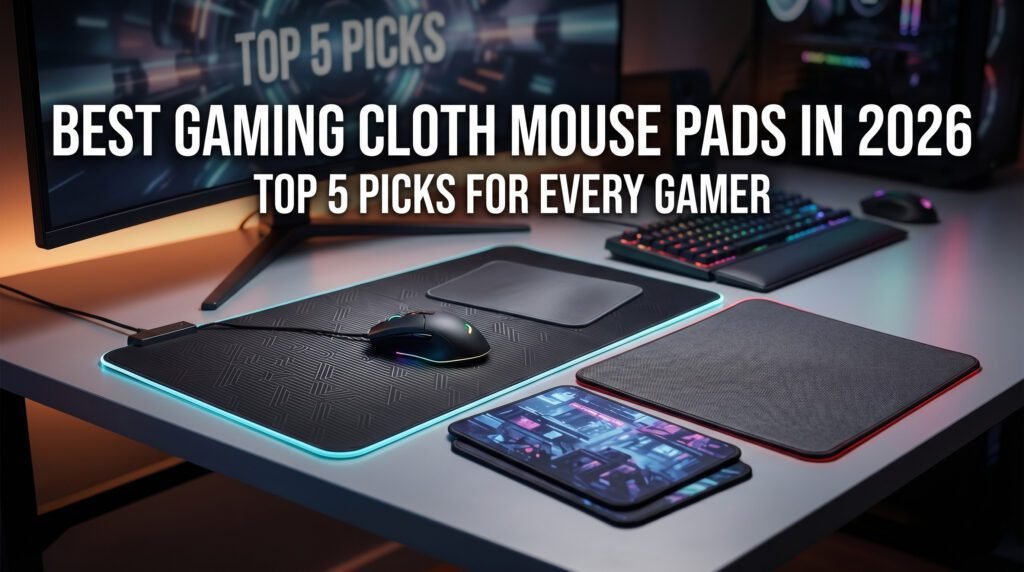
Cloth mouse pads look alike, but they do not feel alike. Some stop your mouse fast. Others let it glide. The wrong one can make aiming feel off from the first day.
This guide compares five popular cloth pads: Razer Gigantus V2, Logitech G640, SteelSeries QcK, Corsair MM300 PRO Extended and ASUS ROG Sheath. It ranks their surface speed from slower to faster using independent test data, then covers weave, washing and lifespan. GameVexo has not handled these pads. Every fact comes from a named source.
Quick Answer
A cloth mouse pad is a fabric pad on a rubber or foam base. Of these five, the Razer Gigantus V2 starts moving the least easily, the Logitech G640 and SteelSeries QcK sit in the middle, and the Corsair MM300 PRO Extended and ASUS ROG Sheath lean faster. Only the Gigantus V2 and G640 have same-mouse lab labels.
Find Your Best Pick — At a Glance
- More Control
Razer Gigantus V2 (Large)
It has the highest static-friction label of the five, so the mouse needs a little more push to start.
View on Amazon Paid link - Middle of the Road
Logitech G640 (Large)
ProSettings gives its glide, static and dynamic friction all a medium label.
View on Amazon Paid link - Keyboard + Mouse on One Pad
Corsair MM300 PRO Extended
At 930 × 300 mm it covers both, and Corsair lists a spill-resistant coating.
View on Amazon Paid link
Control vs speed cloth
Static friction is how hard your mouse resists before it moves. Dynamic friction is the drag while it moves. ProSettings, which labels both, says higher dynamic friction suits low-sensitivity players who make big arm swipes.
Speed pads cut both. Control pads keep more, so the mouse stops where you want it. TechGearLab says control and balanced pads suit most players, especially new ones, because too little stopping power causes overshooting.
Quick Tip: ProSettings says a middle-of-the-road cloth pad is the safe choice if you are unsure.
| Pad type | What you feel | Tends to suit | In this guide |
|---|---|---|---|
| Control | The mouse needs more push to start and stops quickly | Low sensitivity, big arm swipes, beginners who overshoot | Razer Gigantus V2 |
| Balanced | An even start and stop | Most players, and anyone unsure | Logitech G640, SteelSeries QcK Large |
| Faster-leaning | The mouse starts easily and keeps gliding | Higher sensitivity and quick flicks | Corsair MM300 PRO Extended, ASUS ROG Sheath |
Hard and glass pads are a different category, usually picked for less friction than cloth gives. If you want that, see our best glass mouse pad: 5 picks for speed and noise.
⚠️ Important: Feel also depends on mouse feet, pad age and humidity, which is why ProSettings tests every pad with one mouse.
Weave, thickness and stitching
Weave. No maker here publishes thread counts, so weave cannot be compared on paper. Size, thickness, edges and the friction labels can.
Thickness. Four pads are 3 mm. The QcK Large is 2 mm. TechGearLab calls thickness a trade-off: more cushion, a little less speed.
Stitching. Stitched edges aim to stop fraying. Corsair and ASUS list them. ProSettings reports none on the G640 or QcK Large, and its pages disagree on the Gigantus V2.
| Pad | Size (mm) | Thickness | Edges, as reported |
|---|---|---|---|
| Razer Gigantus V2 (L) | 450 × 400 | 3 mm | Sources conflict |
| Logitech G640 (L) | 460 × 400 | 3 mm | Not stitched (ProSettings) |
| SteelSeries QcK Large | 450 × 400 | 2 mm | Not stitched (ProSettings) |
| Corsair MM300 PRO Extended | 930 × 300 | 3 mm | Anti-fray stitching (Corsair) |
| ASUS ROG Sheath | 900 × 440 | 3 mm | Stitched (ASUS) |
⚠️ Stitching is not a guarantee: TechGearLab saw bottom-edge fraying on the MM300 PRO Extended, and ProSettings lists edge fraying as a G640 con.
Size
Large pads here are about 450 × 400 mm. Extended pads are about 900 mm wide. Low-sensitivity players need room to swipe. Our mouse pad sizes chart shows common sizes.
Quick Comparison Table
| Product | Size and thickness | Glide evidence | Best For | Link |
|---|---|---|---|---|
| Razer Gigantus V2 (L) Most control | 450 × 400 × 3 mm | ProSettings: overall Medium, static High | More stopping power | Amazon Paid link |
| Logitech G640 (L) Balanced | 460 × 400 × 3 mm | ProSettings: Medium, Medium, Medium | An all-round surface | Amazon Paid link |
| SteelSeries QcK Large Thinnest | 450 × 400 × 2 mm | No label found | A thin pad | Amazon Paid link |
| Corsair MM300 PRO Extended Keyboard + mouse | 930 × 300 × 3 mm | TechGearLab: balanced, fast for cloth | Desk coverage | Amazon Paid link |
| ASUS ROG Sheath Biggest | 900 × 440 × 3 mm | TechGearLab: faster on x than y | The most room | Amazon Paid link |
Surface-speed ranking, slowest to fastest

The five picks, from slower to faster

#1 — Most Control
Razer Gigantus V2 (Large)
Players who want a slower, more controlled glideThe slowest-starting surface of the five, with a 3 mm firm foam base
- Brand
- Razer
- Size
- 450 × 400 mm
- Thickness
- 3 mm
- ProSettings glide
- Medium (static High)
- Surface
- Textured micro-weave cloth (Razer)
- Edges
- Sources conflict
Pros
- Highest static-friction label of the five (ProSettings)
- Firm 3 mm foam base
- Razer publishes clear cleaning steps
Cons
- ProSettings reports it can shift in intense play
- Edge stitching is unclear; sources disagree
Our Editorial Opinion
A sensible start if you want more stopping power. Skip it if you want a light start.
The Gigantus V2 starts moving the least easily of the five. ProSettings gives it a High static-friction label and Medium overall glide, so the mouse needs a little more push to start and stops readily. The Large is 450 × 400 mm with a firm 3 mm foam base.
🔗 Pairs well with: Check your space with our mouse pad sizes chart.
Price changes frequently — check Amazon for the latest deal.

#2 — Middle of the Road
Logitech G640 (Large)
Players who want a balanced surfaceMedium glide labels across the board, plus a 2-year warranty
- Brand
- Logitech G
- Size
- 460 × 400 mm
- Thickness
- 3 mm
- ProSettings glide
- Medium (static Medium)
- Surface
- Moderate friction (Logitech)
- Warranty
- 2-year limited (Logitech)
Pros
- Medium on all three ProSettings labels
- Lower static friction than the Gigantus V2, same mouse
- 2-year limited warranty
Cons
- ProSettings lists edge fraying over time
- No maker washing steps found
Our Editorial Opinion
The safest all-rounder if you do not know your preference yet.
The G640 is the middle-of-the-road pad. ProSettings gives it medium labels for glide, static and dynamic friction, and says its glide is close to the QcK line. It is 460 × 400 mm and 3 mm thick.
🔗 Pairs well with: New to pads? Read do you need a mouse pad for gaming.
Price changes frequently — check Amazon for the latest deal.

#3 — Thinnest Pad
SteelSeries QcK (Large)
Players who want a thin 2 mm cloth padThin micro-woven cloth that SteelSeries calls washable
- Brand
- SteelSeries
- Size
- 450 × 400 mm
- Thickness
- 2 mm
- Glide label
- None found
- Surface
- Micro-woven cloth
- Edges
- Not stitched (ProSettings)
Pros
- Thin 2 mm profile
- SteelSeries calls the cloth washable
- TechGearLab liked the Medium size’s feel and stopping power
Cons
- No friction label for this size
- TechGearLab flagged unprotected edges on the Medium
Our Editorial Opinion
Choose it for a thin pad, and treat its speed placement as an estimate.
The QcK Large is the thinnest pad here at 2 mm, and it measures 450 × 400 mm. Neither ProSettings nor TechGearLab labeled this size, so its ranking spot is an estimate. Check the listing, because SteelSeries also sells QcK Performance pads, which are different products.
🔗 Pairs well with: Want something faster? See our best glass mouse pad guide.
Price changes frequently — check Amazon for the latest deal.

#4 — Keyboard + Mouse Cover
Corsair MM300 PRO Extended
Players who want one pad under keyboard and mouse930 × 300 mm with anti-fray stitching and a spill-resistant coating
- Brand
- Corsair
- Size
- 930 × 300 mm
- Thickness
- 3 mm
- TechGearLab glide
- Balanced
- Surface
- Spill-resistant cloth (Corsair)
- Edges
- Anti-fray stitching (Corsair)
Pros
- Covers keyboard and mouse
- Stitched edges
- Balanced glide, per TechGearLab
Cons
- TechGearLab saw bottom-edge fraying
- Some retailers list it as discontinued
Our Editorial Opinion
Good when desk coverage matters more than depth. Check Amazon stock first.
At 930 × 300 mm, the MM300 PRO Extended covers a keyboard and mouse. TechGearLab called its glide balanced and fast for cloth, but not a speed pad. Corsair lists anti-fray stitching and a spill-resistant coating. At 300 mm deep, low-sensitivity players may run short of room.
🔗 Pairs well with: Building a desk setup? See our best gaming mouse and keyboard combos.
Price changes frequently — check Amazon for the latest deal.

#5 — Biggest Surface
ASUS ROG Sheath
Players who want the deepest full-desk surface900 × 440 mm with stitched edges
- Brand
- ASUS ROG
- Size
- 900 × 440 mm
- Thickness
- 3 mm
- TechGearLab glide
- Faster on x than y
- Surface
- Cloth top, rubber base (ASUS)
- Edges
- Stitched (ASUS)
Pros
- Largest surface in this guide
- Stitched edges
- More depth than the Corsair
Cons
- Glide differs by direction (TechGearLab)
- May not lie fully flat
- No maker care steps found
Our Editorial Opinion
Pick it for room. If an even feel matters more, look at the G640.
The ROG Sheath is the biggest surface here at 900 × 440 mm, with stitched edges per ASUS. TechGearLab found glide faster along the x-axis than the y-axis, and noted it may not lie fully flat.
🔗 Pairs well with: Comparing top-end options? See our most expensive mouse pads.
Price changes frequently — check Amazon for the latest deal.
Washing and care: what each maker says
Maker advice is not consistent, and the wrong method can harm a pad. Here is what we found.
| Pad | What the maker says | Source |
|---|---|---|
| Razer Gigantus V2 | Wipe with a damp, lint-free cloth. No washing machine, no running water, and do not fold, roll or compress it | Razer support page |
| SteelSeries QcK | Calls the cloth durable and washable. No step-by-step method found | SteelSeries product page |
| Corsair MM300 PRO | Describes a spill-resistant, stain-resistant coating. No washing steps found | Corsair product page |
| ASUS ROG Sheath | No care instructions found | — |
| Logitech G640 | No care instructions found | — |
We cannot say how each pad held up in use, because GameVexo has not used them. Reviewers did report edge wear on the MM300 PRO Extended (TechGearLab) and the G640 (ProSettings).
Quick Tip: If a maker gives no steps, wipe the pad with a damp cloth and let it dry flat. That is the lowest-risk option.
How long a cloth pad lasts
No maker here publishes a lifespan, so any exact number would be a guess. Sources do say glide changes with use. ProSettings lists pad age, humidity and temperature as factors, and TechGearLab expects cloth pads to slow down over time.
Signs it may be time to replace it
Peeling or fraying edges, uneven glide across the surface, a pad that slides on the desk, or stains that will not lift. This is our rule of thumb, not a maker spec.
Buying Guide — What to Look For
Start with how you aim, then check size and the exact listing.
Your sensitivity and swipe length
Low sensitivity means long arm swipes, which tend to suit more friction. Quick flicks tend to suit less. If unsure, start with the G640.
Desk space
Measure your desk first. Large pads are about 450 × 400 mm and extended pads about 900 mm wide. See our mouse pad sizes chart.
Thickness and edges
Choose the 2 mm QcK for a thin profile or a 3 mm pad for cushion. Stitched edges help, but reviewers still reported fraying.
The exact listing
Match the size and model on the Amazon page to this guide. Makers sell several lines, and the Gigantus V2 Pro is a different pad from the Gigantus V2.

How GameVexo chose
How GameVexo chose these picks
Evidence basis: This guide is research-based. GameVexo has not handled or tested these pads, and nothing here is first-hand.
What came from documentation: Sizes, thickness, edges and care wording come from maker pages and retailer listings that repeat maker specs.
Independent evidence: Friction labels for the Gigantus V2 and G640 come from ProSettings, which uses one mouse for every pad. Glide notes for the MM300 PRO Extended and ROG Sheath come from TechGearLab’s hands-on tests (updated November 2024), which used several mice. Neither is GameVexo data.
How picks are chosen: This page already covered these five pads, so we kept them and sorted them by surface speed, then compared size, thickness, edges and care. Affiliate links do not change the order. We do not use sales rank or star scores.
Frequently Asked Questions
Is a faster or slower cloth pad better for beginners?
TechGearLab says control and balanced pads suit most players, especially new ones. ProSettings says a middle-of-the-road cloth pad is the safe start.
Can you machine wash a cloth mouse pad?
Razer says not to machine wash its mats. SteelSeries calls the QcK cloth washable. We found no steps from Corsair, ASUS or Logitech, so check the care label.
How long does a cloth mouse pad last?
No maker here gives a lifespan. Glide changes with age, dirt and humidity, and edges can fray. Replace a pad when glide turns uneven or edges peel.
Does thickness change how a cloth pad feels?
TechGearLab calls thickness a trade-off between cushion and speed. Four pads here are 3 mm and the QcK Large is 2 mm, so the gap is small.
Final Verdict — Which Should You Buy?
Pick by the glide you want, then check size. If unsure, start with the Logitech G640.
| If You Need… | Best Pick | Key Spec | Buy |
|---|---|---|---|
| More control | Razer Gigantus V2 (L) | Static friction: High | Amazon Paid link |
| A middle-of-the-road pad | Logitech G640 (L) | Medium labels | Amazon Paid link |
| A thin pad | SteelSeries QcK Large | 2 mm | Amazon Paid link |
| Keyboard and mouse on one pad | Corsair MM300 PRO Extended | 930 × 300 mm | Amazon Paid link |
| The biggest surface | ASUS ROG Sheath | 900 × 440 mm | Amazon Paid link |
Not sure which glide suits your sensitivity? Leave a question in the comments 👇
A note on what I could not verify: GameVexo has not handled any of these pads. No source we found tested all five on one mouse, and the QcK Large has no friction label from either source, so its place in the ranking is an estimate. Sources disagree on whether the Gigantus V2 has stitched edges. We found no care instructions from Logitech or ASUS, and no maker gives a lifespan. Some retailers list the Corsair MM300 PRO Extended as discontinued, so check stock. Sizes and specs are the makers’ published figures and can change.
Explore


Article engagement
Comments (0)
No comments yet. Be the first to share what you think.
Sign in to join the conversation.